


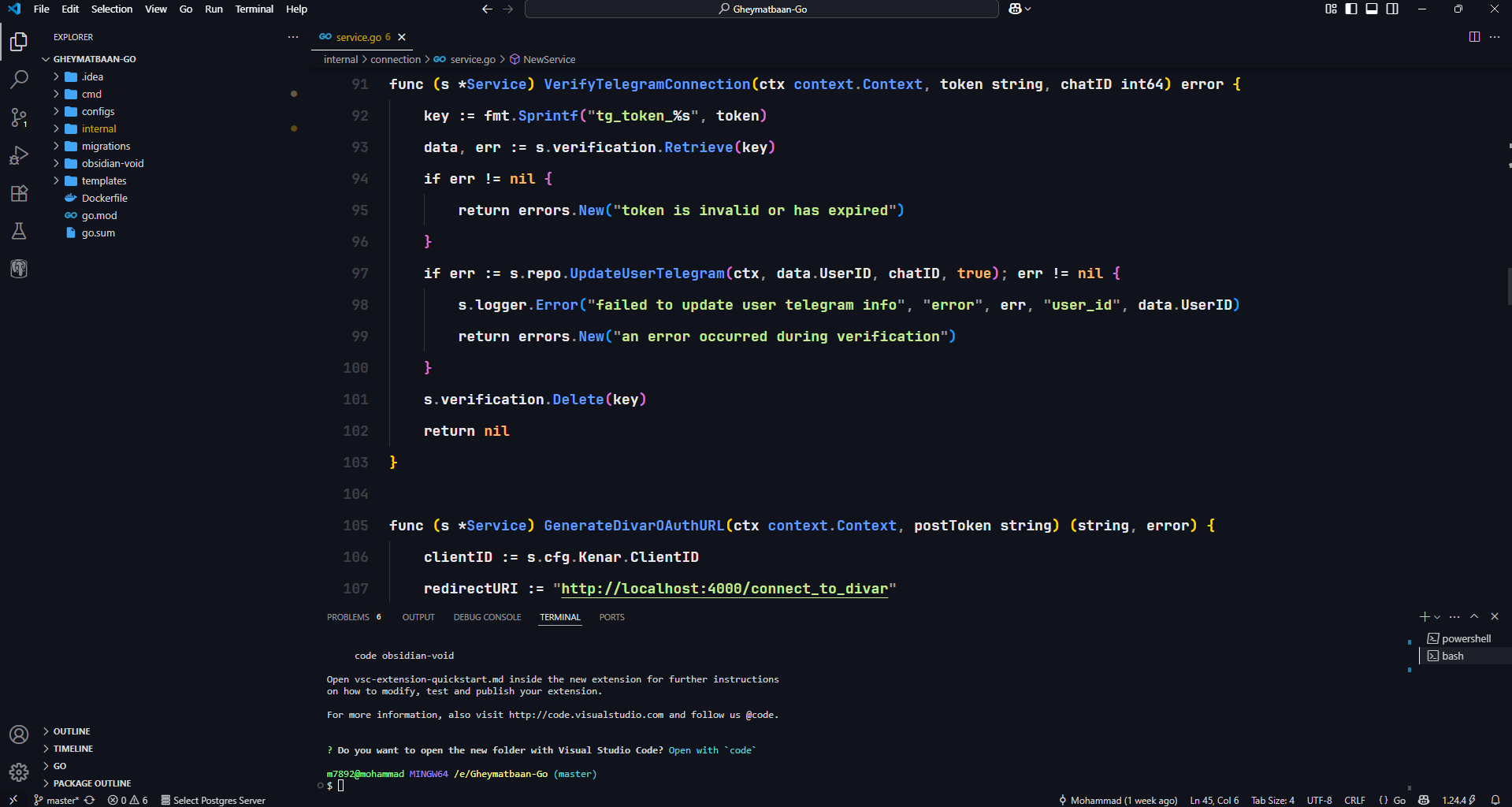
This theme is designed for developers who are tired of the obsession with choosing colors and constantly switching themes. Obsidian Void provides a single, unified, and calming color palette to help you focus all your attention on coding and problem-solving.
There is only one choice. Install, activate, and welcome to a world of distraction-free coding.
- Open Visual Studio Code.
- Go to the Extensions view (
Ctrl+Shift+X). - Search for
Obsidian Void. - Click the Install button.
- Activate the theme by pressing
Ctrl+K Ctrl+Tor by going toFile > Preferences > Theme > Color Themeand selecting Obsidian Void.
For the best visual experience and perfect harmony with this theme, it's recommended to use the JetBrains Mono NL font. Its high readability and ligatures pair beautifully with the Obsidian Void color palette.
If this theme has been useful to you and helped improve your focus, you can support this project financially through the link below. Your support is a great motivation for developing and improving open-source projects.

You can also get in touch for bug reports, suggestions, or just a friendly chat through the following channels:
| Platform | Link |
|---|---|
| GitHub | github.com/mohammadhasanii |
| linkedin.com/in/mohammadhasanii | |
| X (Twitter) | x.com/code_mohammad |
| m789219@gmail.com |
Enjoy!