

Keep Sticky Board is a React + Vite UI that runs in two ways:
- Desktop (Electron) — import a Google Takeout / Keep folder, drag notes on a board, and persist everything locally.
- Web demo — same board UI in the browser (e.g. GitHub Pages): sample notes, no Takeout import (the Import button is disabled). State lives in localStorage.
The npm package name is keep-sticky-desktop; the packaged app title is Keep Sticky Board.
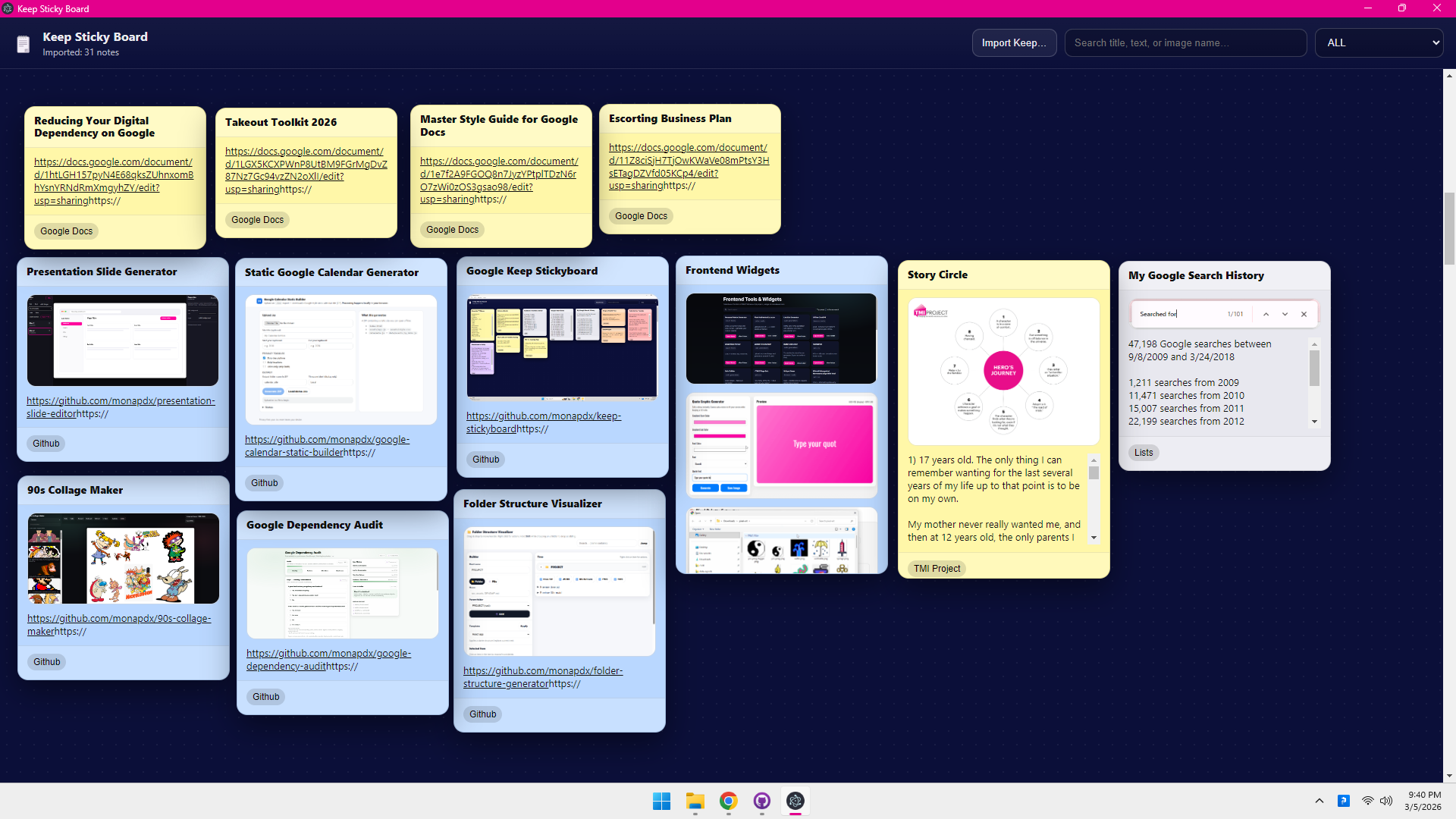
- Import (desktop only) — Recursively loads
*.jsonfiles under the folder you choose and keeps objects that look like Keep notes (title,textContent,listContent,labels, etc.). Checklists become lines with[x]/[ ]. HTML-only exports are not supported. - Sticky board — Drag notes by the header; positions are saved with the rest of the board state.
- Images — Attachments / paths from the JSON (and sidecar images next to a note’s JSON) show inline when the renderer can resolve the URL or path.
- Links —
http(s)://andwww.URLs in note text become clickable links (without starting a drag). - Search — Matches title, body, image alt text, full image src, and the image file name (last path segment). Search highlighting avoids breaking URL markup.
- Labels — Multi-select filter chips with OR / AND logic; label chips on each note toggle the same filter. Filter panel closes on click outside and exposes basic ARIA for the toggle region.
- Zoom — Board scale (about 50%–200%) from the corner controls; zoom uses
top leftas the transform origin. - Large folders — Import walks the filesystem asynchronously and periodically yields so very big Takeout trees are less likely to freeze the main process for one uninterrupted block.
- Go to Google Takeout and export Keep — https://takeout.google.com/
- Download the ZIP and extract it.
- In the desktop app, choose Import Keep… and select either:
- the extracted Takeout folder (recommended), or
- the Keep folder inside it
There is no separate “auto-detect” step: whatever directory you pick is walked for Keep-like *.json files.
Stack: React 18, Vite 5, Electron 30 (main/preload in electron/), electron-builder for Windows installers.
- Node.js 18+ recommended
- npm
npm installnpm run devOpens the web demo at the dev server (port 5173). Use Load Demo Notes / Reset Demo as needed.
Terminal 1:
npm run devTerminal 2:
npm run electron:devnpm test(vitest — import helpers and regex utilities.) The Deploy Web Demo GitHub Actions workflow runs npm test before npm run build.
npm run buildUses base: "./" so assets resolve when hosted from a subpath or opened as static files.
npm run electron:buildOutput: release/ (NSIS installer per package.json build config).
CI workflow Release Windows (.github/workflows/release-windows.yml) runs when you push a semver tag whose name starts with v (for example v0.2.0). It runs tests, builds the NSIS setup executable, and attaches release/*.exe to a GitHub Release for that tag (with auto-generated release notes).
Typical flow:
-
Bump
versioninpackage.json(and keeppackage-lock.jsonin sync), commit tomain. -
Create and push the tag (must match the version you want on the release):
git tag v0.2.0
git push origin v0.2.0
-
Open Actions → Release Windows on the repo and confirm the run succeeded, then open Releases and verify the
.exeasset.
Releases are draft-free by default: the workflow creates or updates the release for the pushed tag.
| Environment | What is stored | Where |
|---|---|---|
| Electron | Import summary, note list, positions | Electron app.getPath("userData") (OS-specific; on Windows usually under your roaming App Data folder), file keep-sticky-board-state.json |
| Web demo | Same shape of state | Browser localStorage, key keep_sticky_board_state_v1 |
Your Keep export on disk is read only during import in the desktop app; nothing is uploaded by this repo’s default behavior.
MIT — see LICENSE.