This recompilation is a byproduct of developing psxrecomp — the games are the proving ground, the framework is the goal. These are in-development previews, not finished ports — expect rough edges, and depth will keep landing over months, not days. My time for any one title is limited, so I ask for your patience. Contributions are welcome — testing, issues, and PRs to the game or framework all help and will accelerate this game's polish. More on the why at: Recomp + AI: 5 Months Later »
Tomba! (USA, SCUS-94236) statically recompiled to a native PC executable with PSXRecomp.
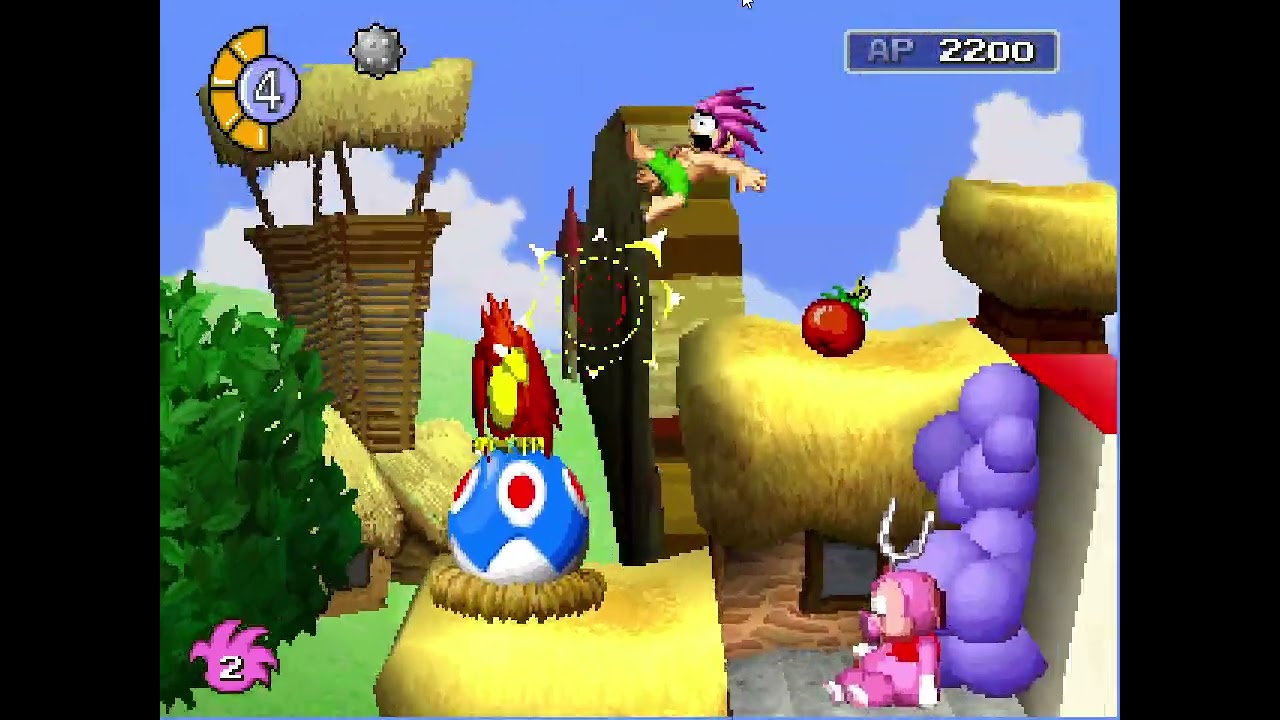
This repository contains the game-specific configuration, seeds, tools, and build glue for running Tomba on the PSXRecomp framework. Tomba's MIPS code is machine-translated ("recompiled") ahead of time into native C, then compiled into a real Windows/macOS/Linux program that runs the game's own logic on a faithful simulation of the PS1 hardware (GPU, SPU, GTE, memory cards) plus the real, recompiled PS1 BIOS — no high-level emulation shims.
It does not contain the Tomba disc image, a retail PS1 BIOS, generated game code, or any decompiled Tomba C. Release builds include the MIT-licensed OpenBIOS from PCSX-Redux; game data and an optional retail BIOS come from your own legally obtained assets.
Important files:
game.toml: Tomba runtime / recompiler / video / controller / widescreen config.game_options.toml: in-game OPTION settings that persist across launches.seeds/: Ghidra-derived function starts and game-specific seed data.tools/regen.sh(macOS/Linux) /tools/regen.ps1(Windows): regenerates the Tomba recompiled C output by invoking the framework recompiler.tools/package_release.ps1: builds the redistributable release zip.tools/package_appimage.sh: builds the experimental Linux x86-64 AppImage.psxrecomp/: the PSXRecomp framework, pulled in as a git submodule pinned to a known-good commit.ISSUES.md: game-specific issue log.
The game is playable from BIOS boot through gameplay. Latest release: v0.11.1-alpha (2026-08-04).
| Area | State |
|---|---|
| PS1 BIOS boot | Works (real recompiled BIOS) |
| Disc-detect / license screen | Works |
| Whoopee Camp + intro FMV | Works (intro skippable; optional auto-skip) |
| Title menu / OPTIONS | Works (settings persist across launches) |
| NEW GAME / LOAD GAME | Works |
| Memory-card save & load | Works (standard .mcd, emulator-compatible) |
| Gameplay | Playable; known crashes tracked in ISSUES.md |
| Renderers | Software and OpenGL (GPU); OpenGL is the default |
| Widescreen 16:9 | Experimental, opt-in (true wider FOV) |
| Controller | Analog / D-Pad modes; optional Special Edition Hybrid mod |
- Two renderers. A CPU software rasterizer and a GPU-authoritative OpenGL backend (default). OpenGL moves rasterization and supersampling onto the GPU so fill-heavy scenes (e.g. the mushroom forest) hold 59.94 fps. Falls back to software automatically if GL init fails.
- Supersampling + anti-aliasing. Internal-resolution SSAA (2×–4×) with optional linear present filtering for clean edges. Ships at 2×.
- Optional texture filtering. Nearest (native PSX look) or bilinear.
- Experimental widescreen (16:9). A genuine wider field of view — the GTE projection is widened so you see more of the world at the sides, not a stretched picture. Works on both renderers. Opt-in; some 2D HUD/menu/FMV elements and the occasional background seam can look off. 21:9 is not ready.
- Controller modes. Choose Analog (DualShock, variable stick movement) or D-Pad (digital movement) in the normal controller settings. The default-off Special Edition Hybrid Controller mod switches to digital when the D-pad is touched and back to analog when the stick is moved. Adjustable deadzone.
- Persistent in-game settings. Your OPTION choices — text speed, sound, vibration, screen adjust — are saved and restored on every launch.
- Graphical launcher. OpenBIOS works out of the box. Pick your disc and memory cards, optionally select your own verified retail BIOS, and configure renderer / supersampling / widescreen / controller before launching.
- CHD discs. MAME-compatible
.chdimages mount directly, including their embedded track table; raw-sector fingerprints remain compatible with mods. - Steam disc images. Steam's
t_data_u.caris an extension-renamed raw PlayStation image and can be selected directly without renaming it to.bin. - Optional Fast Loading mod. Disabled by default. Its single dropdown makes recommended host-pacing modes mutually exclusive with experimental 2x, 4x, and instant emulated-CD timing.
- Self-growing native cache. Areas you visit are converted to fast native code as you play and reused on later launches (see "Help make your game faster" below).
- Download
TombaRecomp-v*-windows-x64.zipfrom Releases and extract it. - Run
TombaRecomp.exe. A launcher window opens. - OpenBIOS is selected automatically. Optionally select your legally obtained
SCPH1001.BINin the BIOS row. - Set the game disc: select your legally obtained Tomba! (USA, SCUS-94236) disc image. The launcher verifies the ISO9660 header, region, and serial.
- Optionally adjust renderer, supersampling, screen look, and controller settings. Widescreen, frame interpolation, FMV skipping, the Hybrid Controller, and the Warp Debug Menu are on the Mods page. Then press Launch; your choices are remembered.
Accepted disc formats: .cue + .bin (preferred — pick the .cue), direct
.bin, .img, .iso, Steam .car, and .chd. If the header or game ID does
not match SCUS-94236, the launcher warns and tries to run the image anyway.
Selected paths persist next to the executable (disc.cfg and settings.toml).
Clear the BIOS row to return from an optional retail selection to OpenBIOS.
Download TombaRecomp-v*-linux-x86_64.AppImage, make it executable, and run it:
chmod +x TombaRecomp-v*-linux-x86_64.AppImage
./TombaRecomp-v*-linux-x86_64.AppImage
The AppImage payload is read-only. Settings, memory cards, installed mods,
keybinds, caches, and launcher state persist under
${XDG_DATA_HOME:-$HOME/.local/share}/TombaRecomp, so they survive relaunches,
AppImage upgrades, and moving the AppImage itself. Set
TOMBA_RECOMP_DATA_DIR=/some/path before launch to use another writable root.
The Linux build is experimental and currently targets x86-64 with OpenGL. It does not include the game or a Sony BIOS; OpenBIOS is bundled.
Builds on Windows (MSVC/MinGW), macOS (Apple Silicon & Intel), and Linux.
Requirements:
- A C/C++ toolchain (MSVC/MinGW, Apple Clang, or Clang/GCC) and CMake 3.20+.
- Tomba! (USA, SCUS-94236) disc image (
.cue+.bin,.bin,.img,.iso, Steam.car, or.chd). Not included. - Optional Sony SCPH1001 BIOS ROM (
SCPH1001.BIN). Not included. - SDL2: bundled on Windows (MSYS2
mingw-w64-x86_64toolchain);brew install sdl2 pkg-config ninjaon macOS;libsdl2-dev+ninjaon Linux. - The
psxrecompframework, which comes in as a git submodule atpsxrecomp/(clone with--recurse-submodules, below). The framework bundles OpenBIOS and uses it by default, so no external BIOS is required. Supplying and recompiling a Sony BIOS is optional and covered in the framework'sdocs/BUILDING.md.
Clone with the framework submodule:
git clone --recurse-submodules https://github.com/mstan/TombaRecomp.git
# or, in an existing clone:
git submodule update --init --recursive
Example local layout:
TombaRecomp/psxrecomp/            # framework submodule (pinned commit)
TombaRecomp/psxrecomp/bios/SCPH1001.BIN # optional retail dump
TombaRecomp/tomba/tomba.cue
TombaRecomp/tomba/tomba.bin
Sharing one framework checkout across games (optional dev setup). If you hack on several game repos plus the framework at once, replace each game's
psxrecomp/submodule directory with a junction/symlink to a single shared framework checkout so you don't keep N copies — see the framework'sdocs/BUILDING.md.
Then follow these steps in order. Steps 1–3 produce the recompiled C that
the build in step 4 compiles — skipping them makes the build fail with a
missing-file error like cc1: fatal error: generated/SCUS_942.36_full.c: No such file or directory. (If you do skip one, the build now stops early with a message
telling you exactly this.)
Step 1 — Build the framework recompiler tool (one time). This is a separate
CMake tree from the game and produces the psxrecomp-game binary used in step 3:
cmake -S psxrecomp/recompiler -B psxrecomp/recompiler/build -G Ninja -DCMAKE_BUILD_TYPE=Release
cmake --build psxrecomp/recompiler/build
Step 2 — Extract your game's PS-X EXE from your disc. The recompiler reads
the EXE path from game.toml, so the output path here must match what
game.toml expects (the defaults below already match the shipped game.toml):
python3 tools/extract_psx_exe.py tomba/tomba.bin SCUS_942.36 tomba/SCUS_942.36Step 3 — Generate the recompiled C (generated/SCUS_942.36_{full,dispatch}.c).
Re-run this whenever you change the disc/EXE or any gen-time settings (it also
emits the settings-persistence hook and widescreen sites):
# macOS / Linux:
sh tools/regen.sh
# Windows (PowerShell):
pwsh tools/regen.ps1
# ...or, on any platform, invoke the recompiler directly:
psxrecomp/recompiler/build/psxrecomp-game --config game.toml
Step 4 — Configure and build the game runtime:
# macOS / Linux (Ninja)
cmake -S . -B build -G Ninja -DCMAKE_BUILD_TYPE=Release && cmake --build build --target psx-runtime

# Windows (MSYS2/MinGW)
cmake -S . -B build -G "Unix Makefiles" && cmake --build build -j16 --target psx-runtime
Step 5 — Run. The built executable is build/Tomba__Recompiled (Windows:
build\Tomba__Recompiled.exe). The build stages OpenBIOS and its MIT notice
beside the executable automatically.
On macOS/Linux there is no graphical file picker, so pass the disc on the
command line unless it resolves from game.toml. --bios is optional:
./build/Tomba__Recompiled --game game.toml \
  --disc "tomba/tomba.cue"
On Windows, the launcher asks for the disc on first run and uses OpenBIOS by default. Its optional BIOS row can select a verified retail dump:
.\build\Tomba__Recompiled.exe --game game.tomlTo build the redistributable Windows release instead (does steps 3–4 for you,
builds with the launcher, bundles assets + cache, and zips it):
pwsh tools/package_release.ps1.
To build the experimental Linux AppImage after generating the game sources:
sh tools/package_appimage.shMost options are exposed in the launcher and persist to settings.toml. The
underlying defaults live in game.toml:
[video]—renderer(opengl/software),supersampling(1–4),antialiasing,texture_filtering(nearest/bilinear),aspect_ratio(4:3/16:9),auto_skip_fmv.[controller]—default_mode(analog/digital),allow_hybrid,deadzone.[runtime]— authentic loading defaults,fast_boot, andoverlay_cache. Loading acceleration is configured through the default-off Fast Loading mod; its CD timing choices carry compatibility warnings in the launcher.[widescreen]*— widescreen projection / culling / backdrop hooks (gen-time; changing these requires a regen and overlay-cache rebuild).
| PSX button | Keyboard |
|---|---|
| D-Pad Up / Down / Left / Right | Arrow keys |
| Cross | X |
| Square | Z |
| Circle | S |
| Triangle | A |
| L1 / R1 | Q / W |
| L2 / R2 | E / R |
| Start | Enter |
| Select | Right Shift |
| Turbo | Tab (hold) |
| Fullscreen | F11 / Alt+Enter / Cmd+F |
A game controller (Xbox, PlayStation, or any SDL-recognized pad) is supported on all platforms via SDL when connected. The left analog stick gives variable run speed and the D-pad works at the same time — no mode toggle.
| PSX button | Xbox controller |
|---|---|
| D-Pad Up / Down / Left / Right | D-pad or left stick |
| Cross | A |
| Circle | B |
| Square | X |
| Triangle | Y |
| L1 / R1 | LB / RB |
| L2 / R2 | LT / RT |
| Start | Menu |
| Select | View / Back |
Release builds include input.ini next to TombaRecomp.exe. Edit it to change
controller device index, deadzone, or button mapping; the analog deadzone is
also adjustable in the launcher (Settings → Controller).
Runtime memory-card files are local artifacts and must not be committed. The
runtime uses raw PS1 memory-card images compatible with DuckStation,
PCSX-Redux, Mednafen, ePSXe, and similar emulators. Cards are stored in the
saves directory and managed in the launcher's Player/memory-card cards.
Why isn't the game already at full speed everywhere? Most of Tomba's code is converted ("recompiled") into a fast native program ahead of time. But PlayStation games don't keep all of their code in memory at once — they stream extra chunks of code off the disc as you reach new areas (these chunks are called overlays). We can't convert a chunk we've never seen, and the only way to see it is for someone to actually visit that area. Until then, that area's code runs in a slower compatibility mode.
Releases ship a head start. The cache folder next to the executable
contains pre-converted native code for every area players have contributed
so far. Those areas run at full speed from the first moment you arrive, and
that work is now reused across launches — spots that hitched the first
time run smoothly afterward.
It grows on its own, just by playing. While you play, TombaRecomp
quietly notices which areas are still running in the slow mode and records
them into a file next to the executable called overlay_captures.json.
Your own cache is built from it automatically, so areas you visit get
faster for you without doing anything.
Please do not post overlay_captures.json publicly. The file contains
verbatim snapshots of the game's code read from your disc, which is
copyrighted material — keep it on your own machine, alongside your disc
image. A metadata-only contribution format (addresses and checksums, no
game code) is planned so discoveries can be shared safely in the future.
- Use the real recompiled BIOS and real hardware simulation in PSXRecomp.
- No HLE BIOS shims, no stubs, no fake events, no hand-edited generated files.
- Framework changes go in
mstan/psxrecomp, not here. - Game binaries, generated code, memory cards, Ghidra databases, and build outputs stay local.
- See
CLAUDE.mdfor project-specific rules.
PolyForm Noncommercial 1.0.0. See LICENSE.
Tomba! is copyright Whoopee Camp / Sony Computer Entertainment. This
repository contains none of Tomba's original binaries or assets. Release
packages include PCSX-Redux OpenBIOS under the MIT notice in
bios/OpenBIOS.LICENSE; they contain no retail BIOS, game assets, or disc data.
The release executable and bundled cache folder contain statically recompiled
(machine-translated) builds of the game's code.
R.A.I.D. — Retro AI Development · a Discord for AI-assisted retro reverse-engineering, decomp & recomp
