
A multi-track audio editor and player built with React, Tone.js, and the Web Audio API. Features canvas-based waveform visualization, drag-and-drop clip editing, and professional audio effects.
⚠️ v5 Alpha: This is a complete React rewrite. For the stable v4 release, see waveform-playlist@4.x.
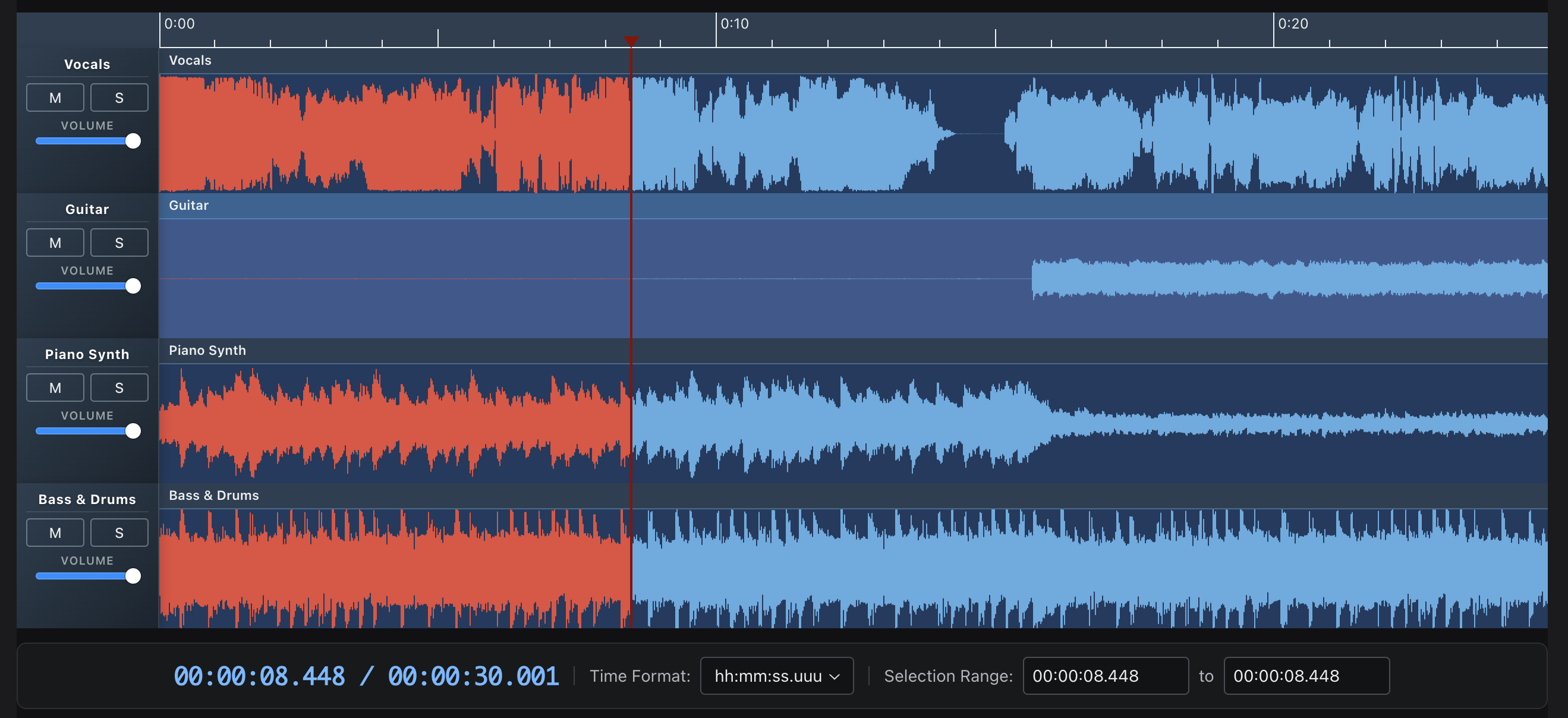
- Multi-track editing - Multiple clips per track with drag-to-move and trim
- Waveform visualization - Canvas-based rendering with zoom controls
- 20+ audio effects - Reverb, delay, filters, distortion, and more via Tone.js
- Recording - AudioWorklet-based recording with live waveform preview
- Export - WAV export with effects, individual tracks or full mix
- Annotations - Time-synced text annotations with keyboard navigation
- Theming - Full theme customization with dark/light mode support
- TypeScript - Full type definitions included
npm install @waveform-playlist/browser@next tone @dnd-kit/core @dnd-kit/modifiersNote:
tone,@dnd-kit/core, and@dnd-kit/modifiersare peer dependencies and must be installed separately.
import { WaveformPlaylistProvider, Waveform, PlayButton, PauseButton, StopButton } from '@waveform-playlist/browser';
import { createTrack, createClipFromSeconds } from '@waveform-playlist/core';

function App() {
  const [tracks, setTracks] = useState([]);

  // Load audio and create tracks
  useEffect(() => {
    async function loadAudio() {
      const response = await fetch('/audio/song.mp3');
      const arrayBuffer = await response.arrayBuffer();
      const audioContext = new AudioContext();
      const audioBuffer = await audioContext.decodeAudioData(arrayBuffer);

      const track = createTrack({
        name: 'My Track',
        clips: [createClipFromSeconds({ audioBuffer, startTime: 0 })],
      });

      setTracks([track]);
    }
    loadAudio();
  }, []);

  return (
    <WaveformPlaylistProvider tracks={tracks}>
      <div>
        <PlayButton />
        <PauseButton />
        <StopButton />
      </div>
      <Waveform />
    </WaveformPlaylistProvider>
  );
}- Live Examples - Interactive demos
- Getting Started - Installation and basic usage
- Guides - In-depth tutorials
- API Reference - Component and hook documentation
| Example | Description |
|---|---|
| Stem Tracks | Multi-track playback with mute/solo/volume controls |
| Effects | 20 Tone.js effects with real-time parameter control |
| Recording | Live recording with VU meter and waveform preview |
| Multi-Clip | Drag-and-drop clip editing with trim handles |
| Annotations | Time-synced text with keyboard navigation |
| Waveform Data | Pre-computed peaks for fast loading |
All v5 packages are published under the next tag (install with @next):
| Package | Description |
|---|---|
@waveform-playlist/browser |
Main React components, hooks, and context |
@waveform-playlist/core |
Types, utilities, and clip/track creation |
@waveform-playlist/ui-components |
Styled UI components (buttons, sliders, etc.) |
@waveform-playlist/playout |
Tone.js audio engine |
@waveform-playlist/annotations |
Optional annotation support |
@waveform-playlist/recording |
Optional recording support (requires AudioWorklet setup) |
// Load audio files into tracks
const { tracks, loading, error } = useAudioTracks([
  { src: '/audio/vocals.mp3', name: 'Vocals' },
  { src: '/audio/drums.mp3', name: 'Drums' },
]);

// Playback controls
const { play, pause, stop, seek, isPlaying } = usePlaylistControls();

// Zoom controls
const { zoomIn, zoomOut, samplesPerPixel } = useZoomControls();

// Master effects chain
const { masterEffectsFunction, toggleEffect, updateParameter } = useDynamicEffects();

// WAV export
const { exportWav, isExporting, progress } = useExportWav();

// Recording
const { startRecording, stopRecording, isRecording } = useIntegratedRecording();Requires Web Audio API support: Chrome, Firefox, Safari, Edge (modern versions).
# Install dependencies
pnpm install

# Start dev server
pnpm start

# Run tests
pnpm test

# Build all packages
pnpm build
Visit http://localhost:3000/waveform-playlist to see the examples.
Currently writing: Mastering Tone.js

Originally created for the Airtime project at Sourcefabric.

