


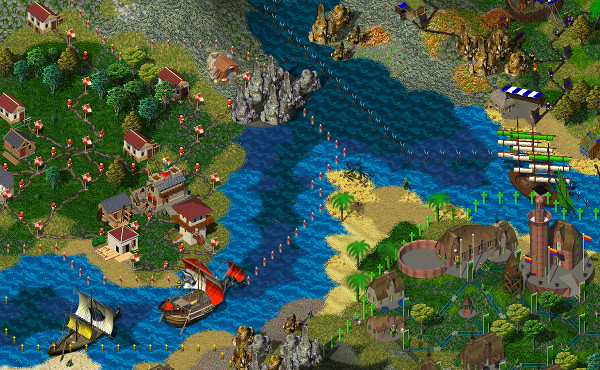
Widelands is a free, open source real-time strategy game with singleplayer campaigns and a multiplayer mode. The game was inspired by Settlers II™ (© Bluebyte) but has significantly more variety and depth to it.

GPL v2+. Some assets are released under various Creative Commons licenses – see the respective folders.
On how to download Widelands, see https://www.widelands.org/wiki/Download/
We support compiling Widelands for Linux, Windows under MSys2 and MSVC, and MacOS with GCC >= 8 or Clang/LLVM >= 7, though it might work with other compilers too. We have more detailed documentation available at: https://www.widelands.org/wiki/BuildingWidelands/
You will need to install the following dependencies:
- libSDL >=2.0
- libSDL_image
- libSDL_mixer >= 2.0
- libSDL_ttf >= 2.0
- gettext
- libiconv (on same mirrors as gettext)
- zlib
- libpng
- Asio
- Python >= 1.5.2
- libglew or glbinding
You can then compile by running our convenience script.
| Command | Purpose |
|---|---|
./compile.sh |
Full debug build |
./compile.sh -r -w |
Release build |
./compile.sh -e -w |
Release build with debugging symbols |
./compile.sh -h |
List available options |
When compiling has finished, you can call Widelands with
./widelands
You can also call CMake manually:
mkdir build
cd build
cmake ..
make
When compiling has finished, you can call Widelands with
cd ..
mv build/src/widelands .
./widelands
We have various CMake options available. For example, to create a release build, call
cmake -DCMAKE_BUILD_TYPE=Release ..
For using the Ninja build system, call
mkdir build
cd build
cmake -G Ninja ..
ninja
Depending on the Ninja installation, the last line can also be ninja-build.
Note that CMake options are prefixed with -D. These are the available options:
| Name | Values | Default | Function |
|---|---|---|---|
CMAKE_BUILD_TYPE |
Debug/Release/RelWithDebInfo |
Debug |
Create a release or debug build |
OPTION_ASAN |
ON/OFF |
ON for Debug builds /OFF for Release builds |
Use AddressSanitizer. Switching this off only works once. You will have to clear the build directory if you want to switch this off again in a later build. |
OPTION_TSAN |
ON/OFF |
OFF |
Use ThreadSanitizer. Mutually exclusive with OPTION_ASAN. |
OPTION_BUILD_CODECHECK |
ON/OFF |
ON |
Build codecheck. Only available in Debug builds. |
OPTION_BUILD_WEBSITE_TOOLS |
ON/OFF |
ON |
Build website-related tools |
OPTION_BUILD_TESTS |
ON/OFF |
ON |
Build unit tests |
CMAKE_INSTALL_PREFIX |
A directory | See CMake documentation | Define the target directory for the "install" target, e.g. -DCMAKE_INSTALL_PREFIX=~/widelands-install. |
WL_INSTALL_BINDIR |
A directory | ${CMAKE_INSTALL_PREFIX}/games |
Define the destination of executables files (if installing) |
WL_VERSION |
A version string | Autodetected from git/bzr, or set by adding a VERSION file |
Define the Widelands version |
USE_FLTO_IF_AVAILABLE |
ON/OFF |
Autodetected | Use link-time optimization |
USE_XDG |
ON/OFF |
ON |
Follow XDG-Basedir specification. Only available on Linux. |
OPTION_USE_GLBINDING |
ON/OFF |
OFF |
Use glbinding instead of GLEW |
OPTION_GLEW_STATIC |
ON/OFF |
OFF |
Use static GLEW Library |
OPTION_BUILD_WINSTATIC |
ON/OFF |
OFF |
Build a static linked .exe on windows |
OPTION_FORCE_EMBEDDED_MINIZIP |
ON/OFF |
OFF |
Used embedded minizip sources (skip checking for installed minizip library) |
NEEDS_EXTERNAL_FILESYSTEM |
ON/OFF |
Autodetected from compiler version | Whether std::filesystem needs to be linked against an extra library |
You can add targets to the make or ninja command, e.g. make codecheck to only run the code check suite. These are the available targets:
| Name | Function |
|---|---|
ALL or no target |
Compile everything, up to executable with the settings from the cmake call |
codecheck |
Run the codechecks |
doc |
Generate Doxygen documentation. Currently only with Build Type Debug, but this is easily changed if necessary. |
install |
Install into the target dir, this is /usr/local per default (you need root privileges!) unless you change it (see CMake options above) |
We have some instructions on how to use Git to help you if you're new to Git: https://www.widelands.org/wiki/GitPrimer/
The master branch and all issues and pull requests are mirrored bidirectionally between our developer environments on Codeberg and GitHub by bunnybot. Bunnybot also formats the code (C++, Lua, and Python) in all mirrored branches.
We follow the Google Styleguide.
For scripting scenarios, see https://www.widelands.org/documentation/lua_index/
For contributing art, see https://www.widelands.org/wiki/GraphicsDevelopment/
For contributing translations, see https://www.widelands.org/wiki/TranslatingWidelands/
For helping with testing, see https://www.widelands.org/wiki/TestingBranches/
For helping with issue management, see https://www.widelands.org/wiki/TriagingBugs/
Please do not submit content generated purely or largely by or with Artificial Intelligence, Machine Learning, or Large Language Models (AI, ML, LLMs). We will not accept such content as it conflicts with the objectives of the Widelands project.
We hold that AI-generated content generally stands on dubious ethical and legal grounds, as it violates the copyright of creators whose work was scraped for the AI's training data set without their permission and without due attribution. Also, we find that it is frequently of low overall quality and/or is overly generic and fails to embrace requirements specific to Widelands.
Pull requests that have been generated by AI may be closed immediately in order to prevent their time-consuming and often fruitless reviews and discussions.
Widelands is created by people, for people.
| Directory | Contents |
|---|---|
| cmake | Build system and codecheck rules |
| data | The game's data files. Images, sounds, music, scripting, maps, campaigns, tribes, ... |
| debian | Packaging for Debian-based Linux distributions |
| doc | Sphinx documentation |
| src | C++ source code |
| test | Scripted maps for our regression test suite |
| utils | Diverse utilities: Building translations, code formatting, packaging Mac & Windows, ... |
| xdg | Files related to X Desktop Group Base Directory Specification |
All pushes to master will be built on AppVeyor. Pull request branches are deployed for MS-Windows using a GitHub action. To obtain MS-Windows builds if you do not wish to open a pull request, temporarily add the name of your branch to the branches section in appveyor.yml. This will not work if the branch is in a fork though.
All pull request branches as well as master are additionally deployed for MacOS, and a testsuite checks them under various compilers. To obtain MacOS builds or testsuite results, temporarily add the name of your branch to the branches section in .github/workflows/build.yaml. This does work for branches in forks as well.