How (not) to use AWS to host
- Auto Scale — Load Balanced
- Multi AZ
- Multi Region
- Cross Region DNS based Load Balancing
- Anycast
- Failover
- Container
- Edge Compute
- Cluster Cache
- Multi Region Cluster Cache
- 99.999999% Availability
- 90% Saving
- Backup & Restore
on NodeNsfwJSAPI - https://github.com/Itzbenz/node-nsfw-js-aws-cdk
- Able to endure shock
- Have an AWS account
- Know tech jargon
- Your weekend
- AWS CLI
- AWS CDK
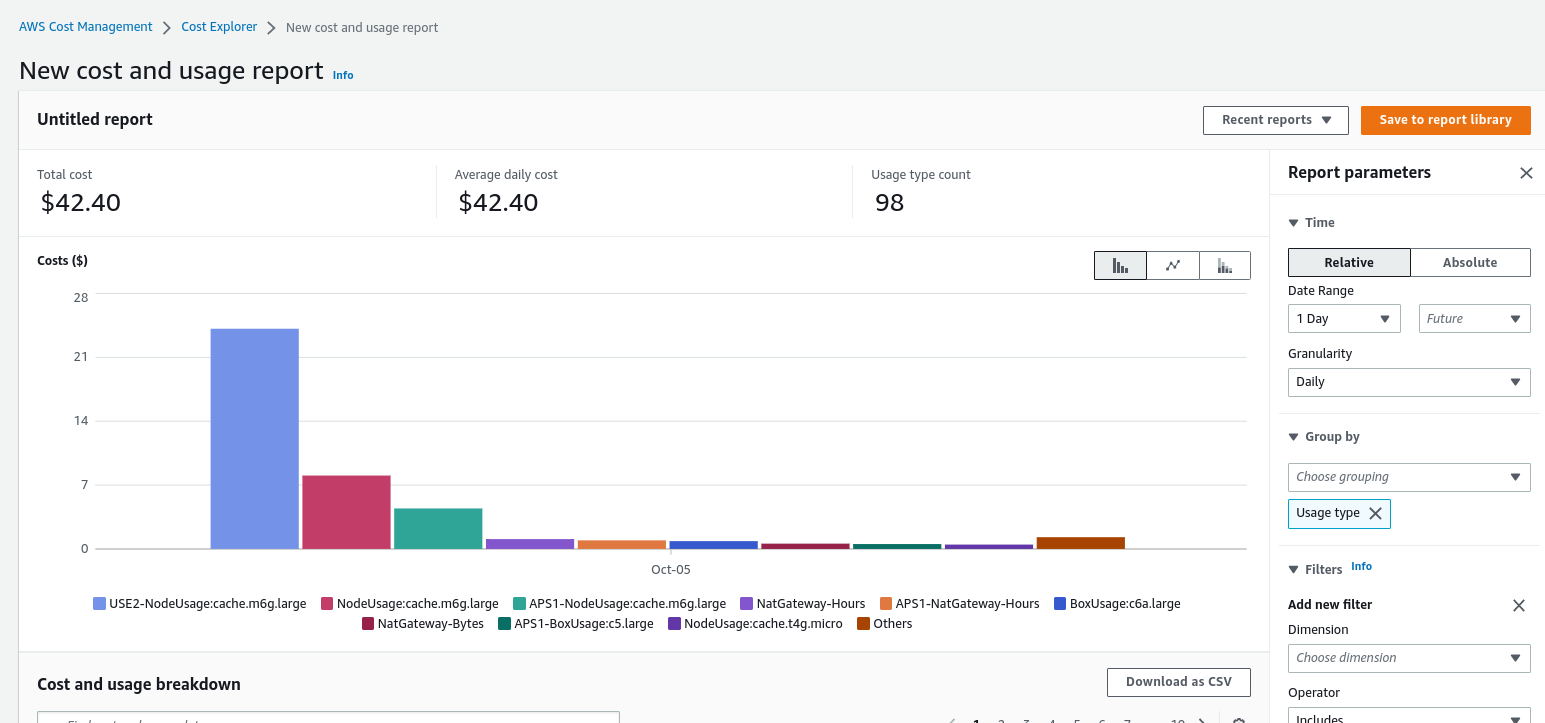
But first thoughts and prayers to author who browsing Reddit and forgot the CDK is deploying on second region (he burned his billing again)


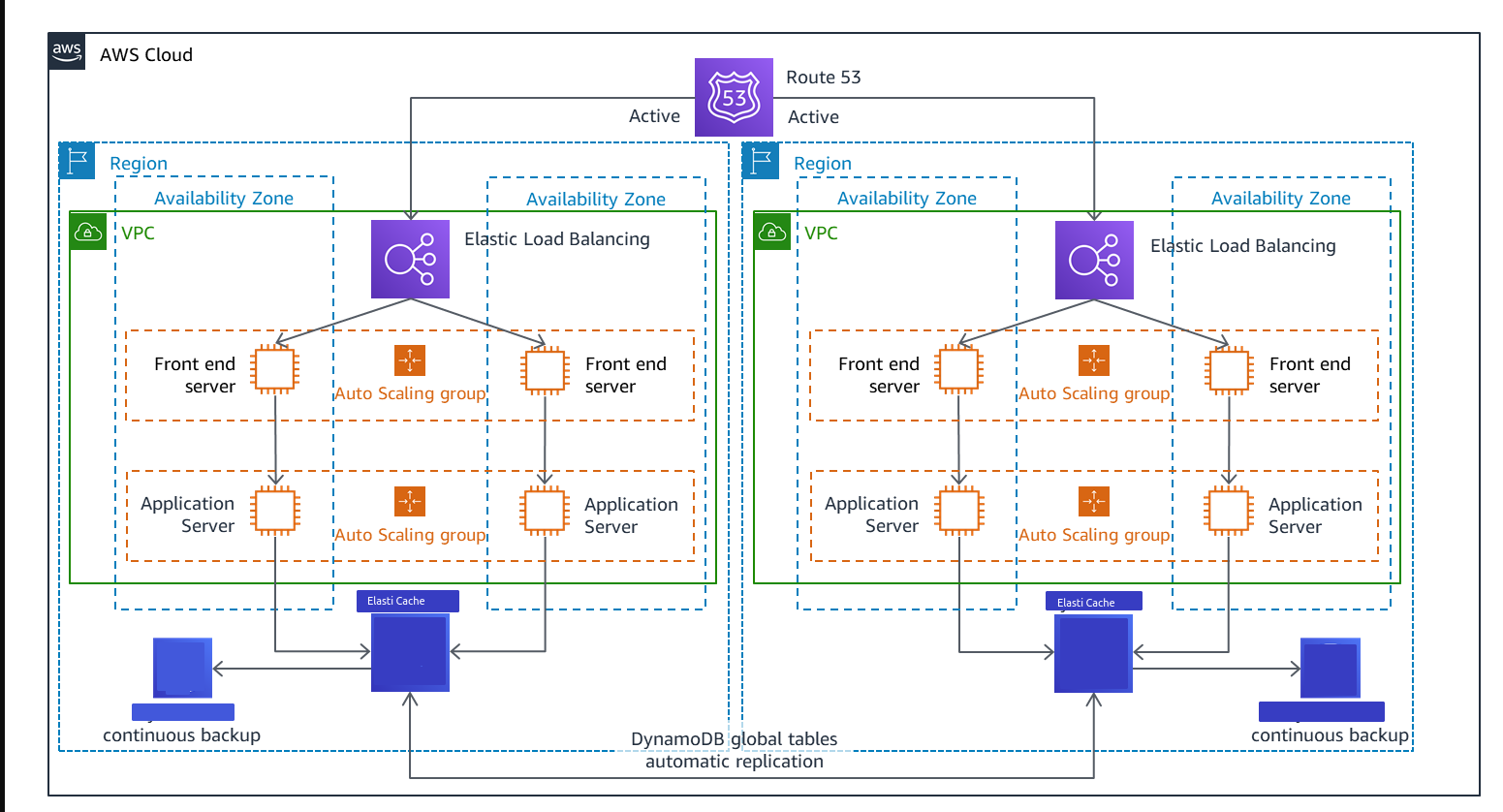
Note: We don't use DynamoDB, i just stole this image from AWS
KYS

git clone https://github.com/Itzbenz/node-nsfw-js-aws-cdk.git
cd node-nsfw-js-aws-cdk
npm i
npm run build
cdk deploy
don't forget to set the region, use --region or aws configure
- Setup 3 Tier/Subnets VPC or just 1 private subnet and 1 public subnet with 2 AZ or more
- if you use the 3 subnet configuration, make sure to configure NAT gateway for API Subnet
- Enable IPv6 if you feel fancy
- Create security group for ELB(Load Balancer) allow 80 443 from anywhere
- Create security group for NodeNsfwJs EC2 allow 5656 from ELB Security Group
- Create security group for ElastiCache AKA Redis Cluster allow
redis_port/6379 from NodeNsfwJs Security Group - Create security group for EFS allow
efs_port/2049 from NodeNsfwJs Security Group
- Create ElastiCache/Subnet Groups
- Choose the private/"other" subnet from each AZ

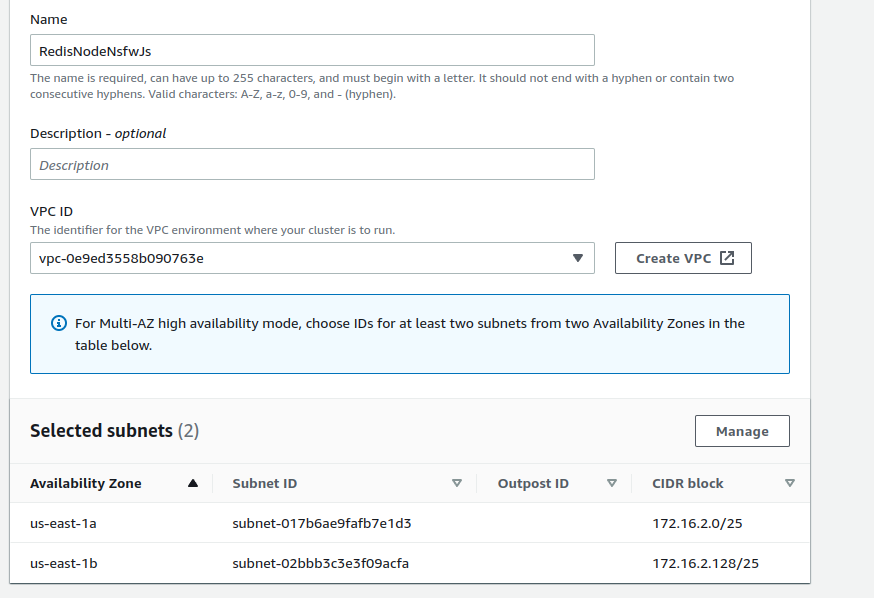
- Create
- Go create Redis cluster
- Enable cluster mode
- Choose existing subnet group and select the subnet group you just created
- Click next
- Enable Encryption at rest (optional)
- Assign the Redis Security Group you created before
- Create
- While this thing loading, we're going to create other stuff
- Create file system
- Customize
- Going to leave everything default, go to network access
- Select mount target to private/"other" subnet from each AZ
- Select EFS Security Group you created before
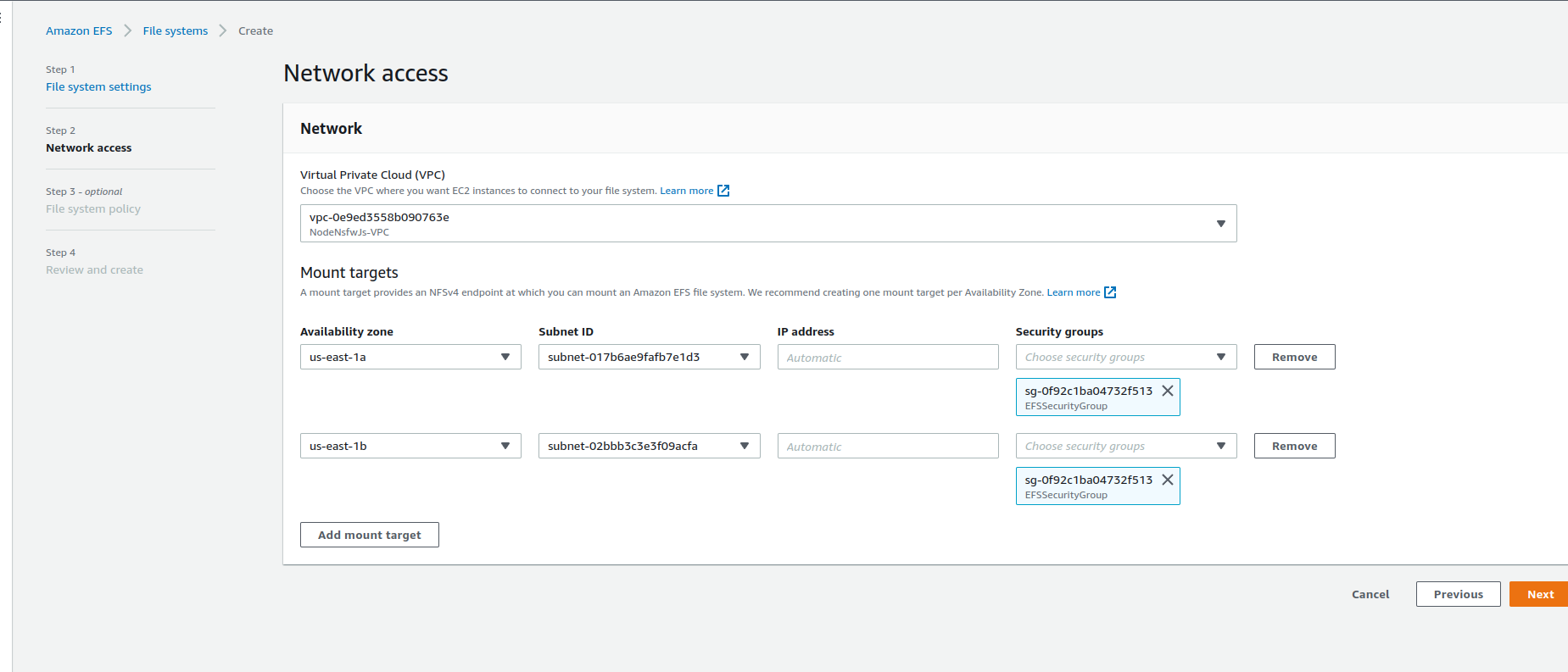
- Create, and copy the file system ID
- Create EC2/Launch Template
- Name your template
- Select Linux AMI, in this case we're going to select Amazon Linux
- Select instance type to
c6a.largebecause others don't have AVX - Select NodeNsfwJs Security Group
- Go to advanced details/user data and copy this
 #!/bin/bash
curl --silent --location https://rpm.nodesource.com/setup_16.x | bash -
yum -y install nodejs git gcc-c++ make amazon-efs-utils nfs-utils
node -e "console.log('Running Node.js ' + process.version)"
mkdir /home/ec2-user/NodeNsfwJSAPI
chmod 775 /home/ec2-user/NodeNsfwJSAPI
git clone https://github.com/o7-Fire/NodeNsfwJSAPI.git /home/ec2-user/NodeNsfwJSAPI/
file_system_id_1=YOUR_FILE_SYSTEM_ID
efs_mount_point_1=/home/ec2-user/fs1/
mkdir -p "${efs_mount_point_1}"
mount -t efs -o tls "${file_system_id_1}" "${efs_mount_point_1}"
cd /home/ec2-user/NodeNsfwJSAPI/
touch .env
echo "MAX_CACHE_SIZE=64" >> .env
echo "CACHE_IMAGE_HASH_FILE=/home/ec2-user/fs1/image_cache/" >> .env
echo "REDIS_CLUSTER_CONFIGURATION_ENDPOINT=YOUR_REDIS_CONFIGURATION_ENDPOINT:YOUR_REDIS_PORT" >> .env
npm ci
npm run start- Create EC2/Target Group
- Choose Instances target type
- Set TCP port to 5656
- Create
-
Create EC2/ASG
-
Choose your template
-
if you use 2 subnets configuration, choose public subnet
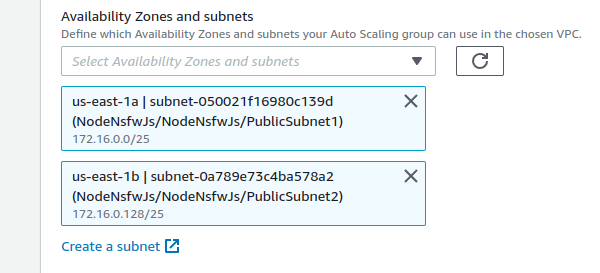
-
else use the API subnet
-
Attach to an existing load balancer
-
Choose from your load balancer target groups and select the target group before
-
Set Target tracking scaling policy Average CPU Utilization to 90
-
Create ASG
- Create Application Load Balancer
- Internet-Facing
- Dual stack if you enable IPv6 on the VPC
- Select the public subnets
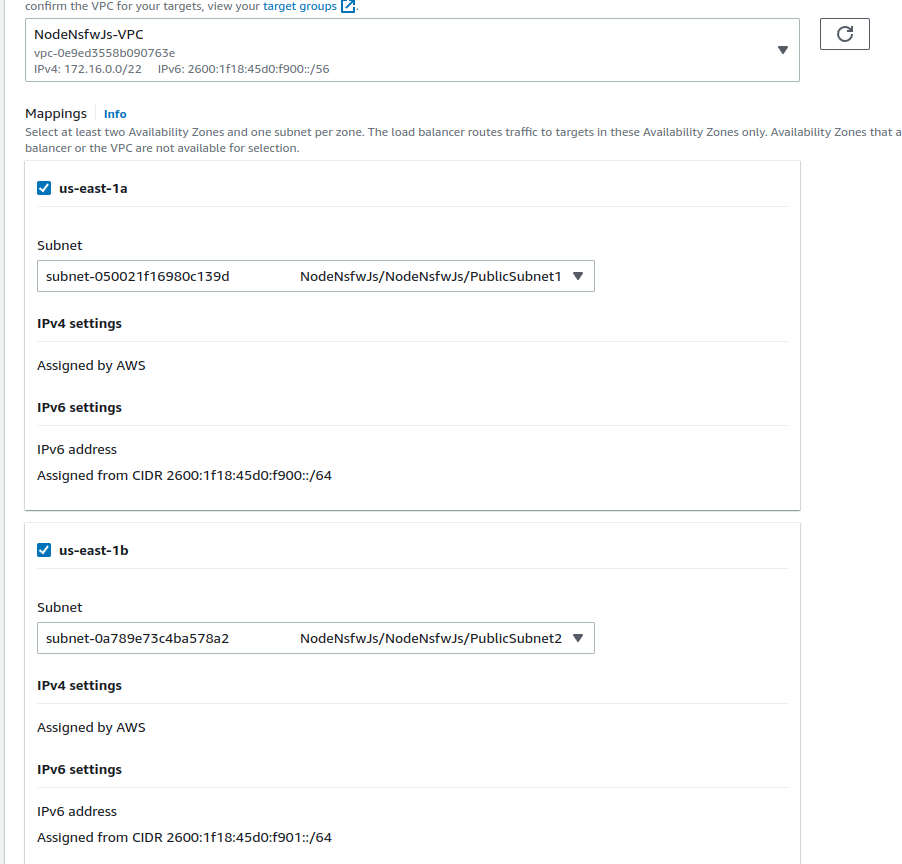
- Select ELB Security Group
- Forward 80 to the Target Group
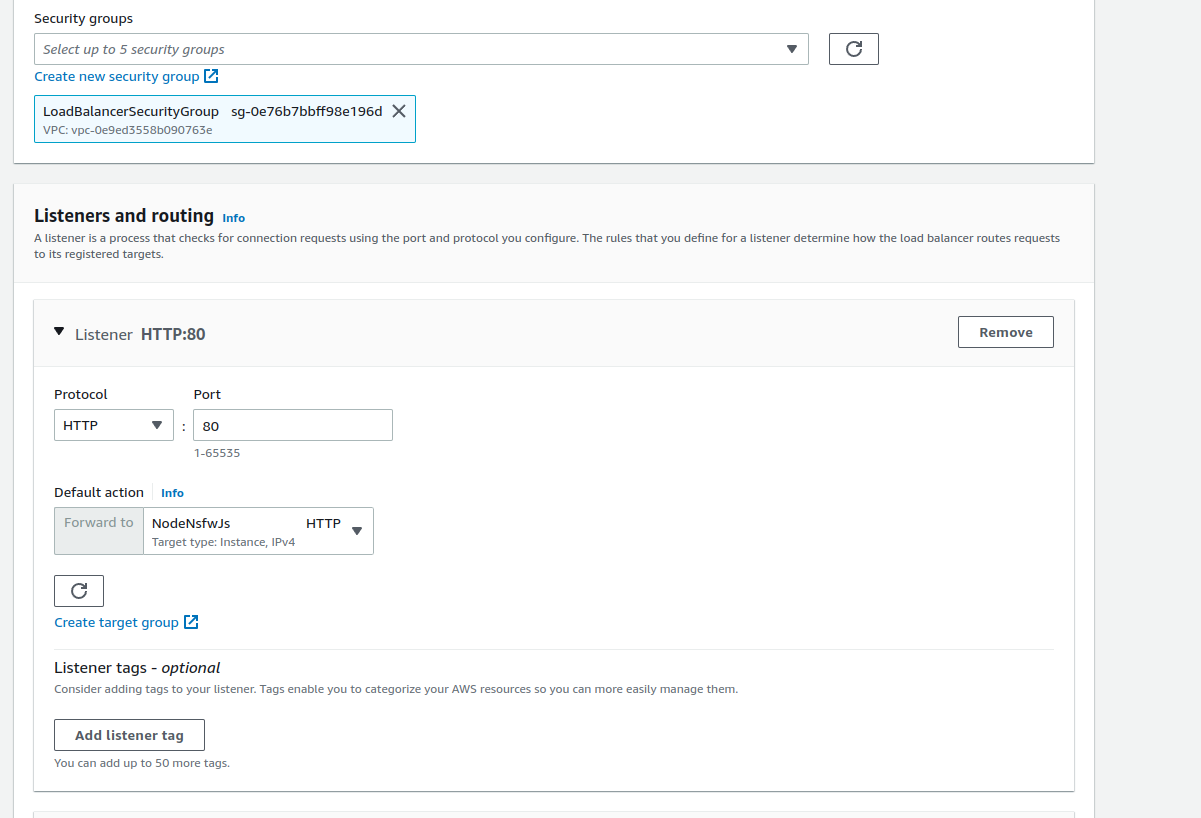
- Enable HTTPS (Optional)
- Register your domain in Route 53
- Request ACM
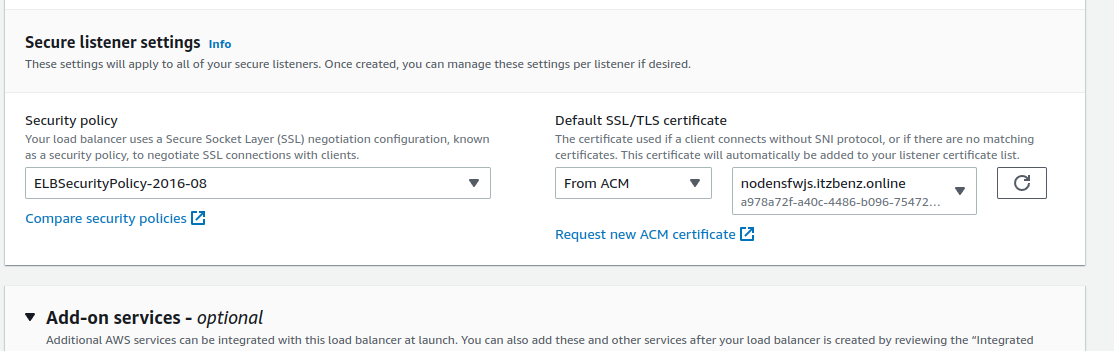
- Create
- Choose
EC2 Linux + Networkingbecause AVX - Select
spotto get 90% saving and select lowest price - Choose any EC2 instance that start with
cin this case, I usec6a.large, c5.large, c4.large, c3.large - 4 instance
-
ignore everything
-
set security group inbound 5656 0.0.0.0/0 for now
-
Set Spot Fleet IAM role if you using spot
-
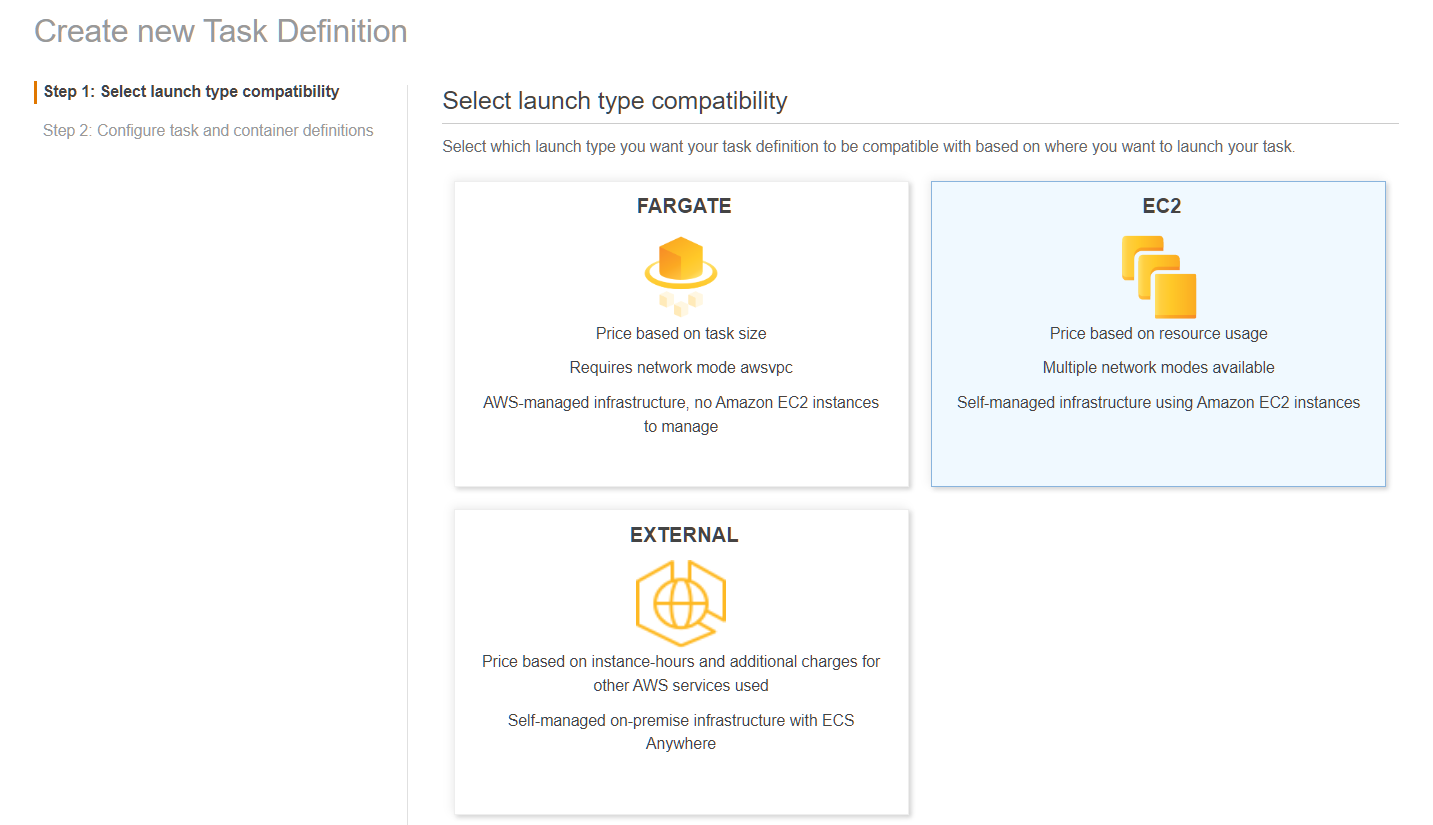
Go to ECS > Task Definition > Create
-
Admire the icons, especially the Fargate icon
-
Choose EC2
-
Set name
-
Set
Task role -
Set
Task execution role -
Set
Task Memoryto 1024 MiB -
Set
Task CPUto 512 Unit
- Set the name
- Set
Imagetoghcr.io/o7-fire/node-nsfw-js-api:latest - Set
Memory Limits/Soft Limitto 1024 - Set
Port mappings0 toHosts Portand 5656 toContainer Port - Go to
ENVIRONMENTsection and setCPU unitsto 512 - Create Task
- Brb
- Go to hosted zone
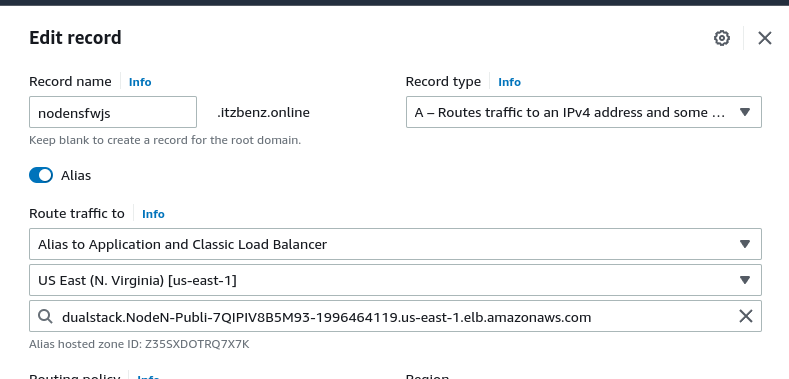
- Create record
- Create A record and AAAA record if you have IPv6
- Route traffic to Alias to Application and Classic Load Balancer select your region and the ELB endpoint
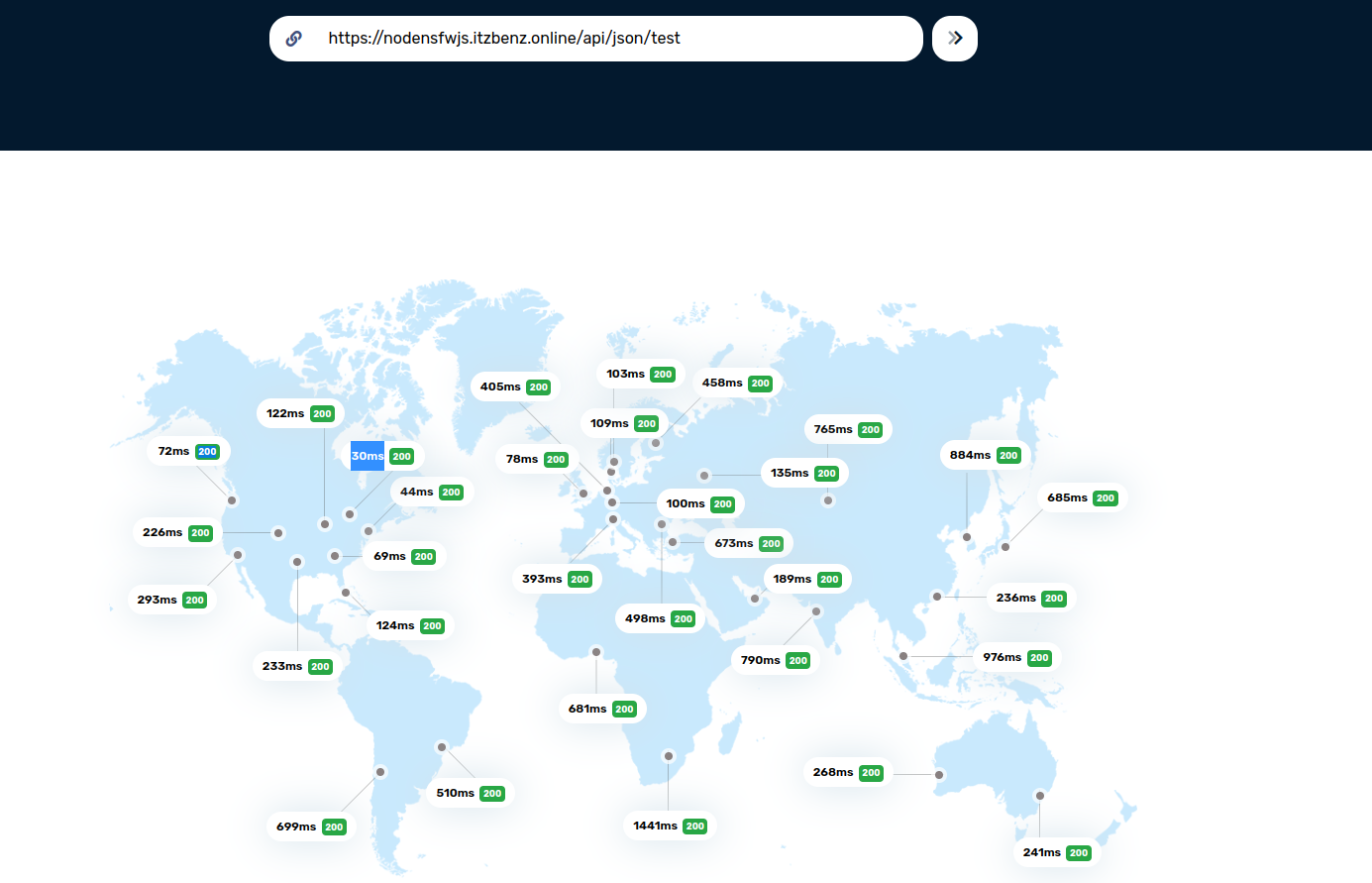
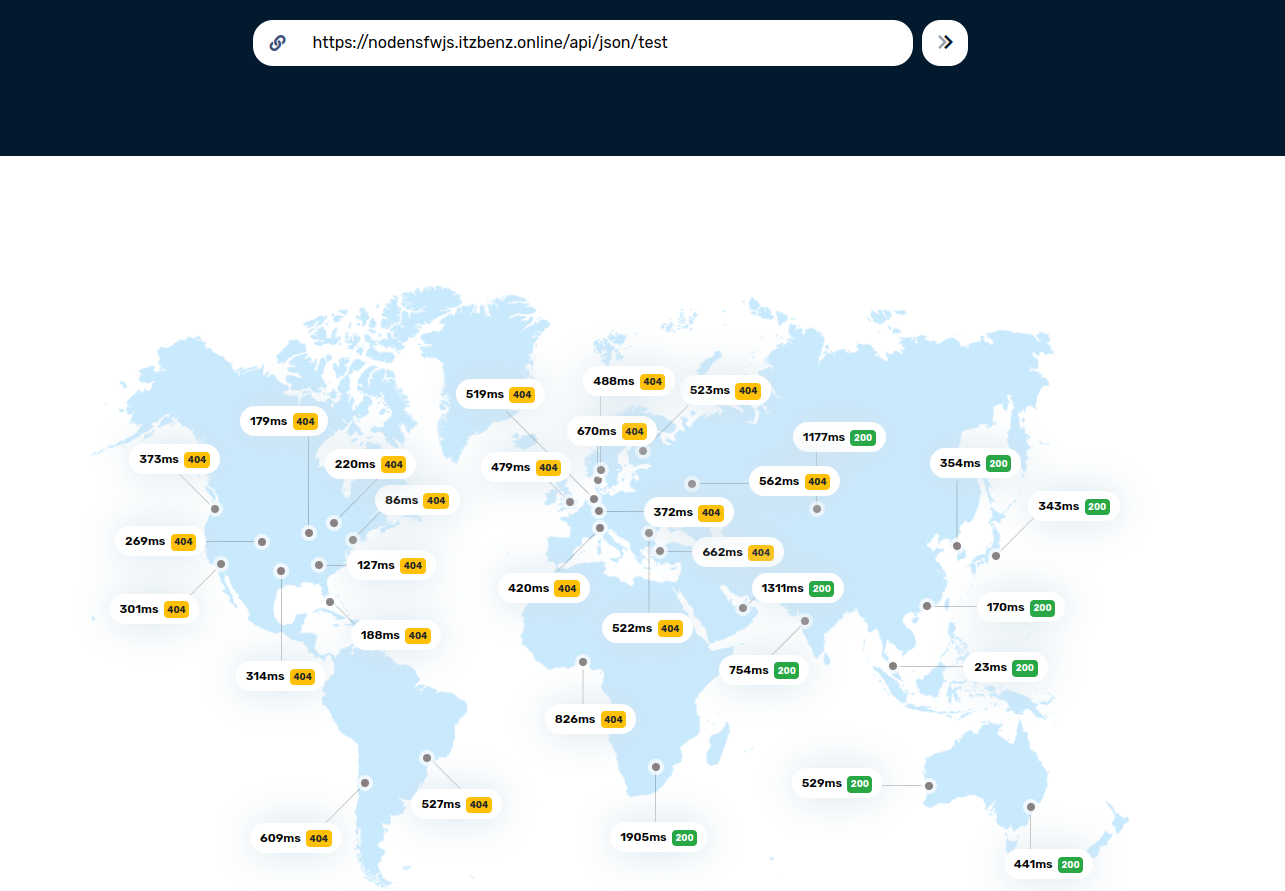
and as you can see 30ms... wait a minute the other side of the world latency is 1 second this is just unacceptable
- Ok now deploy the template to other region
- Setup global ElastiCache
- bla bla bla
- Setup Route 53 to latency mode
- Now we test it
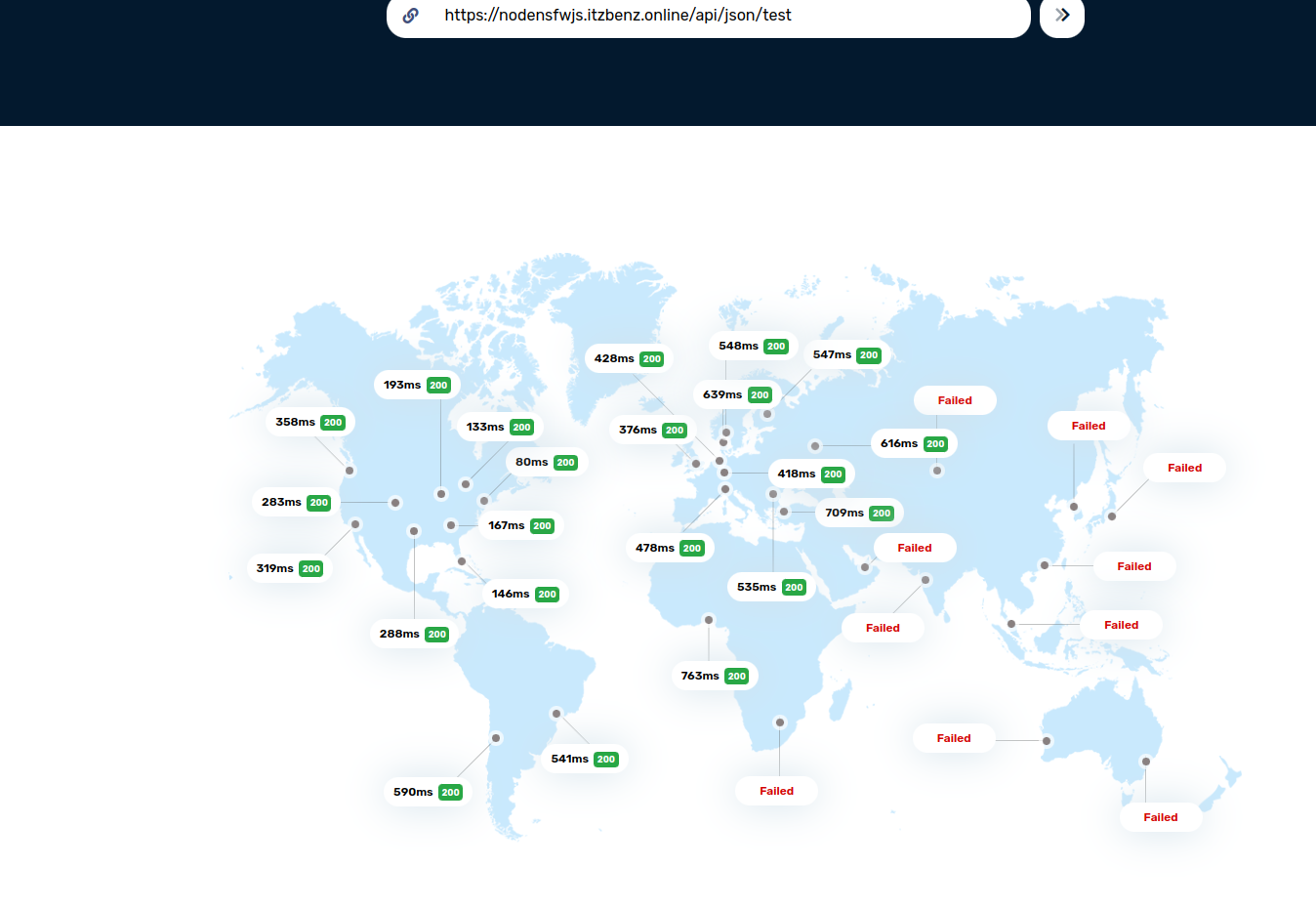
- I forgot ACM is not global
- Issuing ACM....
- Attach it to ELB
- Gooo
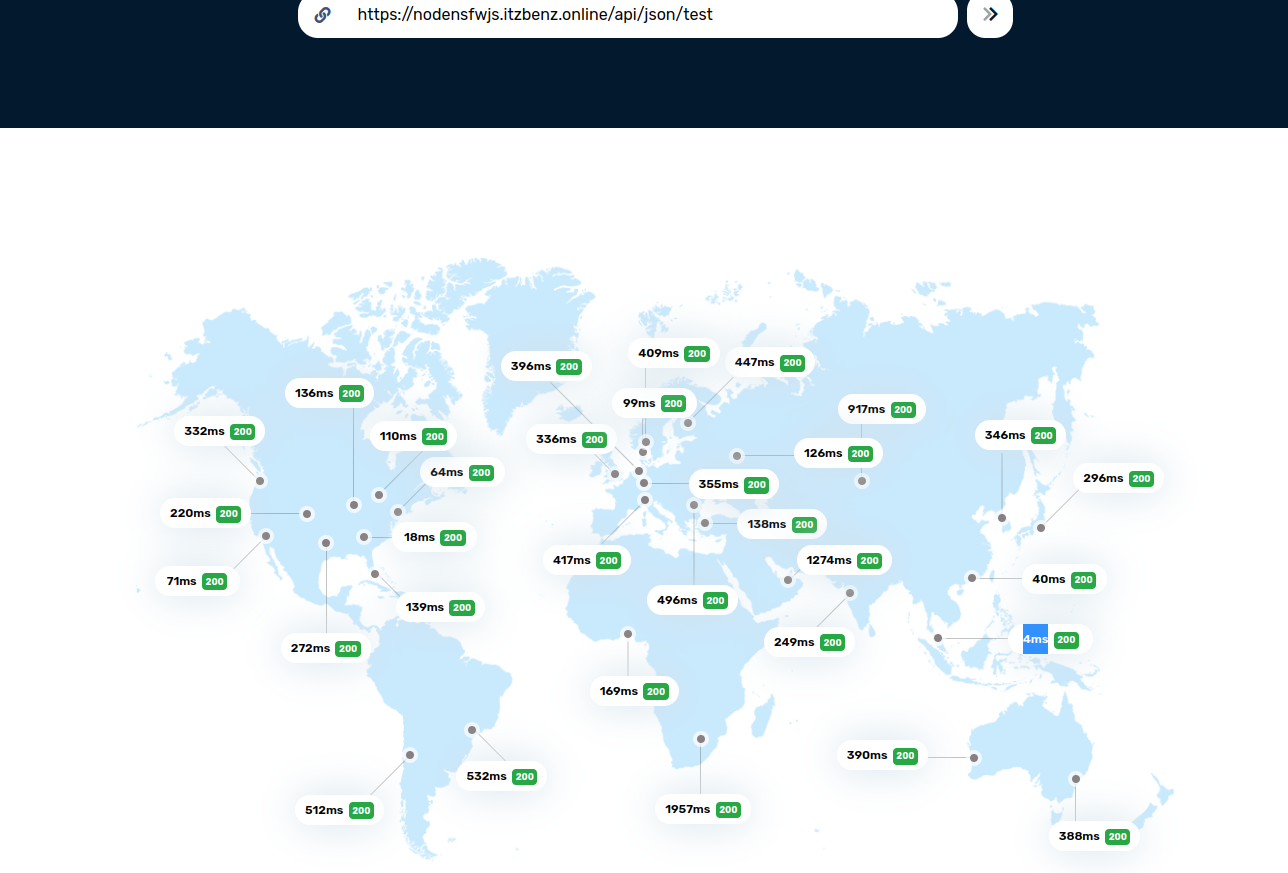
- 4ms!!!!!!! that 2500% improvement.
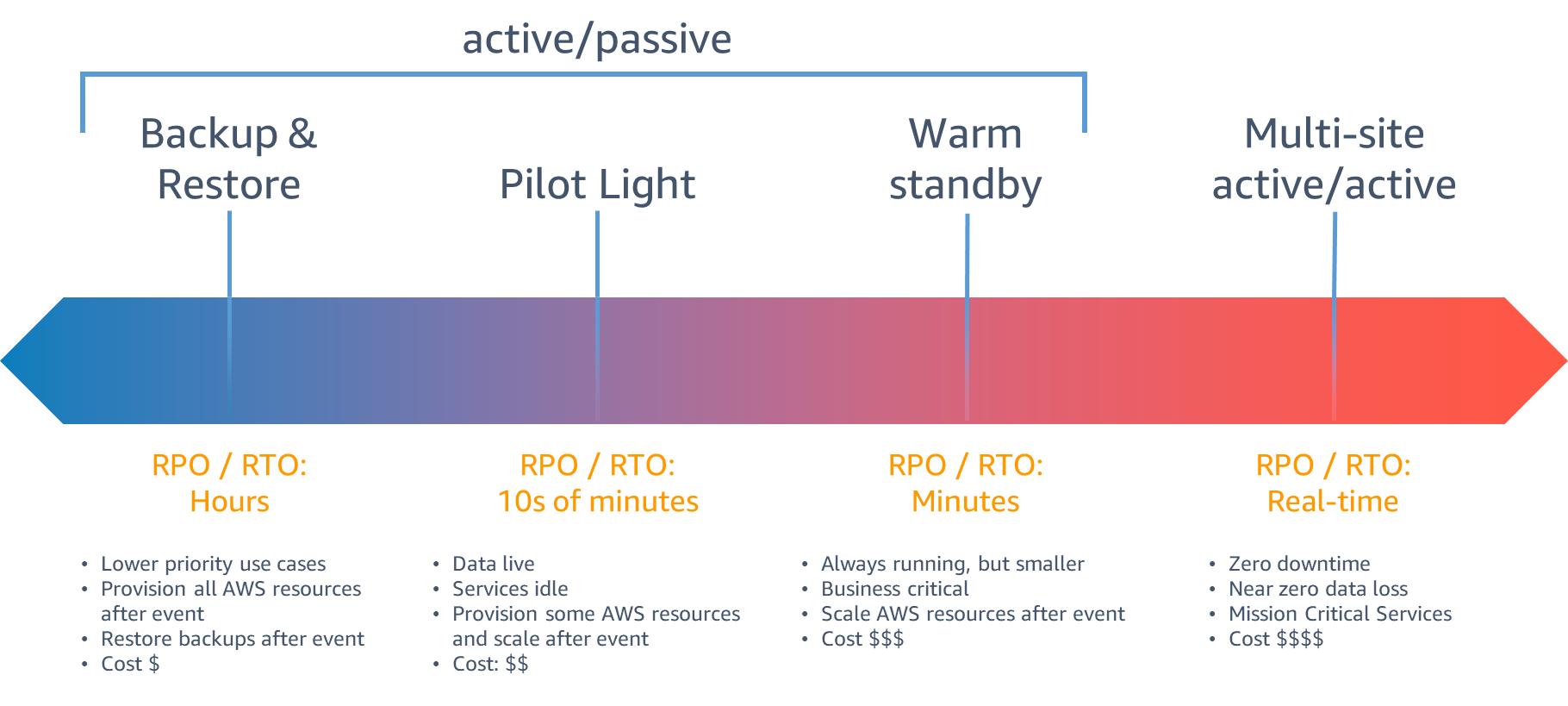
holy sh*t did we just implement Multi-site active/active