





GPU-accelerated image compositing for Python.
PyImageCUDA is built for image composition, not computer vision. It provides GPU tools to create, modify, and blend images, rather than analyze or recognize objects within them.
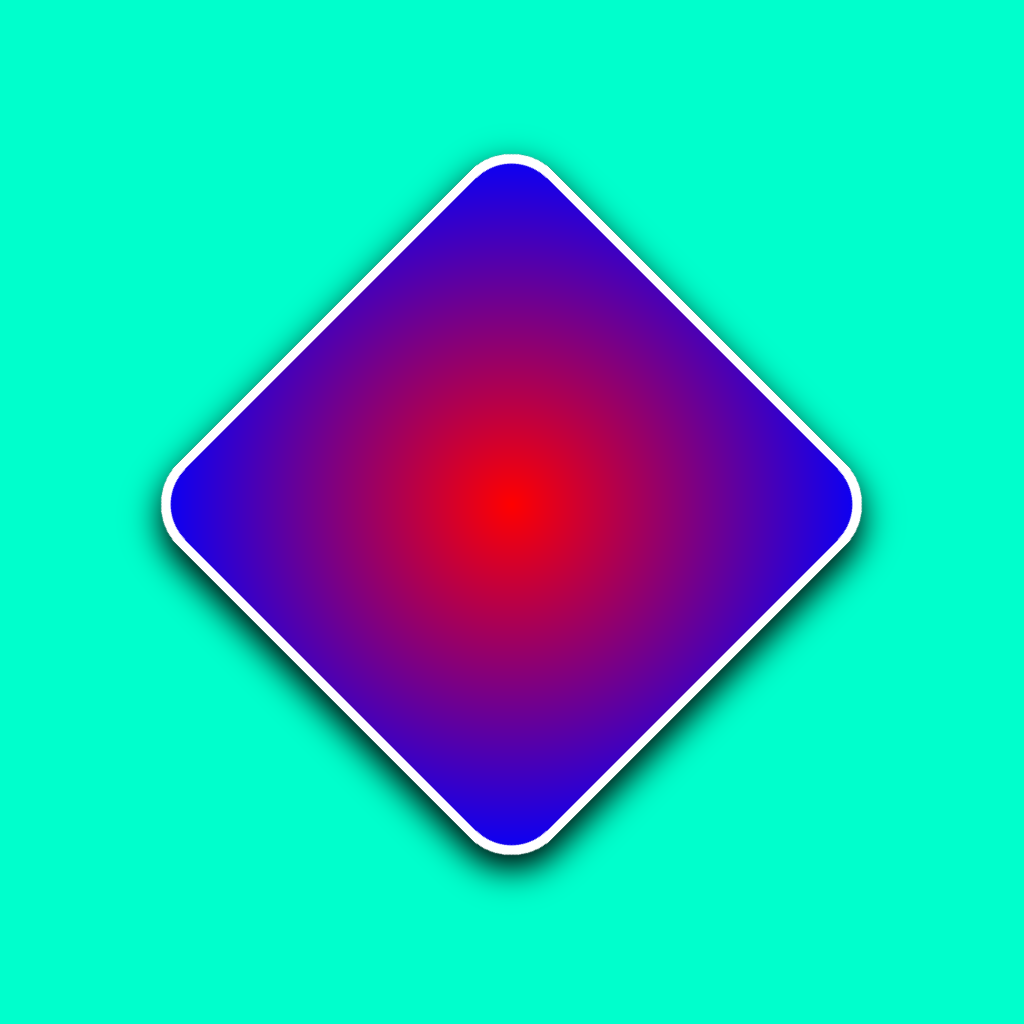
from pyimagecuda import Image, Fill, Effect, Blend, Transform, save

with Image(1024, 1024) as bg:
    Fill.color(bg, (0, 1, 0.8, 1))
    with Image(512, 512) as card:
        Fill.gradient(card, (1, 0, 0, 1), (0, 0, 1, 1), 'radial')
        Effect.rounded_corners(card, 50)

        with Effect.stroke(card, 10, (1, 1, 1, 1)) as stroked:
            with Effect.drop_shadow(stroked, blur=50, color=(0, 0, 0, 1)) as shadowed:
                with Transform.rotate(shadowed, 45) as rotated:
                    Blend.normal(bg, rotated, anchor='center')

save(bg, 'output.png')- ✅ Zero Dependencies: No CUDA Toolkit, Visual Studio, or complex compilers needed. Is Plug & Play on both Windows and Linux.
- ✅ Ultra-lightweight: library weighs ~1 MB.
- ✅ Studio Quality: 32-bit floating-point precision (float32) to prevent color banding.
- ✅ Advanced Memory Control: Reuse GPU buffers across operations and resize without reallocation—critical for video processing and batch workflows.
- ✅ OpenGL Integration: Direct GPU-to-GPU display for real-time preview widgets.
- ✅ API Simplicity: Intuitive, Pythonic API designed for ease of use.
- Generative Art: Create thousands of unique variations in seconds.
- Motion Graphics: Process video frames or generate effects in real-time.
- Image Compositing: Complex multi-layer designs with GPU-accelerated effects.
- Node Editors & Real-time Tools: Build responsive image editors with instant preview.
- Game Development: Procedural UI assets, icons, and sprite generation.
- Marketing Automation: Mass-produce personalized graphics from templates.
- Data Augmentation: High-speed batch transformations for ML datasets.
This library is the foundation. For visual workflows:
- Node-based image compositor with real-time preview
- Design templates visually, automate with Python
- 40+ nodes: generators, effects, filters, transforms
- Headless batch processing API
pip install pyimagecuda-studiopip install pyimagecudaNote: pyvips is the only mandatory dependency (installed automatically). It is used strictly for robust file I/O (JPG, PNG, WEBP...) and high-quality Text rendering on the CPU.
- Getting Started Guide
- Image & Memory (Buffer management)
- IO (Loading and Saving)
- OpenGL Integration (Real-time preview, zero-copy display)
- Fill (Solid colors, Gradients, Checkerboard, Grid, Stripes, Dots, Circle, Ngon, Noise, Perlin)
- Text (Rich typography, system fonts, HTML-like markup, letter spacing...)
- Blend (Normal, Multiply, Screen, Add, Overlay, Soft Light, Hard Light, Mask)
- Resize (Nearest, Bilinear, Bicubic, Lanczos)
- Adjust (Brightness, Contrast, Saturation, Gamma, Opacity)
- Transform (Flip, Rotate, Crop)
- Filter (Gaussian Blur, Sharpen, Sepia, Invert, Threshold, Solarize, Sobel, Emboss)
- Effect (Drop Shadow, Rounded Corners, Stroke, Vignette)
PyImageCUDA shows significant speedups for GPU-friendly operations like blending, filtering, and transformations. Performance varies by operation complexity and workflow:
- Complex operations (blur, blend, rotate) see 10-260x improvements
- Simple operations (flip, crop) see 3-20x improvements
- Real-world pipelines with file I/O typically see 1.5-2.5x speedups
Results depend on your hardware, batch size, and whether you reuse GPU buffers.
- OS:
- Windows 10 or 11 (64-bit).
- Linux: Any modern distribution (Ubuntu, Fedora, Debian, Arch, WSL2, etc.).
- GPU: NVIDIA GPU (Maxwell architecture / GTX 900 series or newer).
- Drivers: Standard NVIDIA Drivers installed.
NOT REQUIRED: Visual Studio, CUDA Toolkit, or Conda.
PyImageCUDA is currently tested primarily on Ubuntu LTS releases with up-to-date NVIDIA drivers.
If you encounter the following error on Linux:
RuntimeError: Kernel launch failed: the provided PTX was compiled with an unsupported toolchain.
Solution: This indicates your installed NVIDIA drivers are too old to execute the kernels included in the library. Please update your NVIDIA drivers to the latest version available for your distribution (Proprietary drivers recommended).
We are actively investigating ways to broaden compatibility for older drivers and legacy Linux distributions in future releases.
pytest tests/tests.pyContributions welcome! Open issues or submit PRs
MIT License. See LICENSE for details.