IDE and OS integration
Interactive environments are an essential part of any software development platform. The majority of scripting solutions come with a simple REPL included. While more complex, richer IDEs are usually developed by third parties.
Instead of developing its own REPL, CS-Script places a strong emphasis on a dedicated rich IDE. The choice of IDE instead of REPL is a recognition of the fact that the complexity of the production-level scripting is by far higher than the 'educational' by nature use-case of REPL. Thus, an industry-standard IDE is a more appropriate choice.
When developing stand-alone scripts, you have a few IDEs to choose from:
CS-Script integration with Visual Studio comes in a few forms.
Execute a built-in command -vs and it will locate and launch the IDE with teh loaded script ready for debugging/editing.
css -vs script.csYou can integrate the command above with the Windows Explorer via:
-
Shell Extensions with Shell-X.
choco install shell-x
And then add the
css -vs %*as a batch file for your context menu. -
Explobar - the extension to the Windows Explorer.
winget install explobar
And then add to the config file
- Path: 'C:\Users\<user name>\.dotnet\tools\css.exe,0'
  Arguments: '-d %c% css -vs %f%'
The result:

You can install CS-Script VSCode extension, and it will bring you the normal .NET dev experience just by opening the script file in the IDE.
Similarly to VSCode you can install CS-Script Sublime Text plugin and edit and execute script files on this excellent code editor. This is arguably the fastest way to get your scripts running beyond "hello world" scenarios.
While arguably nothing can compete with the power of Visual Studio in many cases, the "people's editor" Notepad++, is a more attractive and practical alternative.
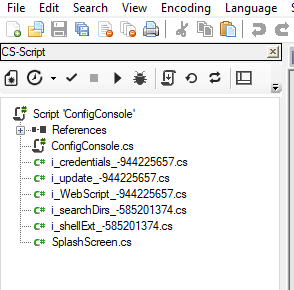
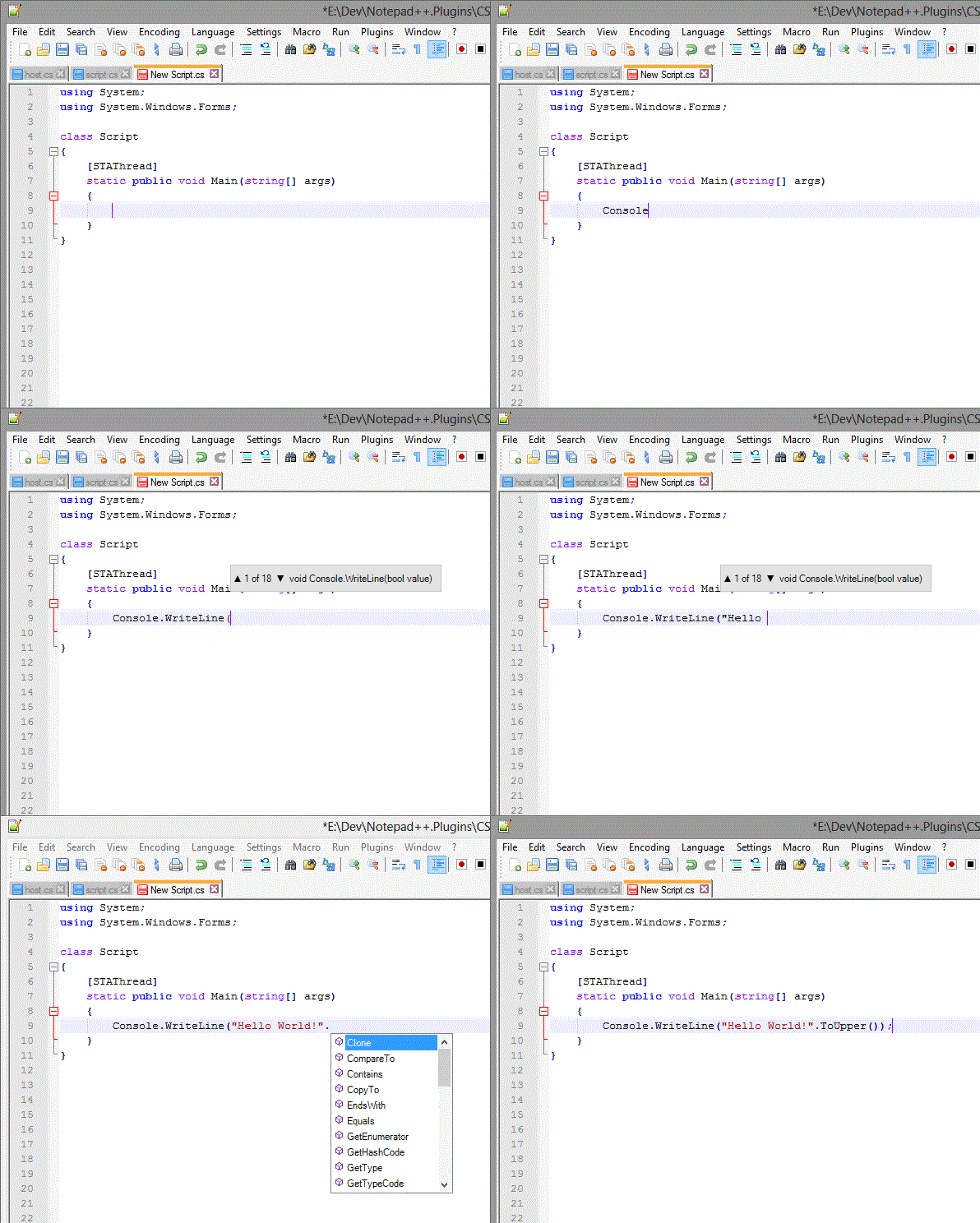
CS-Script products family include a powerful 'CS-Script (IntelliSense)' Notepad++ plugin. While editing (with true IntelliSense), executing and even debugging the scripts, you can also benefit from the lightning-fast nature and rich functionality of Notepad++.
The plugin also offers an interesting deployment opportunity. It includes a copy of the CS-Script engine thus the only thing you need to work with CS-Script C# scripts on any Windows with .NET (v4.0{"+"}) installed is a copy of Notepad++ with this plugin enabled. The plugin also allows you to package your scripts so they can be brought and executed on other systems without the need for CS-Script to be installed.
The plugin home page contains plenty of details about the product, but to put it simply, "the plugin brings true VS experiences in Notepad".
Project support:
IntelliSense:
Another great and lightweight option is the CS-Script extension for Sublime Text editor. The user experience is very similar to Notepad++:

You can also use a built-in debugger, which is a no-dependency debugging solution that is available with any deployment of CS-Script. It is an experimental feature that was triggered by user feedback and does not require any additional tools and simply allows using a web app as a debugger. Read more here.
CSS -wdbg script.cs

⚠️ Legacy Visual Studio integration
Still works but no longer supported.
If you want to be able to open any script file in Visual Studio with CS-Script specific shell context menu, you can use "Shell-X" for that. Just install it from Chocolatey:
choco install shell-x
Then you can configure a context menu item for executing
Shell extensions (Windows Only)
And then configure it to handle *.cs files by copying the content of the shell extension template to the C:\Users\<user>\AppData\Roaming\shell-x\cs\01.CS-Scriptfolder. This will create CS-Script menu item in your explorer when you right-click any *.cs file.
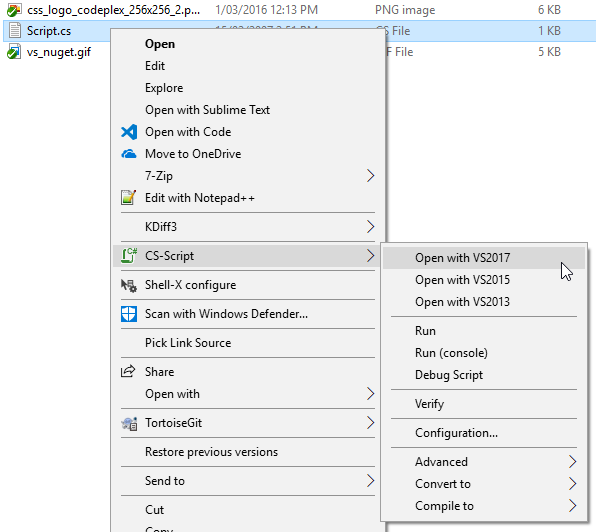
- Shell-X was a part of CS-Script installation for quite some time but now it is an individual product for generic Windows Explorer extensions.
The script file will not be just loaded in VS, but the appropriate project infrastructure will be created on the fly. Thus, you will be able to take advantage of the full power of VS and edit, execute and debug your script as any other C# code.
This extension delivers the same experience as provided by shell extensions, but without leaving Visual Studio. See Visual Studio Gallery page for more details.