
This is a minimal web app that performs image editing using a natural language prompt.
This example builds upon the stock Next.js starter example to create a natural language image editor. The editor works in two steps:
-
Convert natural language to structured image filter settings. For this, we use the @yusuf/un2structured predictor that takes in a
promptand a JSONschemato generate a JSON object:
-
Perform image editing using OpenCV and Python. Here, we don't actually write any code. Instead, we use Function's ability to write code for us, all from a description of what we want the function to do. Head over to fxn.ai/create and create a new predictor with the following prompt:
Create a predictor that accepts an image, a brightness value, contrast value, hue shift value, and saturation value. Each of the brightness, contrast, hue shift, and saturation values should be in range [-1, 1] and should have a default value of 0. The predictor should use OpenCV to edit the input image in order. Finally, the predictor should return the resulting image.

- Clone this repo.
- Rename
.env.exampleto.env.local - Login or register on Function and generate an access key:
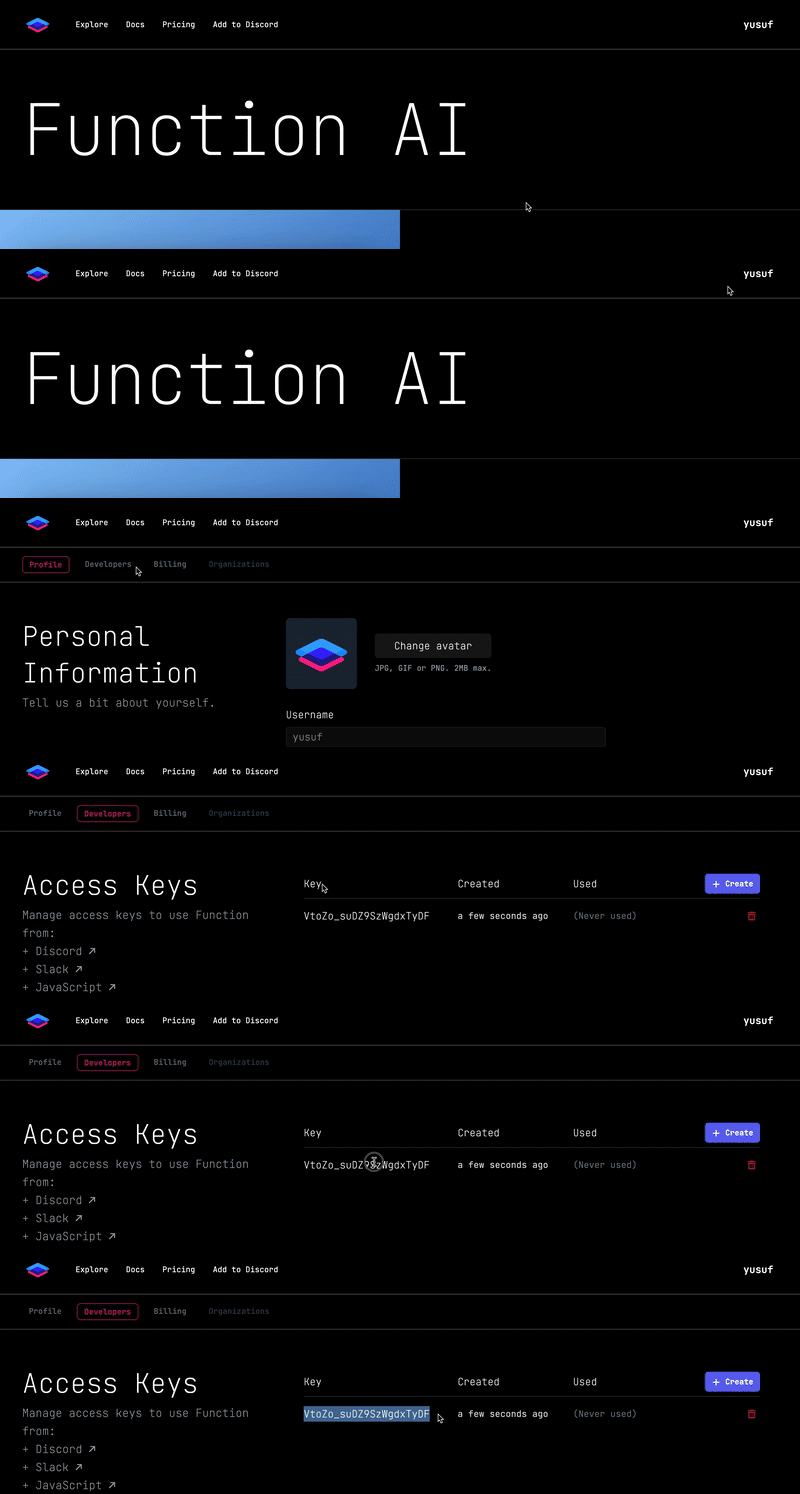
Then paste the generated access key as theNEXT_PUBLIC_FXN_ACCESS_KEYvalue in your.env.localfile.⛔: Do not publish this website with your access key. Your key will be publicly viewable.
- Head over to fxn.ai/create to create an image editing predictor. Use the prompt from the "How it Works" section above. Once the predictor is active, copy the predictor tag (e.g.
@username/predictor-name) and paste it as theNEXT_PUBLIC_EDIT_FXN_TAGvalue in your.env.localfile. - Run the Next.js development server:
Once you do this, open localhost:3000 and play around with the editor!
# Open a terminal and run the following command
npm run dev