This project allows you to create a dynamic website in a few minutes.
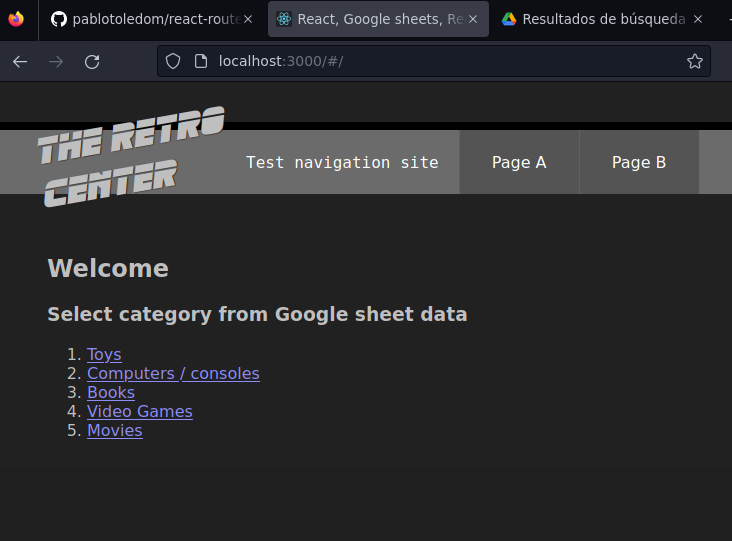
This site is rendered by React and navigation is managed by React-router-dom, the data printed here is dynamically fetched using the Google Sheets document.

- NodeJs
- knowledge in Typescrip language
- knowledge in Create React App Package
- Google account
For the base of this project, Create React App was used, therefore all the commands of a CRA project are inherited. Create React App.
- Go to https://docs.google.com/spreadsheets.
- Create a blank document and paste included example content in any file of /google-sheets-db directory.
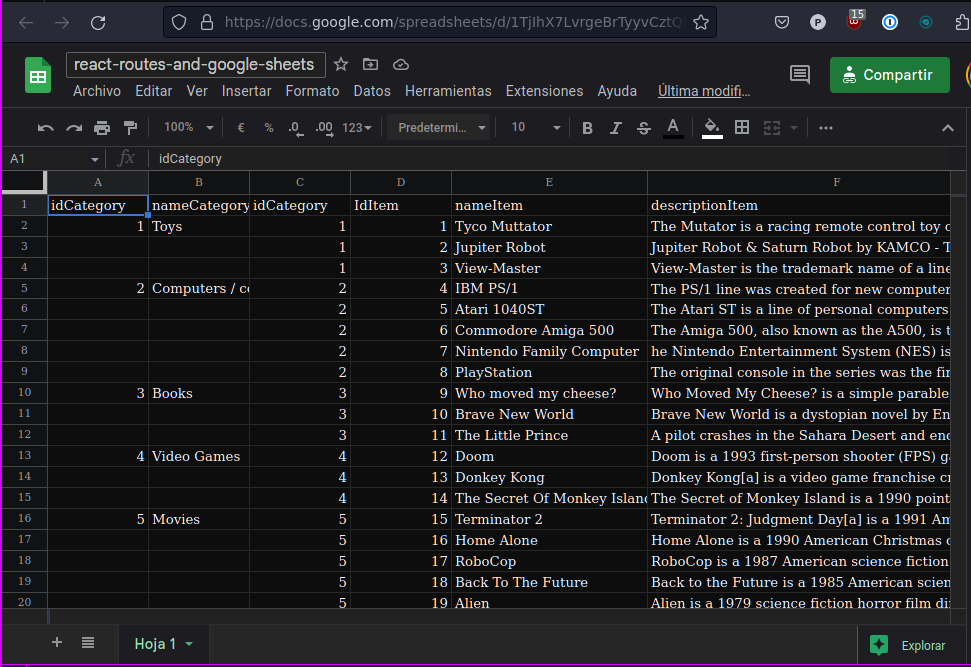
- Copy Google Sheet spreadsheetId from document URL

More information in Google Sheet API Documentation: https://developers.google.com/sheets/api/guides/concepts
- Go to https://console.developers.google.com/.
- Create a new or use existing project.
- Type Google Sheets API in your search input, select it and enable API.
- Go to Credentials menu, next click in CREATE CREDENTIALS, and continue in API Key option.
- Copy you API Key.
First, paste your Google Sheet ID and API Key inside the file /src/Api/index.ts. Next, you can have for examples the API metohds contained in this file

- Clone project.
- Run npm install command.
- Run npm start command.
Open http://localhost:3000 to view it in the browser.
- Run command npm run build.
- Deploy this project in your http server, the files are created in the /build folder.
It correctly bundles React in production mode and optimizes the build for the best performance. The build is minified and the filenames include the hashes.\