

Graphics API Manager for Android (GAMA) is an application that lets you switch the GPU rendering API on your Android device without requiring root access
While optimized for the Samsung Galaxy S23 lineup, this project is compatible with any modern Android device and aims to provide:
- ❄️ Lower-running temps
- 🔋 An improved battery life
- 🔓 Zero risk - Root is not required, 100% Knox-safe.
- 🛠️ User-friendliness - Simple yet beautiful UI to switch APIs without complex terminal commands

Extra resources
- 📱 Does Vulkan work on my device?
- If your device is not listed, please kindly follow this link where you will be able to fill out a form - The relevant, collected data will be added to the spreadsheet
- In case your device is unstable or unresponsive under Vulkan, press and hold Power + Volume Down for 5-10 seconds to force a restart, after which your device will return to normal!
- ☕ If you want to support the development of GAMA, consider donating!
- A Windows PC
- Your Android device (with USB Debugging enabled)
- The latest version of GAMA for Windows.
- Extract the .zip archive of GAMA
- Connect your device via USB to your PC
- Ensure USB Debugging is ON and only one device is connected.
- Run "GAMA.bat"
- A user-friendly main menu will pop up. Don't worry, everything is well-explained and designed to be simple-to-use. You can't break anything.
- TIP: Don't run "GAMA.bat" as administrator, it breaks the UI!
- Enjoy!
Heads up: You’ll need to run this script after every phone reboot.
- Settings > About phone > Software information
- Tap Build number 7 times until you see "Developer mode has been turned on".
- Go back to Settings > Developer options.
- Scroll down, find USB Debugging, and toggle it ON.
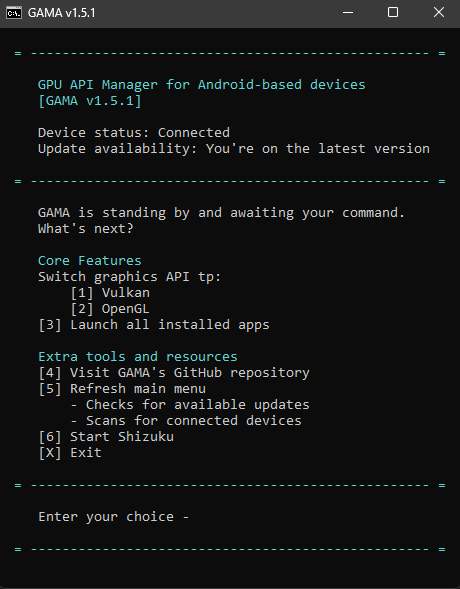 Main Menu |
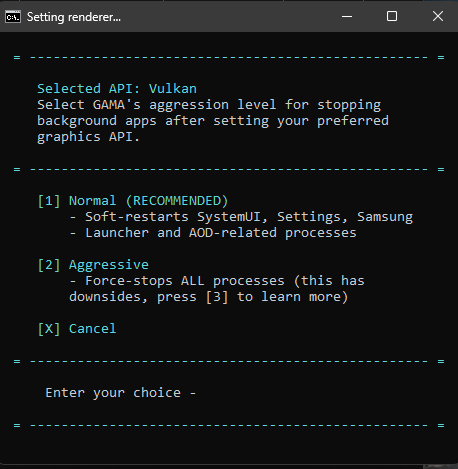 Choosing Aggressiveness Profile |
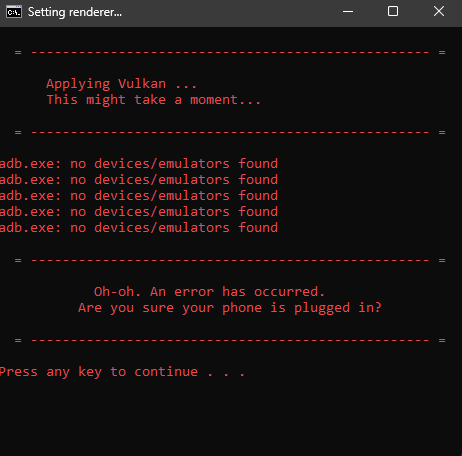 Error State |
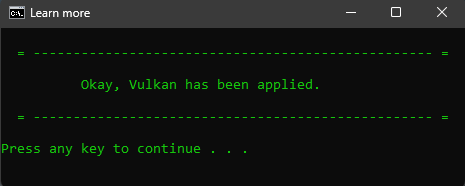 Success Message |
🔸 Caused by Vulkan (App Compatibility)
- Not all apps will run under Vulkan. Some will revert back to OpenGL automatically.
- Impact: A great majority of apps installed on your device will run under Vulkan flawlessly. If an app reverts, it's normal behavior.
🔸 Caused by GAMA* ("Aggressive" Profile Side Effects)
"Aggressive" Profile Warning
Using the Aggressive profile for stopping background apps is nuclear. While 99% of users won't need this, be aware of the side effects:
- Resets Defaults: Your default browser and keyboard will be reset.
- Connectivity Loss: Possible loss of WiFi-Calling/VoLTE capability.
- The Fix: Go to Settings > Connections > SIM manager, then toggle SIM 1/2 off and back on.
(Thanks to Fun-Flight4427 and ActualMountain7899 for the fix)