A complete PX4-SITL + Gazebo + ROS 2 simulation for a road-following quadrotor
This repository integrates PX4’s x500 model (with a stereo rig and downward-facing camera) inside Gazebo’s Baylands world, streams camera data over ROS 2, segments the road beneath the drone using a custom YOLO model, and commands the vehicle in OFFBOARD mode to follow the painted line on the ground.
- Project Overview
- Key Features
- Repository Structure
- Prerequisites
- Installation & Setup
- Directory / File Details
- Running the Simulation
- Simulation Video
- Customization
- Troubleshooting & Tips
- Contributing
- Objective: Simulate and demonstrate a quadrotor (PX4’s x500 frame) automatically following a painted red line on the ground inside the Gazebo Baylands world.
- How it works:
- PX4 SITL spawns the x500 drone with an added stereo camera rig (front) and a downward-facing mono camera (bottom).
- ROS 2 ↔ Gazebo Bridge relays raw camera frames to ROS 2 topics (
/camera/down_left/image, etc.). - A custom YOLO segmentation model (trained to detect a red-painted road line) processes the downward camera feed and publishes both a binary mask (
/road_mask) and a line image (/road_line). - A mission controller node (
Missioncorect.py) subscribes to/road_line, computes both the line angle (fitLine) and centroid offset, and sends OFFBOARD velocity setpoints (via MAVROS) to steer the drone along the road. - An overall launcher (
Simulate.pyorInitiate.py) orchestrates starting PX4 SITL, the ROS 2 bridge, MAVROS, RViz, QGroundControl, YOLO node, and the mission controller in separate terminals, ensuring a synchronized startup.
- PX4 SITL integration (custom
gz_x500_mono_cam_baylandslaunch profile). - Stereo rig + downward monocamera added to the x500 model.
- ROS 2 → Gazebo Bridge for streaming camera topics into ROS 2.
- YOLO-based road segmentation (trained model
.ptfiles included underModels/). - Line-fitting + centroid control (with exponential moving average filtering) to generate smooth yaw and lateral velocity commands.
- Fully automated launcher scripts to spin up everything with one command.
- RViz2 configuration (under
Scripts/config.rviz) for visualizing camera feeds, road mask/line topics, and the drone’s pose. - QGroundControl integration to supervise PX4 state and visualize offboard setpoints in real time.
RoadFollowingDroneSim/
├── .vscode/
│   └── … (editor settings, launch configurations, etc.)
├── Applications/
│   ├── PX4-Autopilot/                ← Clone of PX4 Firmware (custom x500 setup)
│   └── QGroundControl.AppImage       ← QGC AppImage for mission monitoring
│
├── Models/
│   ├── best.pt                       ← Primary YOLO segmentation weights
│   ├── best_old.pt                   ← (older checkpoint, kept for reference)
│   └── best_nh.pt                    ← (backup/no-holdout model)
│
├── Scripts/
│   ├── config.rviz                   ← RViz2 configuration for displaying camera & road topics
│   ├── Initiate.py                   ← Launcher for PX4 SITL, ROS 2 ↔ Gazebo Bridge, MAVROS, RViz2, QGC
│   ├── Mission.py                    ← (earlier/incomplete mission script; kept for history)
│   ├── Missioncorect.py              ← Mission controller node (line-following logic & OFFBOARD setpoints)
│   ├── Missionincomplete.py          ← (previous iteration; not used in final pipeline)
│   ├── RML_cv_hist.py                ← (historical CV-only code; not used)
│   ├── RML_cv.py                     ← (earlier CV pipeline; superseded by `RML_yolo.py`)
│   ├── RML_yolo_hist.py              ← (old YOLO code; not used)
│   └── RML_yolo.py                   ← Road segmentation node (YOLO inference + mask/line publishing)
│
├── Simulate.py                       ← “master” launcher: runs `Initiate.py`, then spawns YOLO & mission nodes
├── Simulation Video/                 ← Folder containing a demo video of the running simulation
│   └── simulation.mp4
├── README.md                         ← (this file)
└── … (other configuration or legacy files)
Note: Some scripts in
Scripts/(e.g.Missionincomplete.py,RML_cv.py,RML_yolo_hist.py, etc.) are previous/experimental versions and are not required for the current pipeline. The two “live” nodes in use are:
RML_yolo.py→ RoadSegmentationNodeMissioncorect.py→ MissionControllerNode
Before you begin, ensure you have the following installed on your machine (Ubuntu 22.04 is recommended):
-
System Packages
git,curl,cmake,build-essential,python3-pip,python3-colcon-common-extensions,python3-vcstool,unzip- Gazebo (compatible version for PX4 SITL—e.g. Gazebo-11)
gnome-terminal(for spawning separate terminal windows in the launch scripts)
-
ROS 2 Humble (on Ubuntu 22.04)
- Make sure you have a working ROS 2 Humble installation.
- Install the ROS 2 packages for Gazebo Bridge:
sudo apt update
sudo apt install ros-humble-ros-gz-bridge
- Install
mavrosand its extras:sudo apt install ros-humble-mavros ros-humble-mavros-extras
- Install
cv_bridgeand OpenCV bindings:sudo apt install ros-humble-cv-bridge python3-opencv
-
PX4 Firmware (Applications/PX4-Autopilot)
- Clone PX4 into
Applications/PX4-Autopilotand checkout a stable Humble-compatible release (e.g. v1.14.x or later). - Ensure Gazebo-11 and its development files are installed so that
make px4_sitl gz_x500_mono_cam_baylandscan build.
- Clone PX4 into
-
Python Dependencies
pip3 install --user numpy opencv-python ultralytics rclpy
ultralyticsgives you the YOLO v8 API.- Make sure your ROS 2 Python environment can import
rclpy,sensor_msgs,geometry_msgs,mavros_msgs, andcv_bridge.
-
QGroundControl
- The
QGroundControl.AppImageprovided underApplications/must be made executable:chmod +x Applications/QGroundControl.AppImage
- On first run, you may need to install a few dependencies:
sudo apt install libqt5core5a libqt5gui5 libqt5network5 libqt5widgets5
- The
-
Clone this repository (if you haven’t already):
git clone https://github.com/YourUsername/RoadFollowingDroneSim.git cd RoadFollowingDroneSim -
Set up PX4 Firmware
cd Applications
git clone https://github.com/PX4/PX4-Autopilot.git
cd PX4-Autopilot
git checkout v1.14.2  # or later
cd ../..
-
Prepare YOLO Models
TheModels/directory contains three YOLO checkpoint files (.pt). By default,RML_yolo.pyusesModels/best.pt. Rename or edit the path if you have different weights. -
Install Python packages
pip3 install --user numpy opencv-python ultralytics rclpy
-
Make launcher scripts executable
chmod +x Simulate.py
chmod +x Scripts/Initiate.py
chmod +x Scripts/RML_yolo.py
chmod +x Scripts/Missioncorect.py
-
Source ROS 2 Humble
source /opt/ros/humble/setup.bash
.
├── .vscode/
│   └── launch.json, settings.json, etc.
│
├── Applications/
│   ├── PX4-Autopilot/
│   │   └── (Official PX4 Firmware with custom x500 model + stereo/down cameras)
│   └── QGroundControl.AppImage
│
├── Models/
│   ├── best.pt        ← Final YOLO segmentation weights
│   ├── best_old.pt    ← (Older checkpoint)
│   └── best_nh.pt     ← (No-holdout checkpoint)
│
├── Scripts/
│   ├── config.rviz     ← RViz2 session that subscribes to `/camera/*`, `/road_mask`, `/road_line`, `/mavros/local_position/pose`
│   ├── Initiate.py     ← Launches PX4 SITL, ROS 2–Gazebo bridge, MAVROS, RViz2, QGroundControl (each in its own terminal)
│   ├── Mission.py      ← (Legacy/In Progress, not currently used)
│   ├── Missioncorect.py← Main mission controller (line-following OFFBOARD node)
│   ├── Missionincomplete.py
│   ├── RML_cv_hist.py
│   ├── RML_cv.py       ← (Legacy CV approach, replaced by YOLO node)
│   ├── RML_yolo_hist.py
│   └── RML_yolo.py     ← Road segmentation node (YOLO inference & `/road_mask`, `/road_line` publishers)
│
├── Simulate.py         ← “Master” launcher that calls `Initiate.py`, then spawns `RML_yolo.py` & `Missioncorect.py` in new terminals
├── README.md           ← (This file)
└── … (Miscellaneous legacy files)
-
Simulate.py- Launches
Scripts/Initiate.pyin the current terminal. - Waits 30 s, then spawns a new GNOME terminal running the YOLO segmentation node (
Scripts/RML_yolo.py). - Waits 5 s more, then spawns another GNOME terminal running the mission controller node (
Scripts/Missioncorect.py). - Listens for Ctrl + C to kill all child processes cleanly.
- Launches
-
Scripts/Initiate.py- Runs PX4 SITL (calls
make px4_sitl gz_x500_mono_cam_baylandsinsideApplications/PX4-Autopilot). - After ~20 s, spawns four separate GNOME terminals for:
- ROS 2 ↔ Gazebo parameter bridge (camera topic remappings)
ros2 run mavros mavros_node(withfcu_url:=udp://:14540@127.0.0.1:14557)rviz2 -d config.rvizQGroundControl.AppImage
- Catches SIGINT to shut down all children gracefully.
- Runs PX4 SITL (calls
-
Scripts/RML_yolo.py- Subscribes to
/camera/down_left/image(sensor_msgs/Image). - Loads a YOLO segmentation model from
Models/best.pt. - Runs inference on each down-facing frame, producing:
- A semi-transparent overlay (
/road_mask) that shows the segmentation overlaid on the original image. - A “center-line only” image (
/road_line) with a red polyline tracing the center of the road.
- A semi-transparent overlay (
- Uses OpenCV to:
- Threshold and resize the predicted mask.
- Compute the per-row center pixel of the mask, fit a 1D line (polyfit), and draw that line.
- Publish both images as ROS 2 topics (
Imagemessages).
- Subscribes to
-
Scripts/Missioncorect.py- Subscribes to
/mavros/stateand/mavros/local_position/poseto track PX4’s connection, mode, armed state, and current pose. - Subscribes to
/road_line(Image) fromRML_yolo.py. Converts to OpenCV format. - On startup, sends a “dummy” setpoint so PX4 can latch into OFFBOARD.
- Once
mode == OFFBOARDandarmed == True, monitors the drone’s altitude and climbs to a target altitude (10 m). - After takeoff:
- Thresholds the
/road_lineimage’s red line pixels to find pixel coordinates. - Uses
cv2.fitLine()and moments to compute:- A filtered angle error (difference between line’s angle and straight-ahead).
- A filtered centroid offset (difference between line center and image center).
- Implements a simple P-controller (with EMA smoothing) to produce:
- A yaw‐rate command if angle error > tolerance.
- A forward velocity (body‐frame) plus lateral (body‐frame) velocity to strafe onto the line.
- Transforms body‐frame velocities into ENU local frame using the current yaw.
- Publishes a
Twiston/mavros/setpoint_velocity/cmd_vel_unstampedto send commands to PX4.
- Thresholds the
- Subscribes to
-
Scripts/config.rviz- Preconfigured RViz2 scene that visualizes:
/camera/down_left/image(raw camera feed),/road_mask(overlay),/road_line(line-only),/mavros/local_position/pose(drone’s position in the world).
- Preconfigured RViz2 scene that visualizes:
-
Ubuntu 22.04 (Jammy)
-
ROS 2 Humble
- Install ROS 2 Humble (Desktop Full) following the official instructions:
https://docs.ros.org/en/humble/Installation/Ubuntu-Install-Debians.html - Install additional packages for Gazebo bridge, MAVROS, and CV Bridge:
sudo apt update
sudo apt install ros-humble-ros-gz-bridge ros-humble-mavros ros-humble-mavros-extras ros-humble-cv-bridge python3-opencv
- Source ROS 2 Humble:
source /opt/ros/humble/setup.bash
- Install ROS 2 Humble (Desktop Full) following the official instructions:
-
Gazebo-11
- Ensure Gazebo-11 is installed (e.g.
sudo apt install gazebo11 libgazebo11-dev).
- Ensure Gazebo-11 is installed (e.g.
-
PX4 Firmware (Applications/PX4-Autopilot)
- Clone PX4 and install its dependencies (via PX4’s Ubuntu script or manual packages).
- Make sure you can build the x500 model with:
cd Applications/PX4-Autopilot make px4_sitl gazebo_x500_mono_cam_baylands - If dependencies are missing, install:
sudo apt install python3-jinja2 libopencv-dev libeigen3-dev protobuf-compiler libprotobuf-dev qt5-default libqt5svg5-dev qtbase5-dev-tools
-
Python Dependencies
pip3 install --user numpy opencv-python ultralytics rclpy
-
QGroundControl
- Make the AppImage executable:
chmod +x Applications/QGroundControl.AppImage
- Run
./Applications/QGroundControl.AppImageonce to let it install any missing Qt5 libs.
- Make the AppImage executable:
-
Clone this repository (if you haven’t already):
git clone https://github.com/YourUsername/RoadFollowingDroneSim.git cd RoadFollowingDroneSim -
Set up PX4 Firmware
cd Applications
git clone https://github.com/PX4/PX4-Autopilot.git
cd PX4-Autopilot
git checkout v1.14.2  # or later
cd ../..
-
Prepare YOLO Models
TheModels/directory contains three YOLO checkpoint files (.pt). By default,RML_yolo.pyusesModels/best.pt. Rename or edit the path if you have different weights. -
Install Python packages
pip3 install --user numpy opencv-python ultralytics rclpy
-
Make launcher scripts executable
chmod +x Simulate.py
chmod +x Scripts/Initiate.py
chmod +x Scripts/RML_yolo.py
chmod +x Scripts/Missioncorect.py
-
Source ROS 2 Humble
source /opt/ros/humble/setup.bash
-
Open a terminal and source ROS 2 Humble:
source /opt/ros/humble/setup.bash -
Make
Simulate.pyexecutable (if not already):chmod +x Simulate.py
-
Run:
./Simulate.py
- The script:
- Executes
Scripts/Initiate.pyin the current terminal. - After ~30 s, spawns a GNOME terminal running
Scripts/RML_yolo.py. - After ~5 s more, spawns another GNOME terminal running
Scripts/Missioncorect.py. - Pressing Ctrl+C in the original terminal will kill all child processes (PX4, ROS 2 bridge, MAVROS, RViz2, QGC, YOLO, Mission node).
- Executes
- The script:
-
Launch PX4 SITL + ROS 2 Bridge + MAVROS + RViz2 + QGC
cd Scripts chmod +x Initiate.py ./Initiate.py- Wait ~20 s for PX4 to boot, then four GNOME terminals open for:
- ROS 2 ↔ Gazebo Bridge
ros2 run mavros mavros_noderviz2 -d config.rviz./Applications/QGroundControl.AppImage
- Wait ~20 s for PX4 to boot, then four GNOME terminals open for:
-
Launch YOLO Road-Segmentation Node
In a new terminal (source ROS 2 again if needed):cd /path/to/RoadFollowingDroneSim/Scripts chmod +x RML_yolo.py ros2 run python3 RML_yolo.py -
Launch Mission Controller Node
In another terminal:cd /path/to/RoadFollowingDroneSim/Scripts chmod +x Missioncorect.py ros2 run python3 Missioncorect.py -
Observe Behavior
- In RViz2, see
/camera/down_left/image,/road_mask,/road_line, and the drone’s pose. - In QGroundControl, watch OFFBOARD, arming, and velocity setpoints as it follows the painted red line in Baylands.
- In RViz2, see
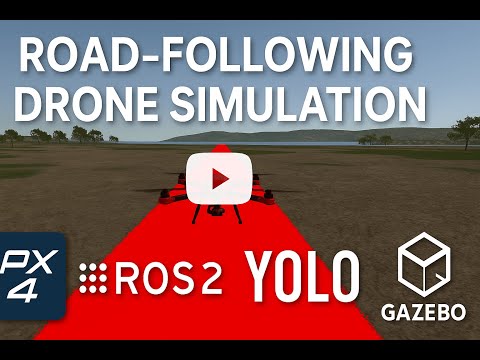
A demonstration video of the running simulation is available on YouTube:
Or click the thumbnail below:
- Change YOLO Weights: Replace
Models/best.ptwith your own checkpoint or edit the path inRML_yolo.py. - Tune Controller Gains: In
Scripts/Missioncorect.py, adjust:self.kp_yaw = 0.2 self.angle_tolerance = 0.2 # radians self.alpha_angle = 0.2 # EMA filter for angle self.kp_centroid = 2 # P-gain for lateral offset self.max_lateral_speed = 2.5 self.alpha_vel = 0.3 # EMA for lateral velocity self.forward_speed = 3.0 # m/s self.target_altitude = 10.0
- Altitude, Velocity Limits: Change
self.target_altitude,self.altitude_tolerance,self.forward_speed, andangle_tolerancefor desired behavior. - Gazebo/X500 Model: Modify the SDF or world file under
Applications/PX4-Autopilotfor different camera placements or a new environment.
-
PX4 SITL Build Fails
- Install missing dependencies:
sudo apt install python3-jinja2 libopencv-dev libeigen3-dev protobuf-compiler libprotobuf-dev qt5-default libqt5svg5-dev qtbase5-dev-tools
- Install missing dependencies:
-
RML_yolo.pyImport Errors- Ensure
ultralyticsis installed:pip3 install --user ultralytics
- Verify
Models/best.ptexists and is valid.
- Ensure
-
No
/road_lineData- Check that
/camera/down_left/imageis publishing. - In RViz2, add an “Image” display for
/camera/down_left/image. - Ensure the ROS 2 Bridge remappings in
Initiate.pymatch your PX4 camera topic names.
- Check that
-
PX4 Doesn’t Switch to OFFBOARD
- PX4 requires a continuous stream of setpoints before enabling OFFBOARD.
- Confirm
Missioncorect.pypublishes at least 2–3 Hz dummy setpoints before requesting OFFBOARD. - Check
ros2 topic echo /mavros/stateshowsconnected: true.
-
GNOME Terminal Windows Not Opening
- Verify
gnome-terminalis installed and in your$PATH. - If using a different terminal (e.g.,
xfce4-terminal), editSimulate.pyandInitiate.pyaccordingly.
- Verify
-
RViz2 Shows Blank/Red X’s
- Ensure RViz2’s fixed frame is set to “map” or “odom” if frames differ.
- Check
ros2 topic listto confirm all topics are active.
Contributions are welcome! If you:
- Improve YOLO segmentation (better model, architecture)
- Tune control gains for smoother tracking
- Add logging/data recording
- Port to a real drone flight
- Write unit tests for line-fitting logic
… please open an issue or a pull request. Small improvements—especially to documentation or reliability—help everyone.