
The main reason I created this bot is so that I could sleep at night knowing that my vaults are earning the maximum Qi rewards.
- Compounding Market Aave Market MATIC
- Compounding Market Aave Market AAVE
- Chainlink
- CelsiusX Wrapped Doge
- Gotchi Vault
- Fantom
The bot borrows or pays back the loan on your vault automatically based on the underlying collateral price.
The cycle time for the bot is ~ 20 seconds. This means that every 20 seconds the bot performs the following tasks:
- check the collateral token price
- check if the collateral to debt ratio is within the defined "safe" limit.
- eg. on the camWMATIC vault, if CDR is < 160% then it will repay MAI to bring it back to over 160% CDR.
- Conversely, if CDR is > 170% then it will borrow MAI (if debt ceiling > 10 MAI).
The bot loop execution is performed by a bash shell script which calls the brownie script instead of running the loop in the python script for improved reliability.
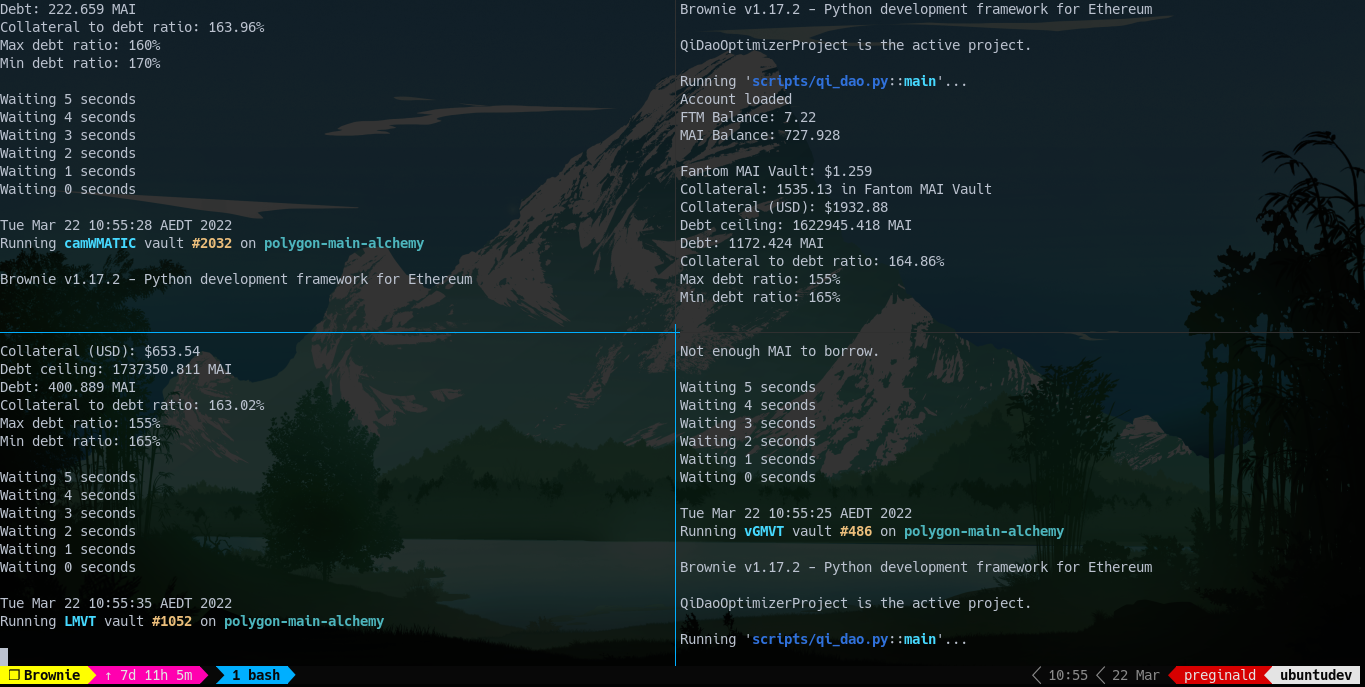
- Ubuntu (or a Linux distro with bash)
- python 3.9
- eth-brownie 1.17.2
- python3-env
- python3-dev
Test the bot on a small vault deposit initially until you get a good feel for the way the bot runs.
You must make sure that you have approved the borrow and payback actions for the vault you wish to run this bot on. Failure to do this will result in a ValueError error and the bot will fail.
git clone https://github.com/preginald/qi-dao-optimizer.gitpython -m venv .venvsource .venv/bin/activatepip install -r requirements.txtbrownie --versionbrownie networks add Polygon "polygon-main-alchemy" host=https://<replace-with-your-credentials> chainid=137 name="Mainnet (Alchemy)" explorer=https://api.polygonscan.com/apibrownie networks add Polygon "polygon-main-chainstack" host=https://<replace-with-your-credentials> chainid=137 name="Mainnet (Chainstack)" explorer=https://api.polygonscan.com/apibrownie console --network polygon-main-alchemybrownie console --network polygon-main-chainstackBrownie provides a way to store wallet via private key. Brownie encryps and stores your wallet learn more...
brownie accounts new <account_id>You will be asked to input the private key, and to choose a password. The account will then be available as <account_id>
When you run the bot you'll be asked to enter the password to decrypt the wallet for the <account_id> passed into the command line (see step 12).
Edit the brownie-config.yaml and set the minimum and maximum Collateral to Debt Ratio for the respective vaults.
For example, here are the settings for the camWMATIC vault:
    camWMATIC MAI Vault:
      max_debt_ratio: 160 # change this
      min_debt_ratio: 170 # and this accordingly.
      precision: 18
price_feed: "0xAB594600376Ec9fD91F8e885dADF0CE036862dE0"The bot requires a couple of environment variables to function and they are:
Once you've created your API tokens you can add them to your environment variables.
To add POLYGONSCAN_TOKEN:
export POLYGONSCAN_TOKEN=<your-polygonscan-api-token>To add FTMSCAN_TOKEN:
export FTMSCAN_TOKEN=<your-ftmscan-api-token>./qi.sh <account_id> <vault> <id> <network>where...
- account_id is the brownie account id specified when adding Brownie Account credentials in step 9
- vault is the collateral token code, cwm for camWMATIC, cwe for camWETH
- id is vault ID
- network is the brownie network id specified when adding a custom RPC
eg. To run the bot on the camWMATIC vault with id 1337 on the Alchemy Polygon RPC using the accound id of "alpha"
./qi.sh alpha cwm 1337 polygon-main-alchemyYou'll also be asked to enter the password you specified to decrypt your wallet added in step 9 for the respective <account_id>