
N64 game-engine and editor using Libdragon and tiny3d.
macOS (Apple Silicon) port of HailToDodongo/pyrite64.


Note: This project does NOT use any proprietary N64 SDKs or libraries.
Important
This fork targets Apple Silicon (M1/M2/M3/M4) Macs only. Intel Macs are untested and unlikely to work without modifications.
Pyrite64 is a visual editor + runtime-engine to create 3D games that can run on a real N64 console or accurate emulators.
- Automatic toolchain installation on Windows and macOS
- 3D-Model import (GLTF) from Blender with fast64 material support
- Support for HDR+Bloom rendering (demo)
- Support for big-texture rendering 256x256 (demo)
- Runtime engine handling scene-management, rendering, collision, audio and more
- Global asset management with automatic memory cleanup
- Node-Graph editor to script basic control flow
Note that this project focuses on real hardware, so accurate emulation is required to run/test games on PC. Emulators that are accurate enough include Ares (v147 or newer) and gopher64.
Warning
This project is still in early development, so features are going to be missing.
Documentation is also still a work in progress, and breaking API changes are to be expected.
This fork adds the following on top of the upstream project:
| Feature | Details |
|---|---|
| Toolchain install | One-click Install via Homebrew + Terminal.app (~30-60 min build from source) |
| Toolchain Manager | Detects Homebrew, toolchain, libdragon, tiny3d, and ares across 5 steps |
| Emulator | Auto-installs ares via Homebrew, launches with open -a ares |
| SDK path | Defaults to $HOME/pyrite64-sdk (no sudo, auto-discovered without N64_INST) |
| App bundle | Pre-built .app with ad-hoc code signing via build_app.sh |
- macOS on Apple Silicon (M1 or later)
- Homebrew (brew.sh)
- Git LFS — Font and asset files are stored in Git LFS. Install with
brew install git-lfs && git lfs install, thengit lfs pullif you've already cloned. - Full Xcode (from the App Store) — Command Line Tools alone are not sufficient, as the CLT ships with incomplete C++23/libc++ headers needed for building
- Download or clone this repo
- Right-click
Pyrite64.app> Open (first launch only — see Gatekeeper note below) - Open the Toolchain Manager and click Install
- Wait for the Terminal window to finish (~30-60 minutes)
- Restart Pyrite64 — all 5 steps should be green
brew install cmake ninja
cmake --preset macos
./build_app.sh
Then launch Pyrite64.app. No Gatekeeper issues when building locally.
If you downloaded the .app from GitHub, macOS will block it on first launch since it isn't notarized.
On macOS Sequoia (15) and newer:
- Try to open the app — macOS will block it
- Go to System Settings > Privacy & Security, scroll down and click Open Anyway
- Click Open Anyway again in the confirmation dialog
On older macOS versions:
- Right-click the .app > Open > click Open in the dialog
Alternatively, run this in Terminal to skip Gatekeeper entirely:
xattr -cr Pyrite64.appThis only applies to downloaded builds, not when building from source. Only needed once.
Before starting, please read the FAQ!
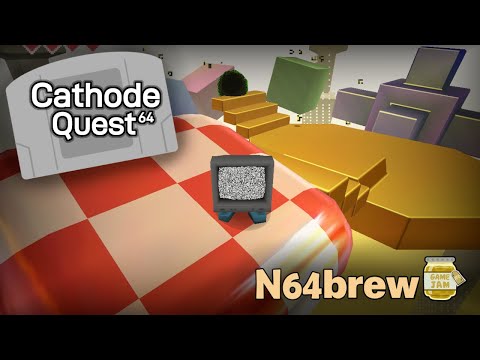
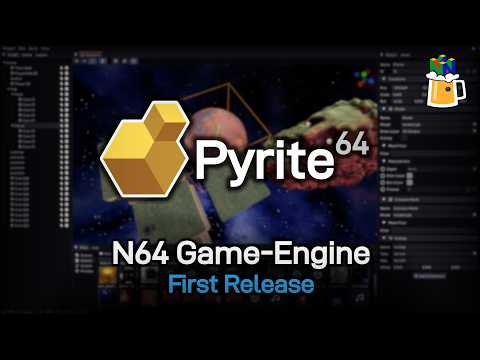
Cathode Quest 64 (YouTube) | Pyrite64 Release Video
- N64Brew Discord: https://discord.gg/WqFgNWf
- Upstream project: HailToDodongo/pyrite64
Original project (c) 2025-2026 - Max Bebök (HailToDodongo)
macOS port by proverbiallemon
Pyrite64 is licensed under the MIT License, see the LICENSE file for more information.
Licenses for external libraries used in the editor can be found in their respective directory under /vendored.
Pyrite64 does NOT force any restrictions or licenses on games made with it.
Pyrite64 does NOT claim any copyright or force licenses for assets / source-code generated by the editor.
While not required, please consider crediting Pyrite64 with a logo and/or name in your credits and/or boot logo sequence.