A highly customizable New Tab page extension for Chrome, built with vanilla JavaScript. Designed for easy tweaking by editing local configuration files and code, allowing for a personalized dashboard experience. This is my daily driver new tab page at work and home.
This extension replaces Chrome's default New Tab page with a dynamic dashboard configured via simple markdown-like text files. It avoids build toolchains, making modifications as simple as editing text files. Configuration is code (or rather, structured text).
DEMO: You can see an example configuration "live" here (Note: This online demo uses config/online.md and post its are not saveable).
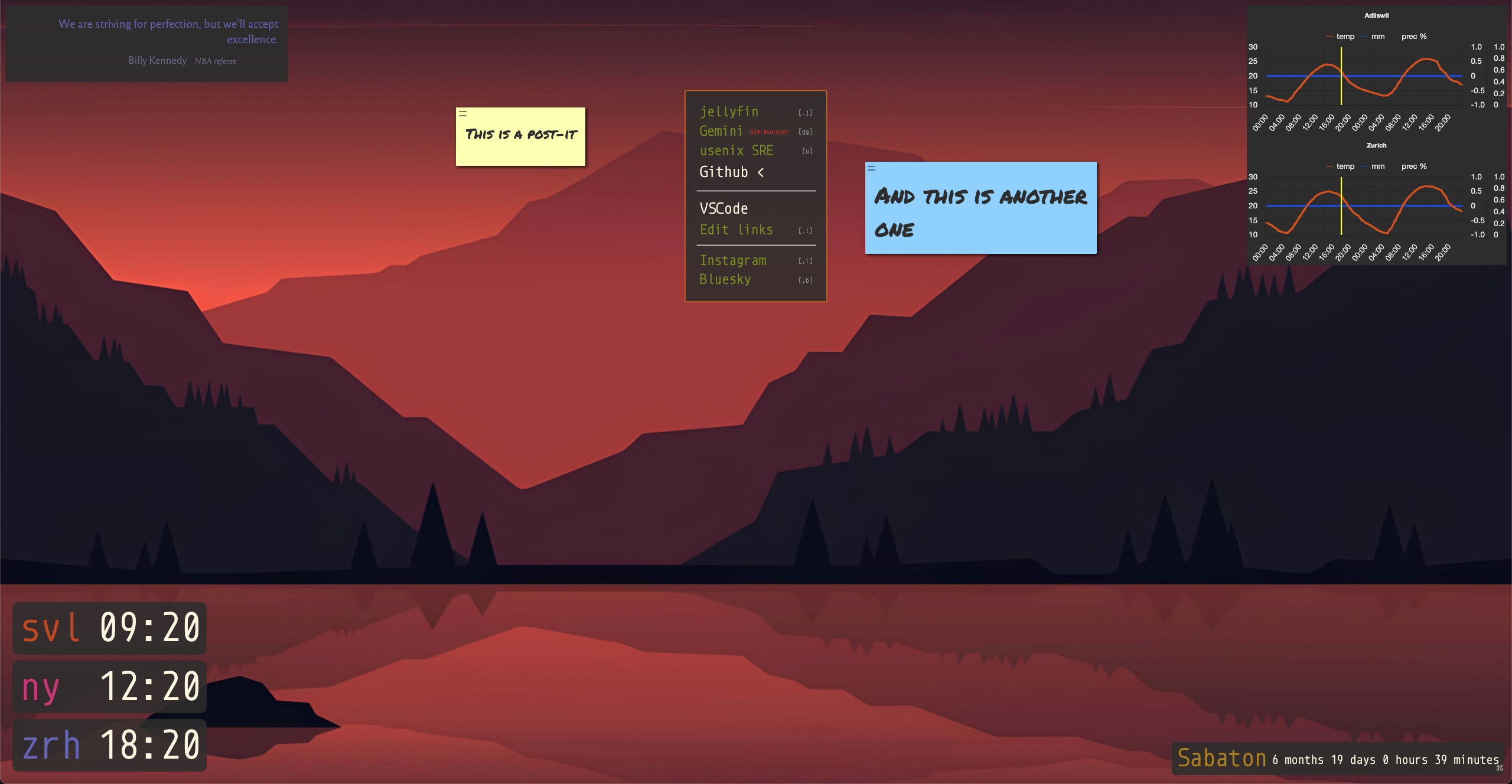
- Weather: Displays current weather for multiple locations using OpenMeteo API.
- Timezones: Shows clocks for multiple configured timezones.
- Links (Quicklinks): Customizable list of links, optionally with keyboard shortcuts for quick navigation (Press
ESCthen shortcut keys). - Quotes: Displays quotes from configured files, can be set to rotate daily.
- Backgrounds: Rotates background images from configured lists, can be set to rotate daily. The seed for daily rotation can be changed by clicking the 'π' symbol (bottom-left) or using the keyboard shortcut.
- Sunrise/Sunset: Displays calculated sunrise and sunset times for specific locations using SunCalc.js.
- Countdowns: Shows countdown timers to specific future dates and times.
- Iframes: embeds an iframe. Like, random example, the current oncaller of an oncall rotation.
- Post-its: Allows creating draggable, editable, persistent sticky notes directly on the page (uses
interact.jsandchrome.storage.local). Colors and font size can be changed. - Zen Mode: Toggle visibility of all widgets and post-its to enjoy a clean background-only view. Click the 'ε' symbol (top-left) or use the keyboard shortcut. The state persists across page reloads.
- Replacements: Uses the
metaPlibrary to perform text replacements. This is specific to some usecases I have and is hard to explain, so just ignore.
Configuration is primarily handled by editing markdown-like files within the config/ directory.
- The entry point determines which main config file is loaded:
config/local.md: Used when accessing viafile://protocol (typical for local unpacked extensions).config/online.md: Used when accessing viahttp://orhttps://protocols.
- These main config files define different sections (widgets/features).
- Some sections (like Links, Quotes, Backgrounds, Replacements) can reference other files (e.g.,
config/links.md,config/quotes.md) which contain the actual lists of data.
You can check the config/online.md file as an example, although it might get outdated quickly, at the time of this writing it looks like this:
# Weather

## Adliswil

- lat: 47.3081
- lon: 8.5318
- div: upper-right
- width: 400px

## Zurich

- lat: 47.3797259
- lon: 8.529028
- div: upper-right
- width: 400px

# Timezones
- fontSize: 3em
- div: lower-left

## svl
- tz: America/Los_Angeles

## ny
- tz: America/New_York

## zrh
- tz: Europe/Zurich

# Links
- div: center
- config/links_sample.md

# Quotes
- div: upper-left
- today: false
- config/quotes_sample.md

# Backgrounds
- today: true
- config/backgrounds.md
- config/mwcBackgrounds.md

# Countdowns

## Sabaton
- target: 20251118 1900
- div: lower-right
- precision: minutes

# iframes

## Example Site
- src: https://example.com
- div: lower-right
- width: 90%
- height: 24px
The configuration files use a simple text format parsed by lib/mainParser.js:
# kind: Defines the start of a new widget/section type (e.g.,# Weather,# Links). Thekindname is case-insensitive.## title: Defines a specific instance or sub-section within akind. For kinds that support multiple instances (like Weather, Timezones, Countdowns, Sunrise/Sunset), each## titlestarts a new instance.- key: value: Defines properties for the currentkindortitleinstance. Keys and values are trimmed. Values can contain colons.
Here are the supported kind sections and their common properties based on config/local.md and mainParser.js:
- Starts with
# Weather. - Requires
## Location Namefor each instance. - Properties:
- lat: Latitude- lon: Longitude- div: ID of the target HTML div(e.g.,upper-right)- plz: Swiss postal code(Optional, makes the weather chart clickable to open MeteoSwiss forecast)- Other
- key: valuepairs are passed as options (e.g.,- width: 400px).
- Starts with
# Timezones. - The first item's properties often define settings for the whole block:
- div: Target HTML div ID- fontSize: CSS font size(e.g.,3em)
- Subsequent items define individual clocks:
## Short Name(e.g.,zrh)- tz: TZ Database Name(e.g.,Europe/Zurich)
- Starts with
# Links. - Properties:
- div: Target HTML div ID- Other lines define data sources or potentially direct links (e.g.,
- config/links.md). The keys from these properties are passed tolinksFromMarkdown. Checklib/linkUtils.jsfor details on link/shortcut format within the target file or if keys/values here define them directly.
- Starts with
# Quotes. - Properties:
- div: Target HTML div ID- today: true(Optional, for daily rotation using a fixed seed)- Other lines specify files containing quotes (e.g.,
- config/quotes.md). Keys are passed toquotesFromMarkdown.
-
Starts with
# Backgrounds. -
Properties:
- today: true(Optional, for daily rotation using a fixed seed per day)- Alt-clicking the
pisymbol on the lower left (or wherever you place it via CSS) changes the seed for today. - Other lines specify files containing background image URLs or data (e.g.,
- config/backgrounds.md). Keys are passed tobackgroundsFromMarkdown.
- Starts with
# Sunrise/sunset. - Requires
## Location Namefor each instance. - Properties:
- lat: Latitude- lon: Longitude- div: Target HTML div ID- Other
- key: valuepairs are passed as styles to the widget wrapper.
- Starts with
# Countdowns. - Requires
## Event Namefor each instance. - Properties:
- target: YYYYMMDD HHMM(Target date and time, e.g.,20251118 1900)- div: Target HTML div ID- precision: months | days | hours | minutes | seconds(Optional, defaults toseconds)- Other
- key: valuepairs are passed as styles to the widget wrapper.
- Starts with
# iframes - Requires
## titlefor each instance. - Properties:
- src: URLURL of the iframe, can be local- div: Target HTML div ID- hiddenand- commandthese go together to add iframes that are only shown via the command palette, see the example inonline.md- width, height, frameborder are usually needed but can be ignored
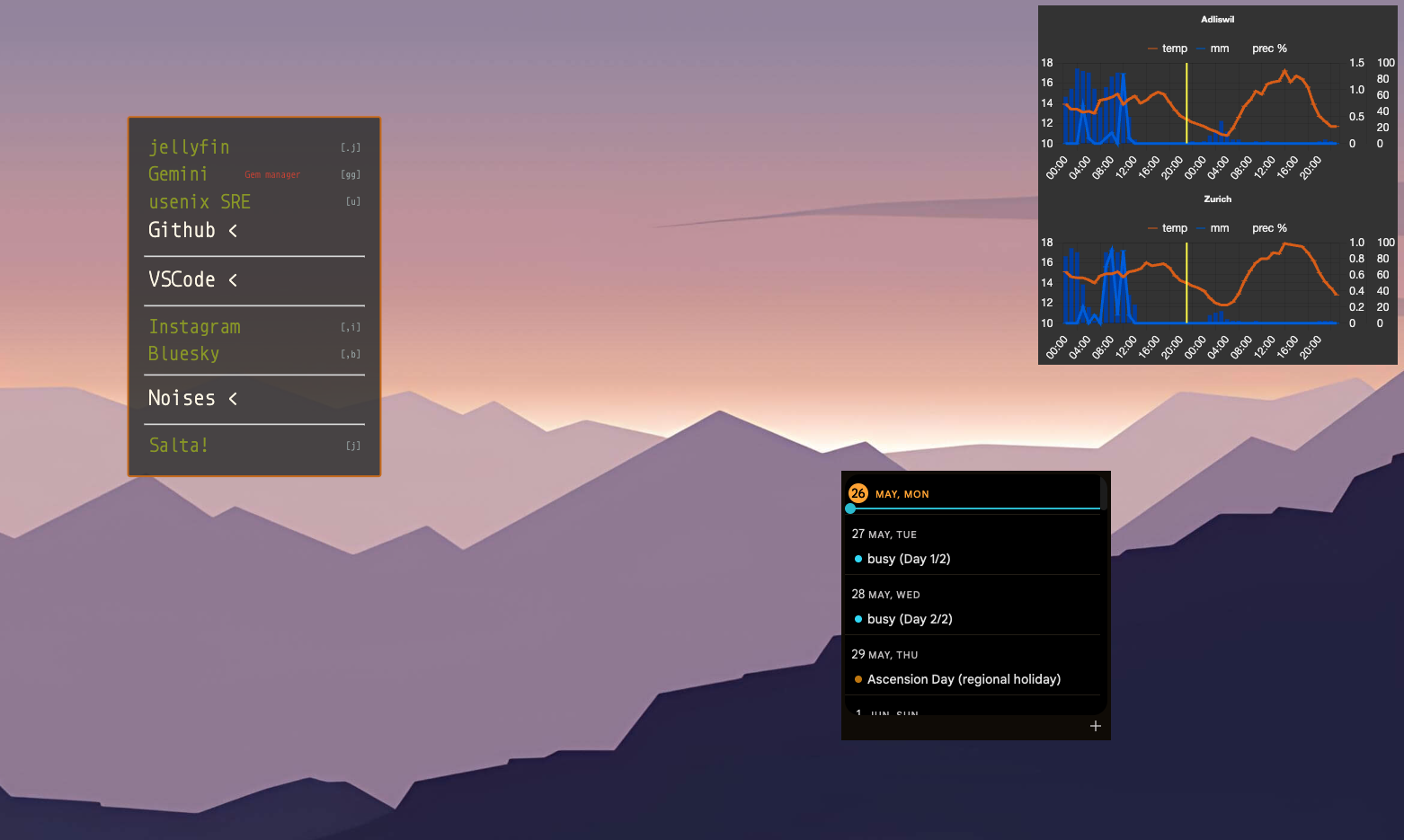
For Google calendar I don't like adding it to any particular div, so I just leave it floating and absolutely positioned like the following. The magic stuff about overlay and wrapper-style you can see below means:
overlay-style: Add a div overlay with a backdrop filter on the iframe. This overlay turns it into a dark mode embed 💪wrapper-style: Add additional positioning directives so it does not appear wherever but in a particular place. Only useful for floating iframes.
Make sure you match the size of the embed (in the URL) with the size of the iframe in the configuration.
## Calendar

- src: https://calendar.google.com/calendar/embed?height=300REST_OF_YOUR_CALENDAR_EMBED_STUFF
- style: border-width: 0; border-radius: 0;
- width: 300px
- height: 300px
- frameborder: 0
- overlay: true
- overlay-style: backdrop-filter: invert(1)
- wrapper-style: left: calc(100vw * 3 / 4); top: calc(50vh - 150px);
- No configuration needed in the markdown files.
- Functionality is enabled by
lib/postit.js. Notes are created viaAlt+Clickorclick+holdand stored usingchrome.storage.local. - Five colours available: yellow, red, green, blue, white. To switch colours press
Ctrl+first letter of the colourwhile editing. - Font size can be changed by pressing
Ctrl+.(increase by 8%) andCtrl+,(decrease by 8%). - Add a title by creating a line starting with
#, like# Titleand pressing enter. - Create a line with a checkbox by typing a line like
[ ] this is a taskand pressing enter. - Select some text and paste a link to make it a link. Cmd/ctrl (Mac/Otherwise) click to open it.
- Add (only) a text like
foo bar baz @15:00to create a timer that will ring in 15 minutes (if you have a new tab open). You can add as many as you want, with whatever timings you want
- These are weird and for something I wanted. You may never want to use them
- Starts with
# Replacements. - Properties define data sources (e.g.,
- config/replacements.md). Keys are passed toreplacementsFromMarkdown. Assumes only one replacement block is used.
- 40Hz binaural beats, brown noise and single-audio-file looping are available as links and command palette commands (see the example in
links_sample.md). - Web streams can also be played. See the example in
links_sample.md - Note that stopping/starting the looper will layer on top, just refresh the new tab to clean the audio contexts.
- Clone or download this repository.
- In Chrome, navigate to
chrome://extensions. - Enable Developer mode (usually a toggle in the top-right).
- Click Load unpacked.
- Browse to and select the directory where you cloned/downloaded this repository.
- The extension should appear and override your New Tab page. The first time, Chrome might ask for confirmation.
- By default (when loaded unpacked), it will use
config/local.md. Edit it!
- Configuration: Edit the
.mdfiles (local.mdin general) in theconfig/directory to change widgets, locations, data sources, etc. - Functionality: Edit the JavaScript files in the
lib/directory (e.g.,weatherUtils.js,linkUtils.js) to change how widgets behave or add new ones. Here be dragons, of course. You'll need to map any newkindinmainParser.js. - Styling: Edit CSS files in the
styles/directory. I'm trying to split the CSS into per-widget files at the moment - Reloading: After saving changes, go back to
chrome://extensionsand click the reload icon for the "NT" extension (sometimes needed for JS changes), or often just reloading the New Tab page is enough (for markdown files changed).
It's possible to convert this for Safari using Apple's tools with xcrun safari-web-extension-converter, but it defeats the quick iteration in changing/adding to the configuration.
- The
tests/directory contains tests that are currently broken and may not reflect the latest refactorings. - Some sections might be fragile, although I use this daily at work and home.
- Features like Tasks and Iframes mentioned are not currently processed by
mainParser.js.
- Libraries: Luxon.js, Chart.js (+ Annotation plugin), SunCalc.js, interact.js, metaP.js
- APIs: Open-Meteo API (for weather)
- Fonts: Roboto Mono, Reforma 1969, Inter, Monoid, Permanent Marker
- Assistance: Google Gemini
- Audio example: JS Bach and Kimiko Ishizaka, CC0, via Wikimedia Commons
- Backgrounds in root
backgroundsfolder by me (mostlymaths.net/sketches). - Backgrounds in
backgrounds/mwcfolder from DenverCoder1/minimalistic-wallpaper-collection.