
Environment for running UAV simulations with PX4 1.16.0, ROS2, Gazebo, and Micro XRCE-DDS, including the PX4-ROS2 bridge.
- Fully containerized PX4 SITL environment for Ubuntu 22.04.
- RGB and Depth sensor enabled for multirotor X500.
- GPU based YOLO v8 object detection.
- 2D lidar scanning.
PX4_1.16_ROS2_XRCE_DDS/
├── docker/
    └── Dockerfile
    └── entrypoint.sh
    └── run.sh
    └── build.sh
    └── scripts
        └── ..
└── launch_files/
    └── single_x500_object_detection.sh
    └── single_vtol.sh
    └── single_x500_lidar_icp.sh
    └── single_x500_down_offboard.sh
└── resources/
    └── gz_models/
    └── gz_worlds/
    └── patches/
    └── ros_packages/
        └── camera_subscriber/
            └── ..
        └── px4_tf_bridge/
            └── ..
        └── road_segmentation/
            └── ..
        └── slam_toolbox.yaml
    └── rviz
        └── ..
└── assets
    └── ..
└── README.md
git clone https://github.com/rrajnidhi/px4_1.16_ros2_xrce_dds.git
cd px4_1.16_ros2_xrce_dds/docker
./build.shTo start and enter the docker container
./run.shOnce inside to launch PX4 SITL + ROS2 Bridge + Micro XRCE-DDS with YOLO v8 object detection in custom world :
cd /launch_files
./single_x500_object_detection.sh
Caution: This currently detects NVIDIA GPU and runs on it if availbale. Fallback is CPU, but this can saturate the processor.
Here are the links to GPU-Accelerated tests.
| Sample video | Full simulation |
|---|---|
 |
 |
To launch PX4 SITL + ROS2 Bridge + Micro XRCE-DDS with lidar scan 2D in custom world
cd /launch_files
./single_x500_lidar_icp.sh
Illustration
Note: How to visualise ?
The tmux script loads a tested rviz config file. Be mindful while changing the rviz settings there. Description is as follows.
a. In Rviz Displays -> Global Options -> Fixed Frame , enter "x500_lidar_2d_0/link/lidar_2d_v2". And in topic section "/world/default/model/x500_lidar_2d_0/link/link/sensor/lidar_2d_v2/scan".
b. Apply frame. To find the frame : ros2 topic echo /world/walls/model/x500_lidar_2d_0/link/link/sensor/lidar_2d_v2/scan --once and look for header: frame_id: "xxxxx". Use that exact frame_id as the Fixed Frame in RViz. This will display everything from lidar frame. To set global map view, set map as Fixed Frame.
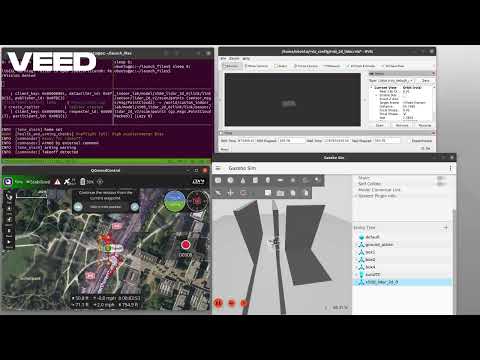
Here are the links to watch the SITL simulation video of 2D lidar activated on x500_2d_lidar multirotor UAV.
| Sample video | Full simulation |
|---|---|
 |
 |
To launch PX4 SITL + ROS2 Bridge + Micro XRCE-DDS with a x500_mono_cam_down and navigate the uav offboard following the center of road using image segmentation.
cd /launch_files
./single_x500_down_offboard.shTo launch PX4 SITL + ROS2 Bridge + Micro XRCE-DDS with a standard VTOL with downward looking camera.
TBA
ros2 topic listgz topic -lNidhi Raj nidhirajr@gmail.com
Enjoy! If you find this project useful, please consider giving it a ⭐