


#Expense Tracker (Group 12)
Rahul Patil
#Introduction:- Nowadays, every technical field is trying to style human life at ease. With the rapid growth in the use of the internet and the technologies associated with it, several opportunities are coming up in the web or mobile application. In today’s busy and expensive life we are in a great rush to make money. But at the end of the month we broke off. As we are unknowingly spending money on little and unwanted things. So, we have come over with the idea to track our earnings. The application “Expense Tracker” is developed to manage the daily expenses in a more efficient and manageable way. By using this application we can reduce the manual calculations of the daily expenses and keep track of the expenditure. Expense Tracker System is designed to keep a track of Income-Expense of an individual on a day�to-day basis. This System divides the Income based on daily expenses. Expense Tracker aims to help everyone who are planning to know their expenses and save from it. Budgeting systematically and Expense Tracking takes a crucial role in managing the expenses. Expense tracking will bring in several advantages for an individual. The expense tracker will help any organization to deal with all their expenses more efficiently. By using software for managing expense tracking will help to control unnecessary expenses. There are several benefits and advantages of using online expense trackers, expense tracking makes any organization run faster and smoother. The tracker will become an important tool for any individual to improve the expense management. Our Expense tracker system will provide the reference links according to their expense categories. This reference videos will help the user to know and understand particular expenses and to invest in proper options according to their expense categories.
User Interface Design:- User Interface Design is concerned with the dialogue between a user and the computer. It is concerned with everything from starting the system or logging into the system to the eventual presentation of desired inputs and outputs. The overall flow of screens and messages is called a dialogue. The following steps are guidelines for User Interface Design: • The system user should always be aware of what to do next. • The screen should be formatted so that various types of information, instructions, and messages always appear in the same general display area. • Message, instructions, or information should be displayed long enough to allow the system user to read them. • Use display attributes sparingly. • Default values for fields and answers to be entered by the user should be specified. • A user should not be allowed to proceed without correcting an error. • The system user should never get an operating system message or fatal error.
##Registration Page: This is OTP based Registration page, New users can enter their
details and email and create his/her account. The ‘Register’ button will direct the user to
the Login page.
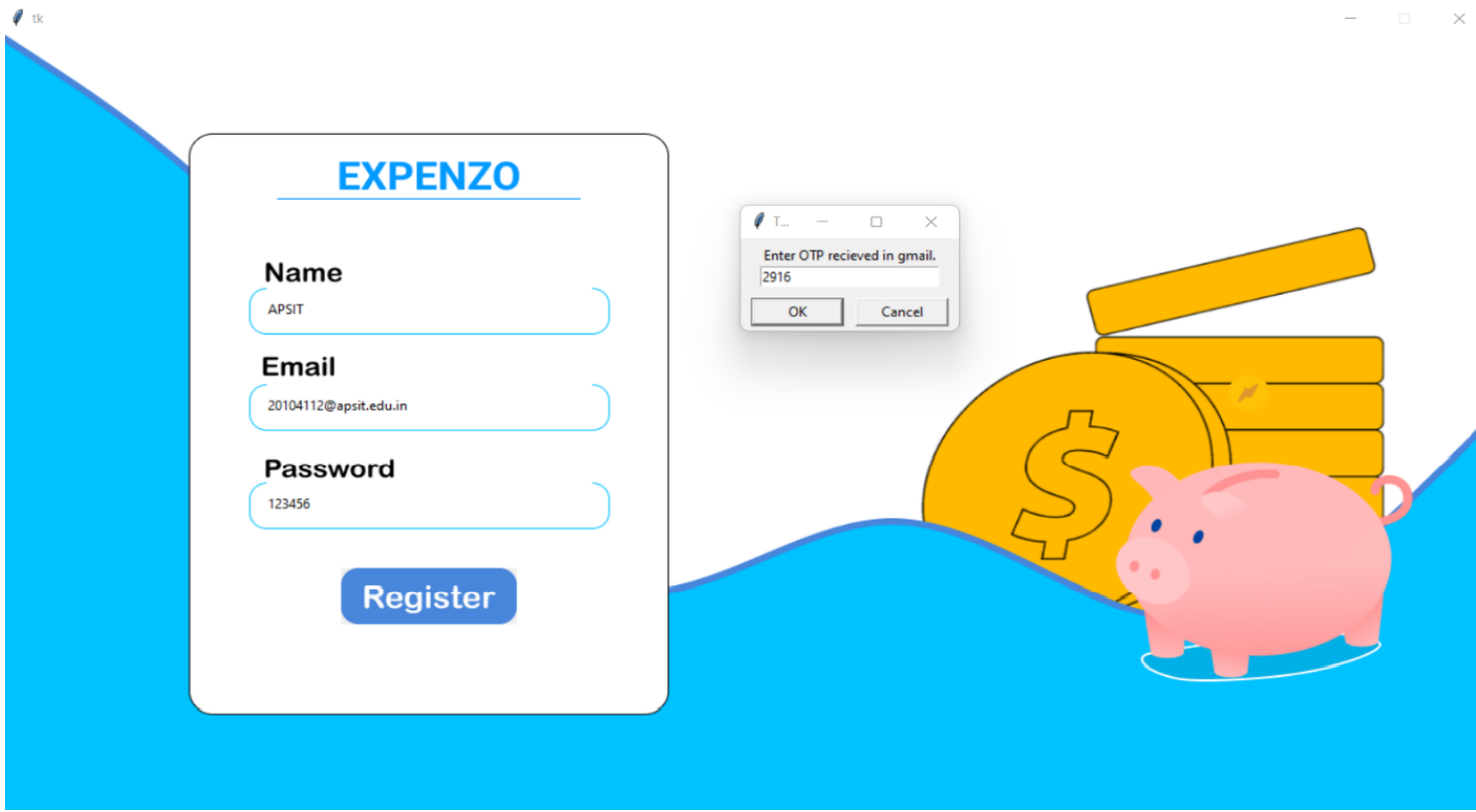
Figure 6.2 : Registration Page.
##Login Page: Registered users and can log in through this page. The ‘Login’ button will
take them to Dashboard.
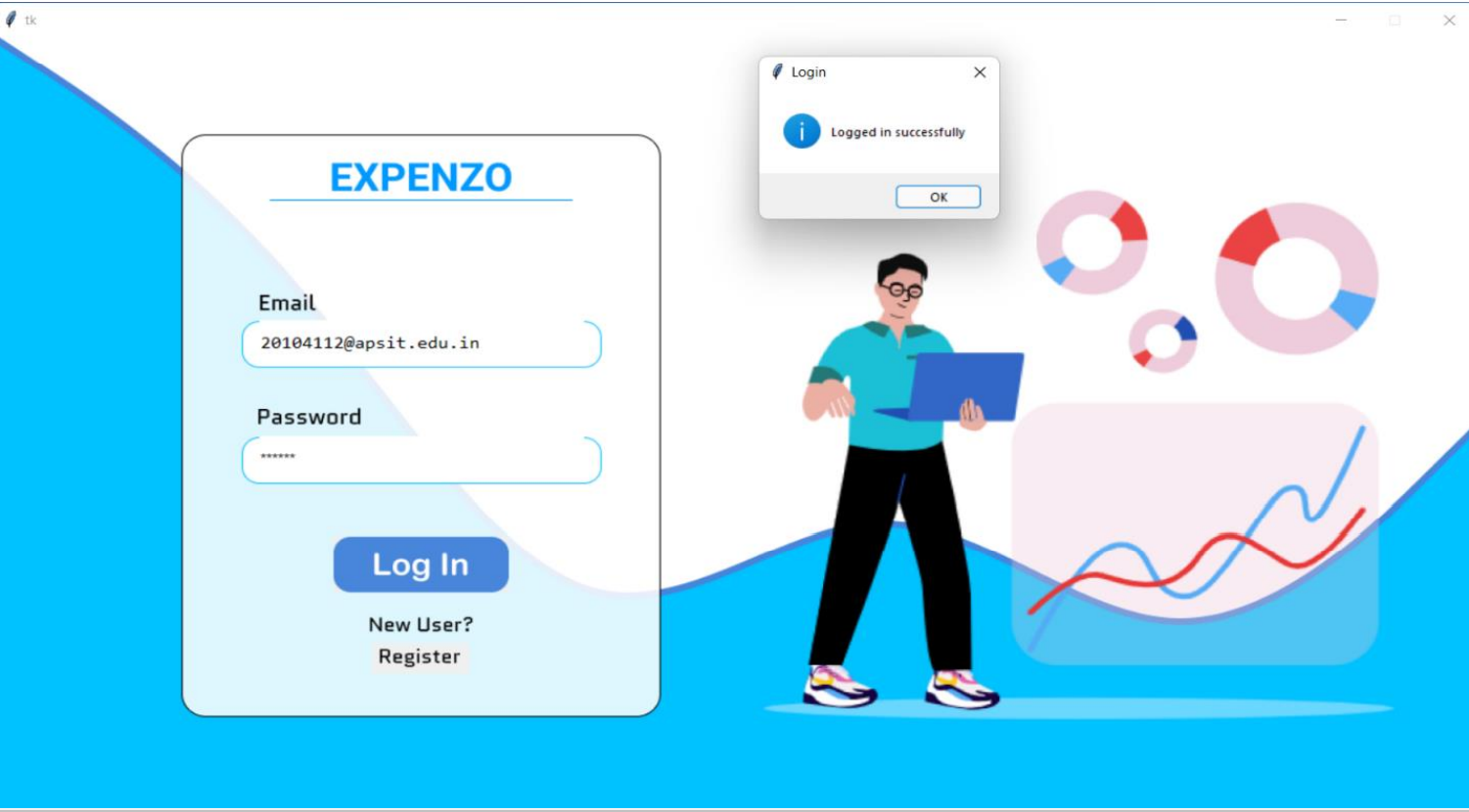
Figure 6.3 : Login Page.
##Dashboard: This is quick access page. Users can monitor various features by using
Dashboard i.e. Balance amount, Total income and expense, Summary, Graph & Pie chart.
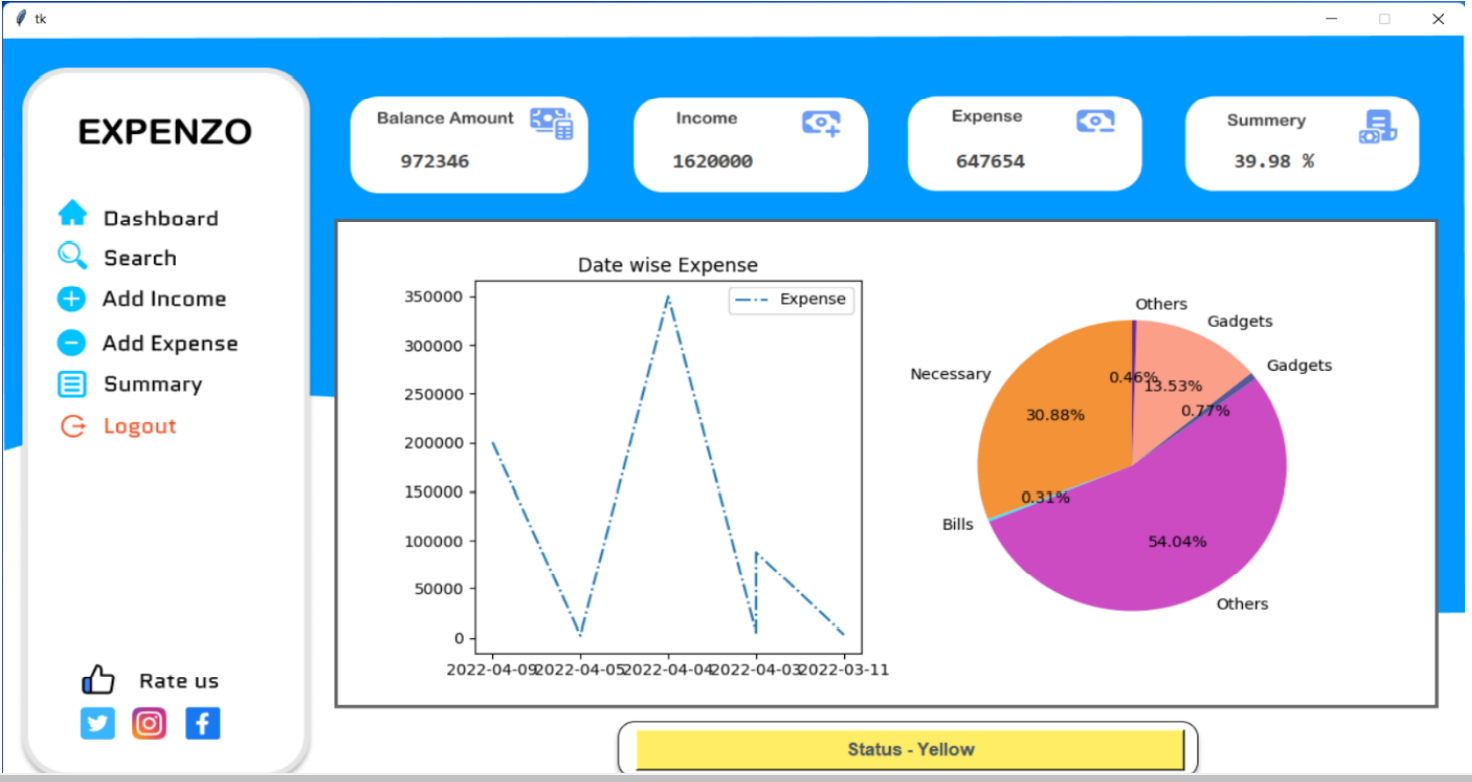
Figure 6.4 : Dashboard.
#Add Income page: Users can add his/her income transactions.
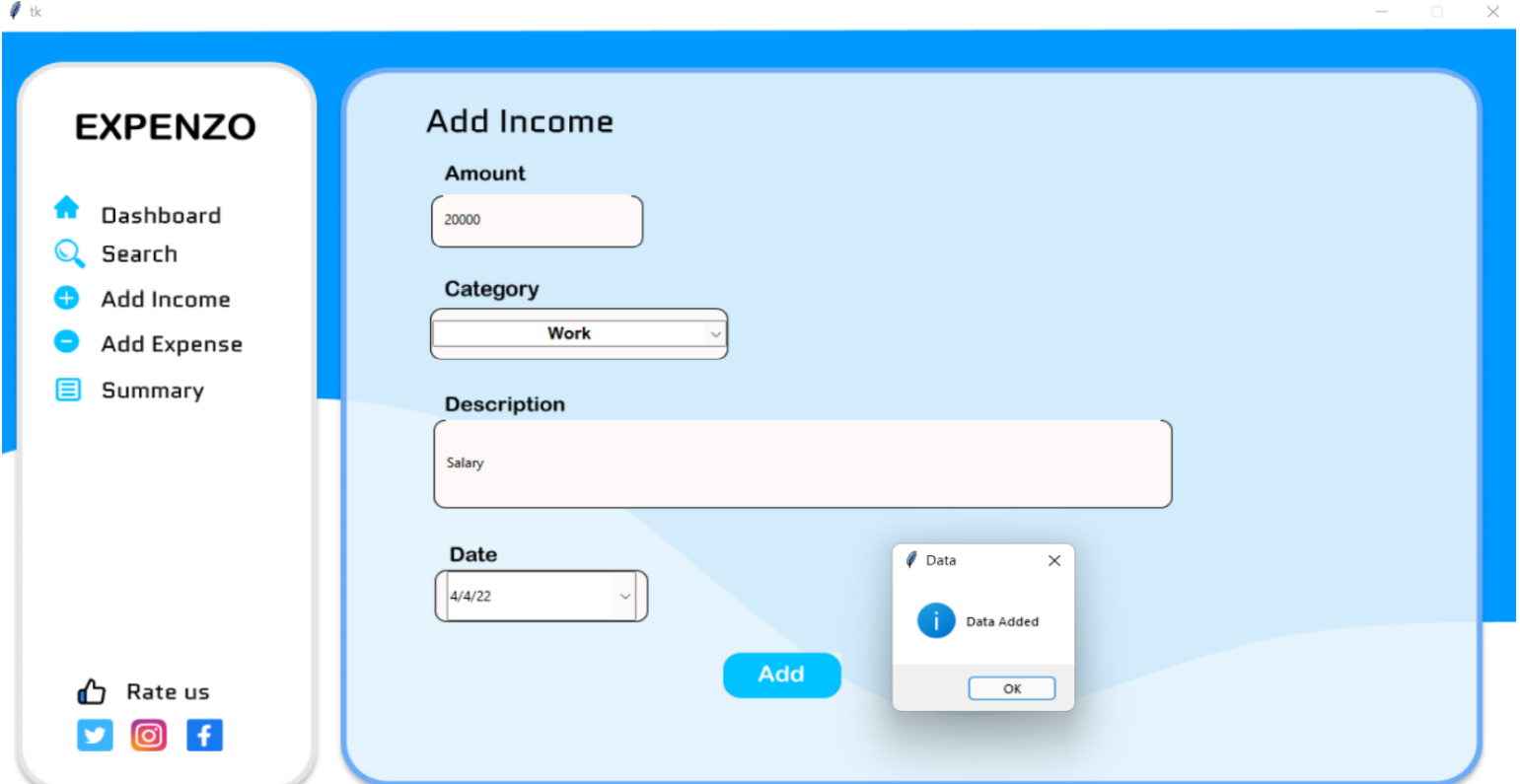
Figure 6.5 : Add Income Page.
#Add Expense page: Users can add his/her expense transactions.
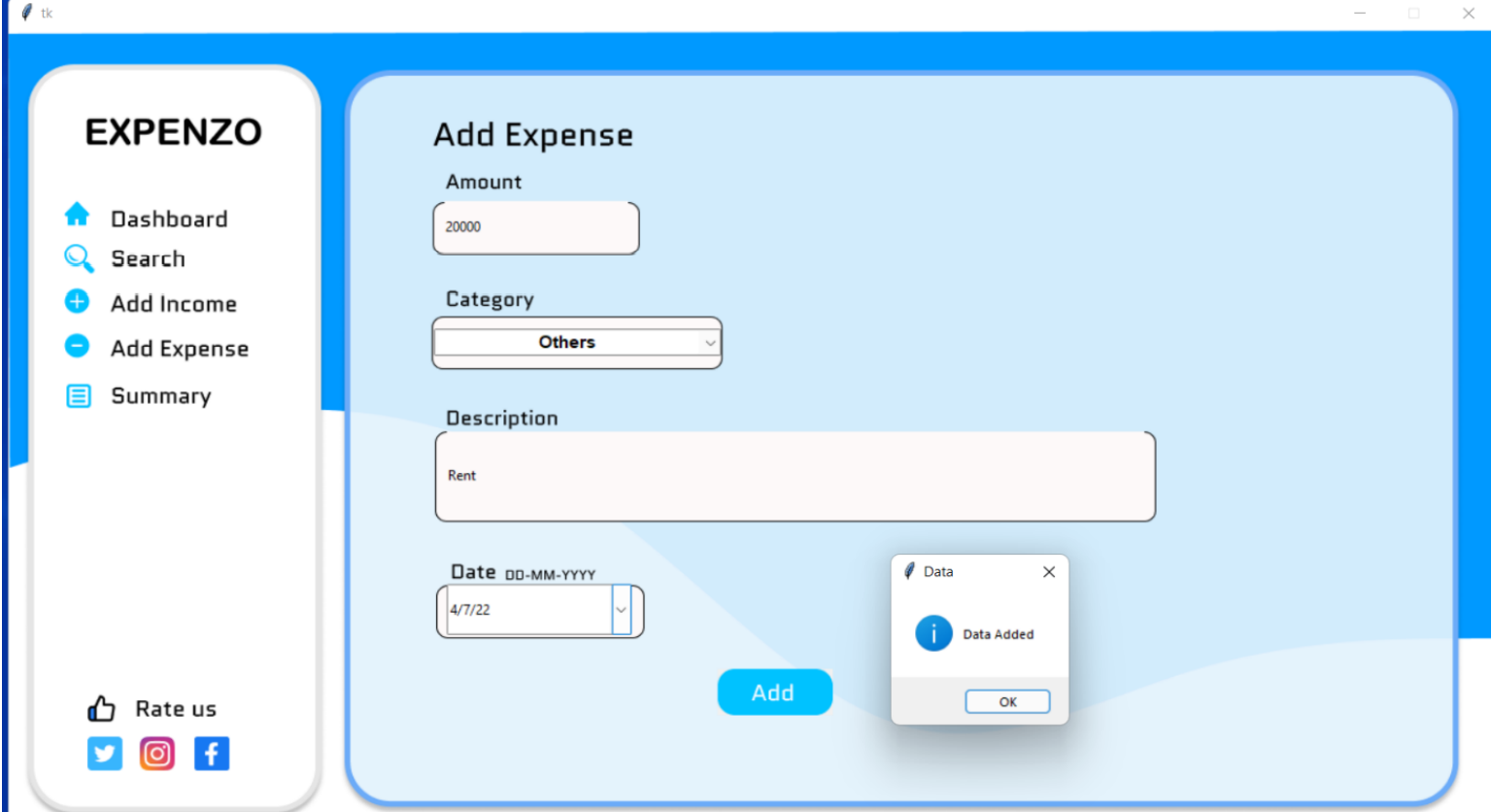
Figure 6.6 : Add Expense Page.
Search Page: User can search his/her data entries by using filters such as date and
category.
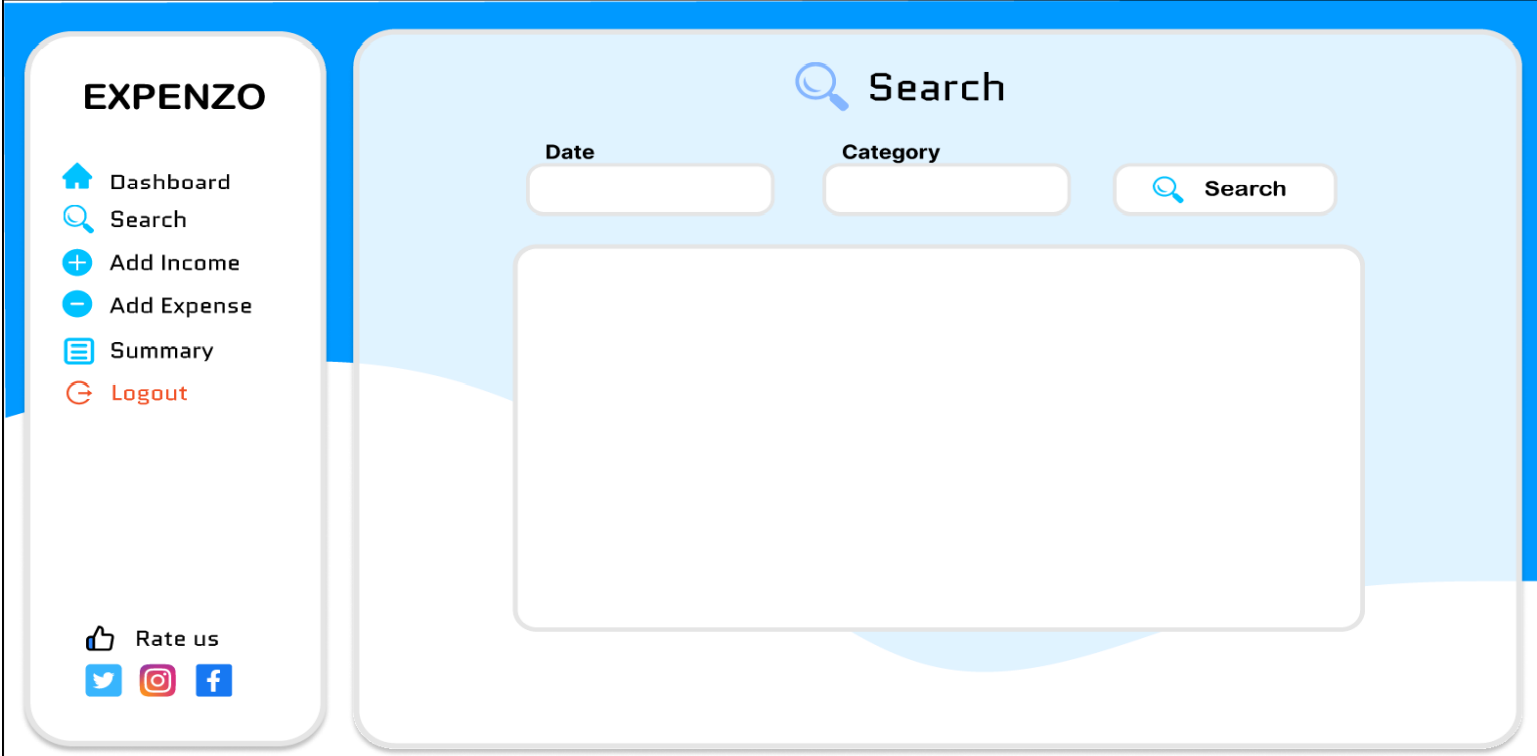
Figure 6.7 : Search Page.
Summary Page: This page shows all income/expense data.
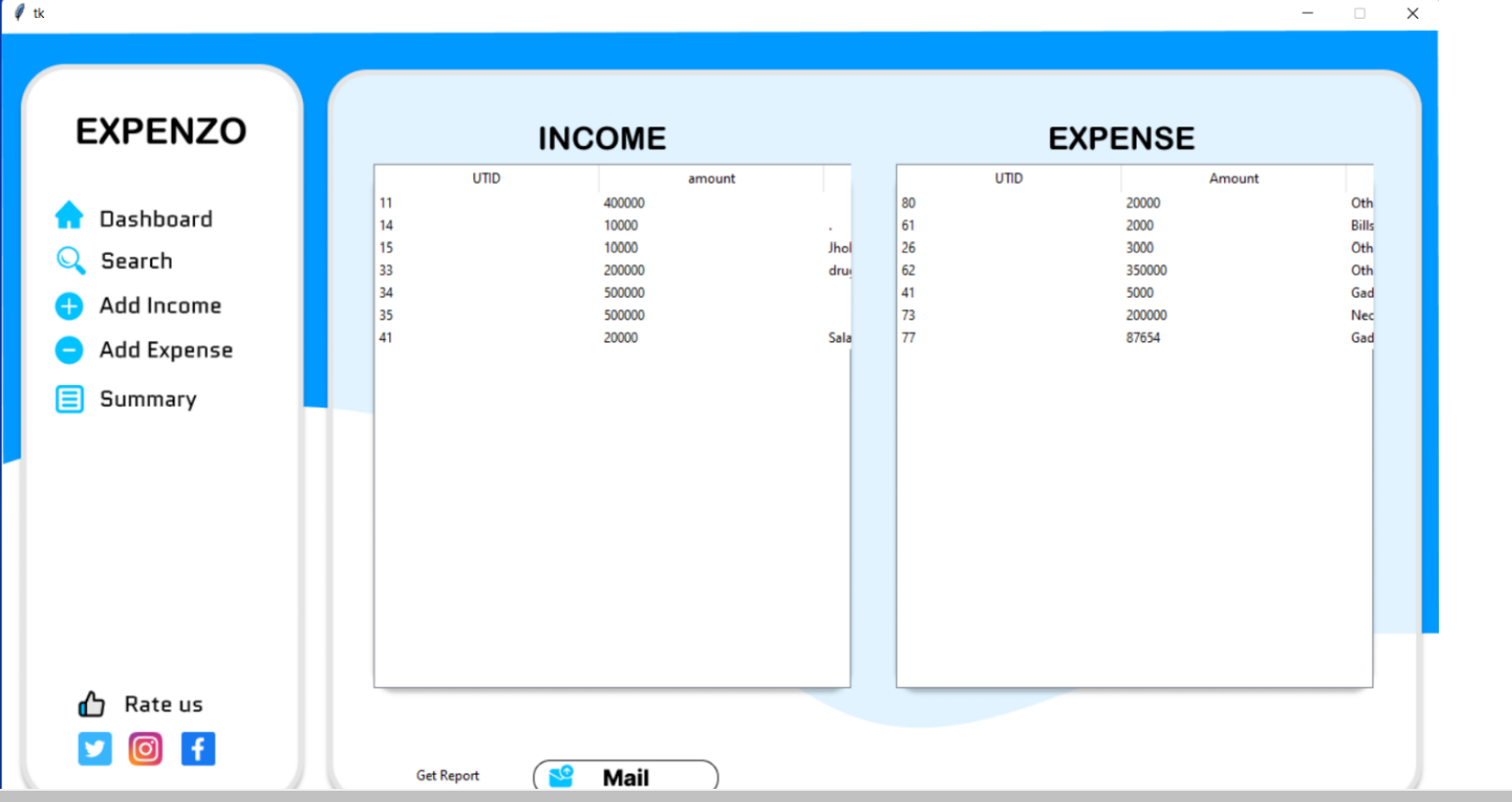
Figure 6.8 : Summary Page.
#Green Category Page: Based on users status this page guide him/her to invest money
more effectively.
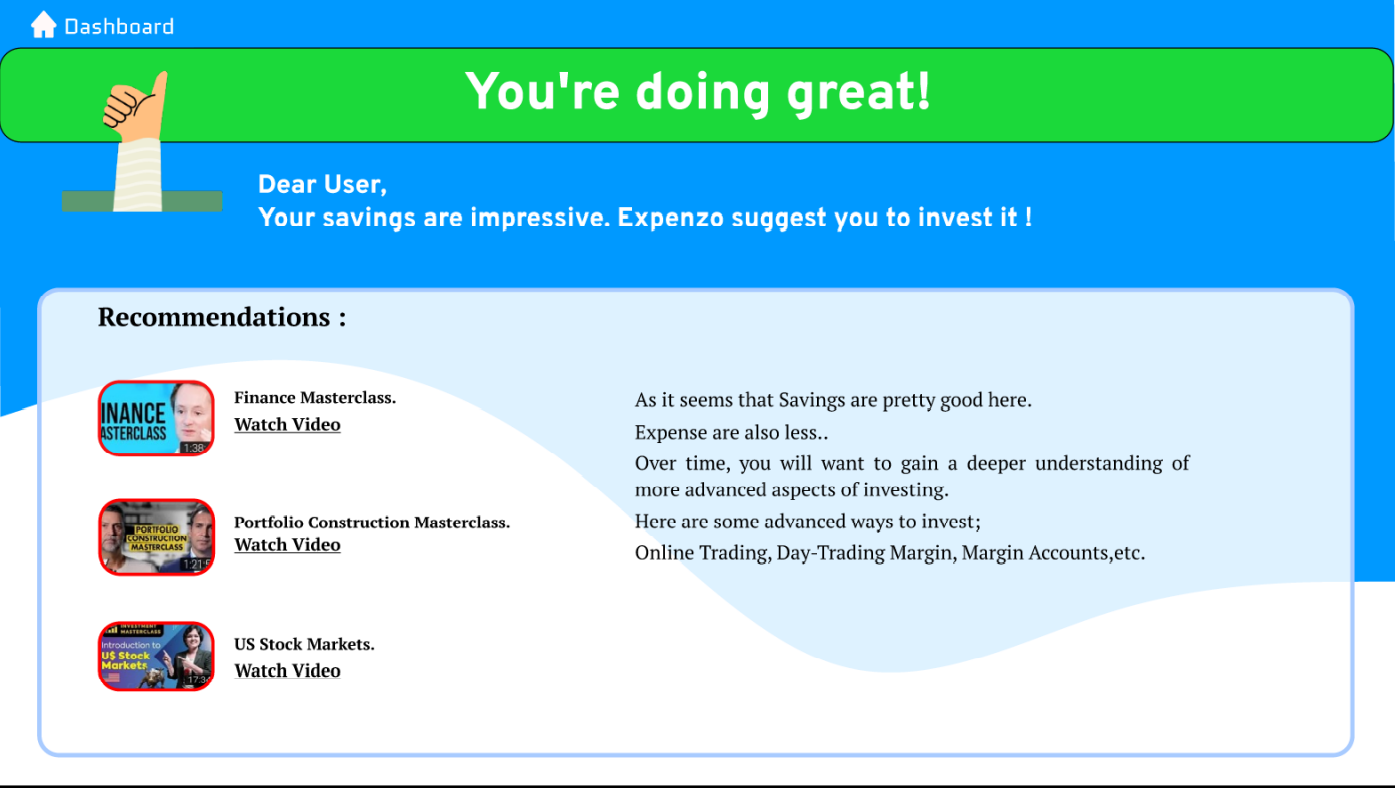
Figure 6.9 : Green Category Page.
#Red Category Page : As user is saving less money, Based on users status this page guide him/her
to save money.
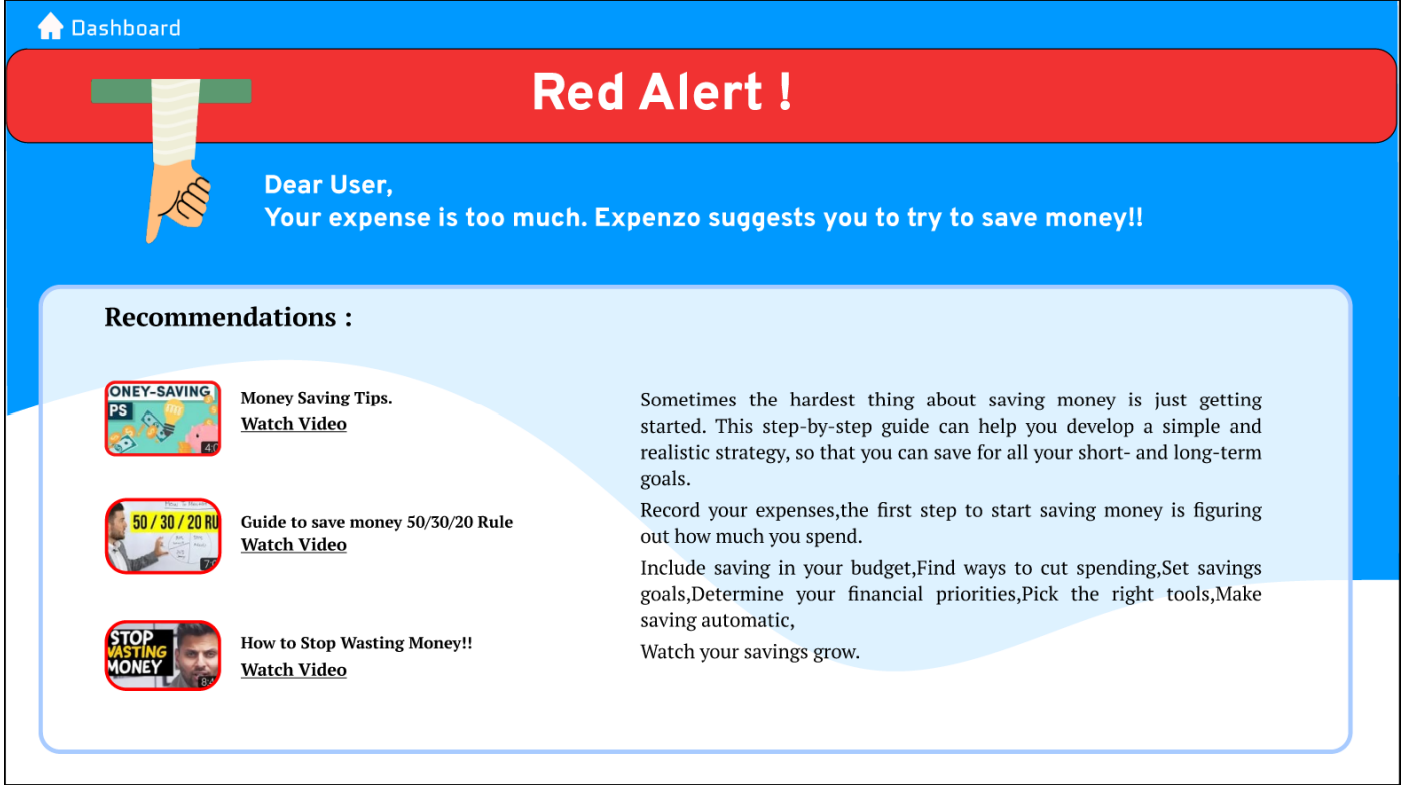
Figure 6.10 : Red Category Page.
#Yellow Category page: As user is saving moderate money, Based on users status this
page guide him/her to invest money.
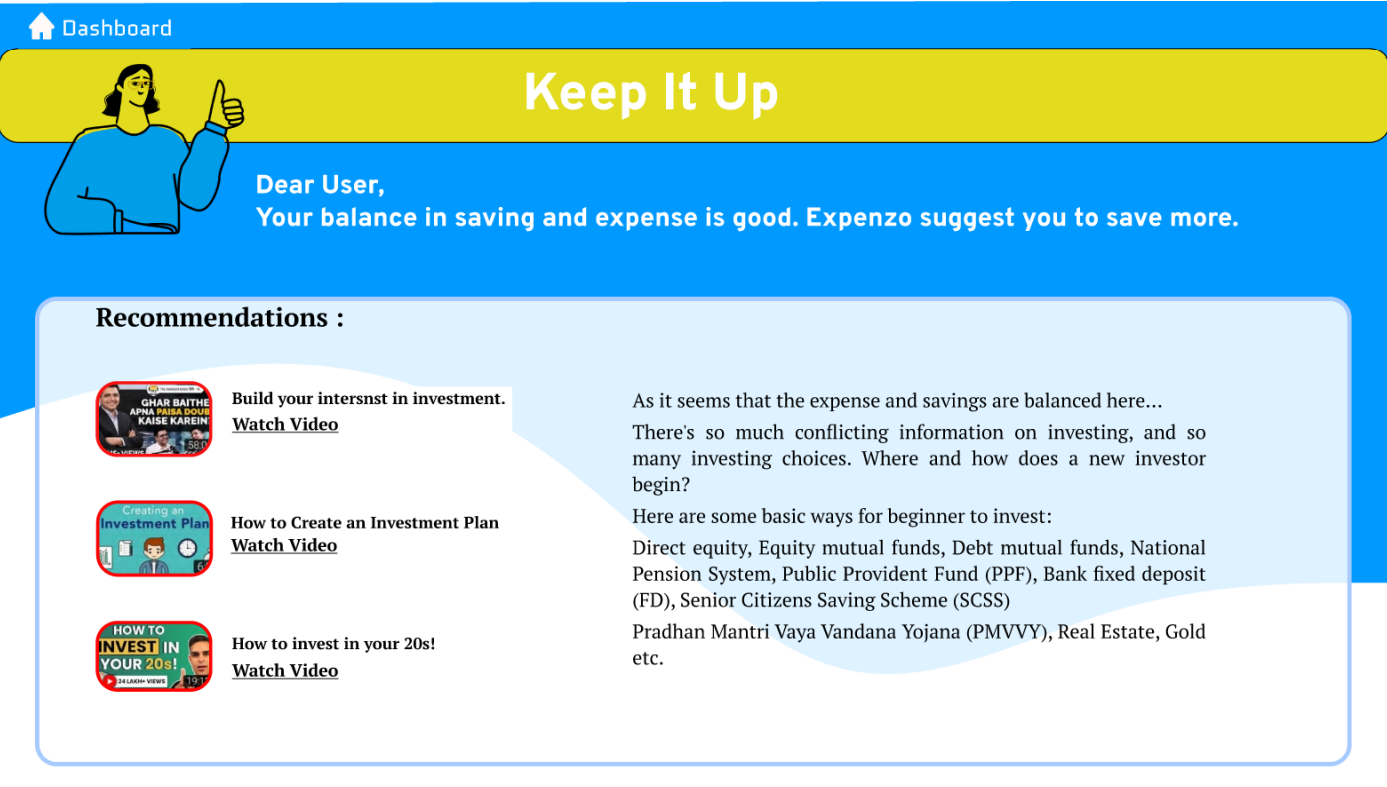
Figure 6.11 : Yellow Category Page.
#Social media page: This page redirect users to social media handles.
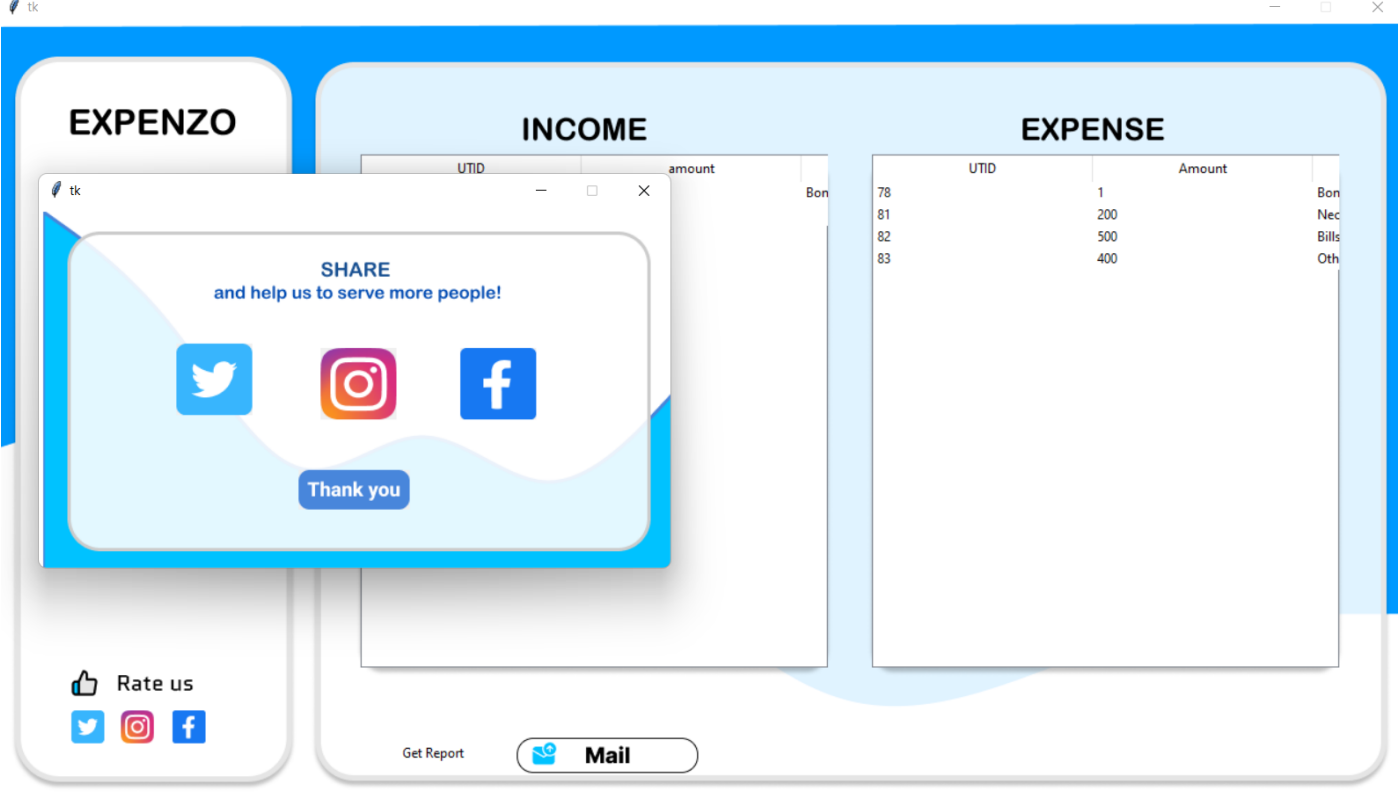
Figure 6.12 : Social media Page.
#Rating page: This page accepts feedbacks from the users.
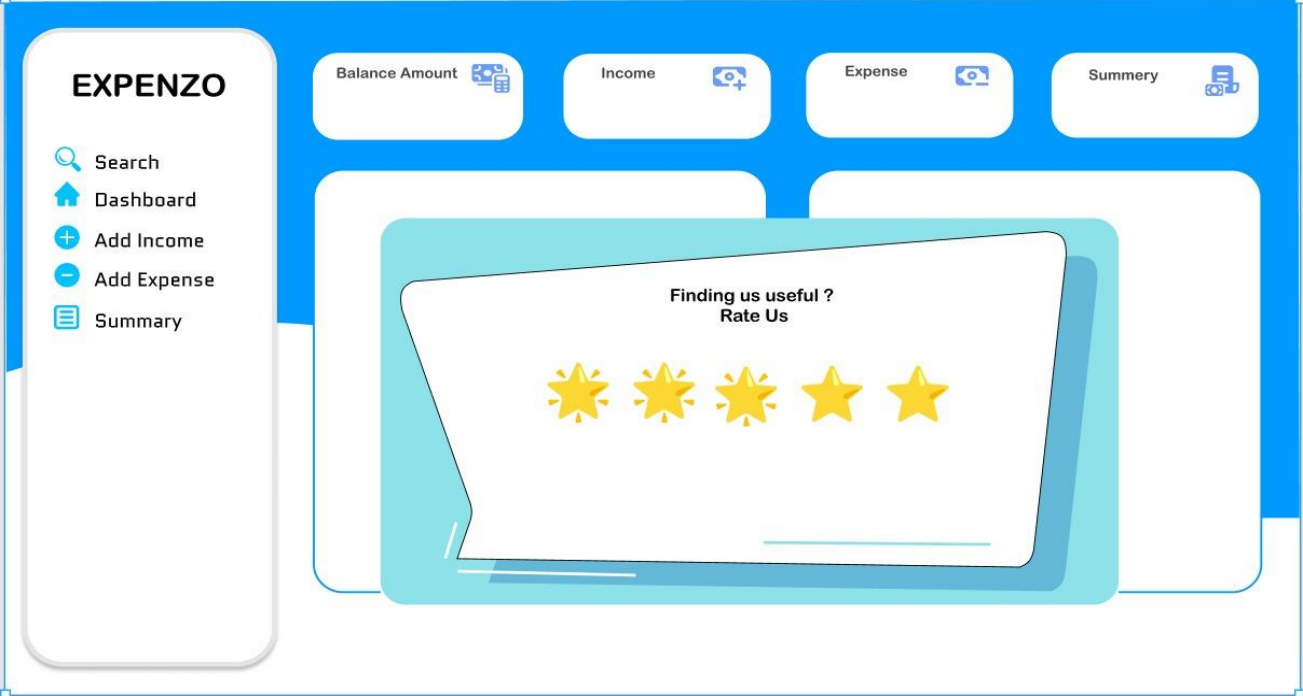
Figure 6.13 : Rating Page