███╗   ███╗███████╗ ██████╗  █████╗ ███████╗██╗   ██╗███████╗
████╗ ████║██╔════╝██╔════╝ ██╔══██╗██╔════╝██║   ██║██╔════╝
██╔████╔██║█████╗  ██║  ███╗███████║███████╗██║   ██║███████╗
██║╚██╔╝██║██╔══╝  ██║   ██║██╔══██║╚════██║██║   ██║╚════██║
██║ ╚═╝ ██║███████╗╚██████╔╝██║  ██║███████║╚██████╔╝███████║
╚═╝     ╚═╝╚══════╝ ╚═════╝ ╚═╝  ╚═╝╚══════╝ ╚═════╝ ╚══════╝
                          P R O


Fleet Management · Deep Automation · Device Telemetry · Security Audit
Enterprise-grade, open-source Android operations center — all from a single unified CLI.
Quick Start · Modules · Architecture · Roadmap · Contributing
MEGASUS PRO is an enterprise-grade, open-source Android operations platform built on ADB. Manage single devices or entire fleets, automate repetitive workflows, audit device security posture, and extract comprehensive telemetry — all from a clean, unified terminal interface.
╔══════════════════════════════════════════════════════╗
║              MEGASUS PRO  v1.0.0                     ║
║          Android Operations Platform                 ║
╠══════════════════════════════════════════════════════╣
║  Device: SM-G991B (1 online)                         ║
║                                                      ║
║  [1]  Connection Manager      [6]  Screen Tools      ║
║  [2]  Device Info & Control   [7]  Network Tools     ║
║  [3]  App Management          [8]  Security Audit    ║
║  [4]  File Manager            [9]  Surveillance      ║
║  [5]  Data Extraction         [10] Automation        ║
║                                                      ║
║  Select module [1-10]: █                             ║
╚══════════════════════════════════════════════════════╝
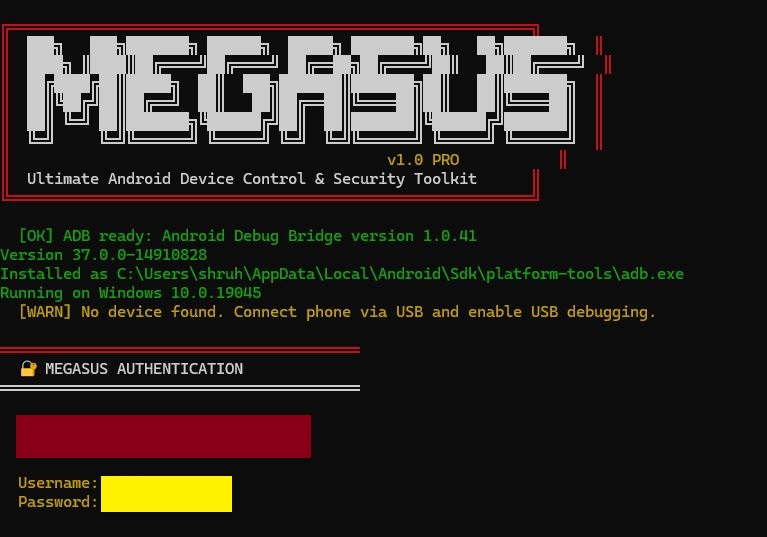
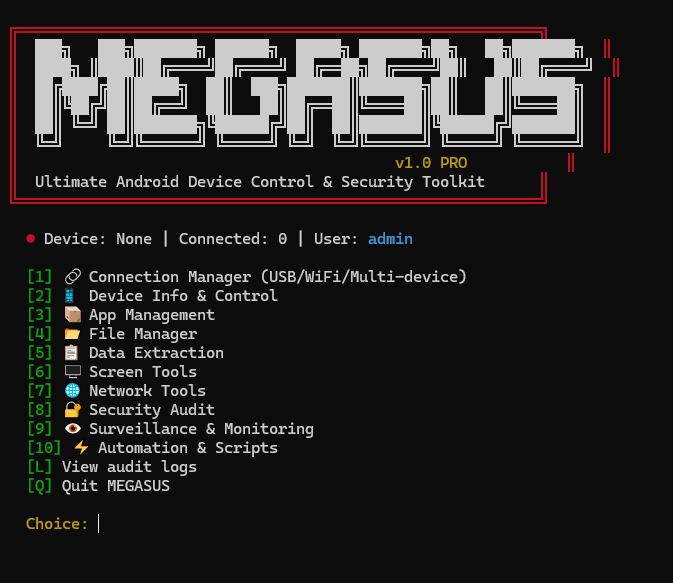
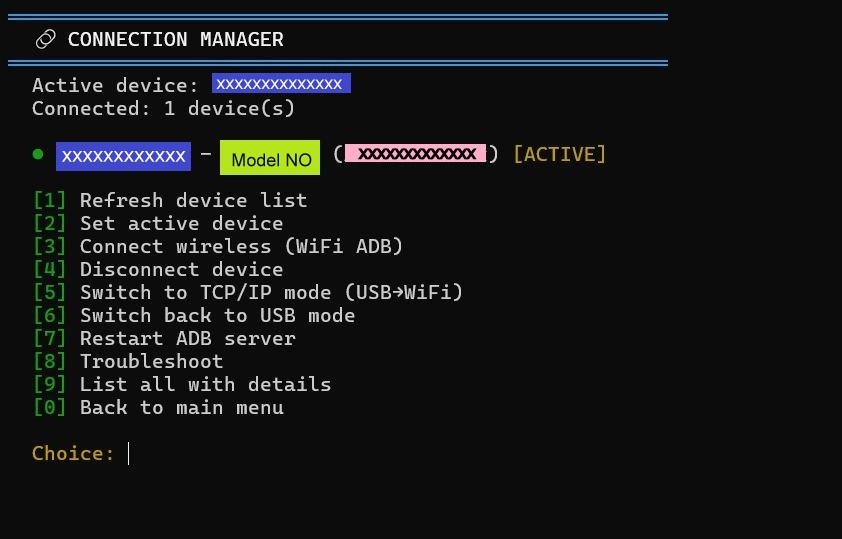
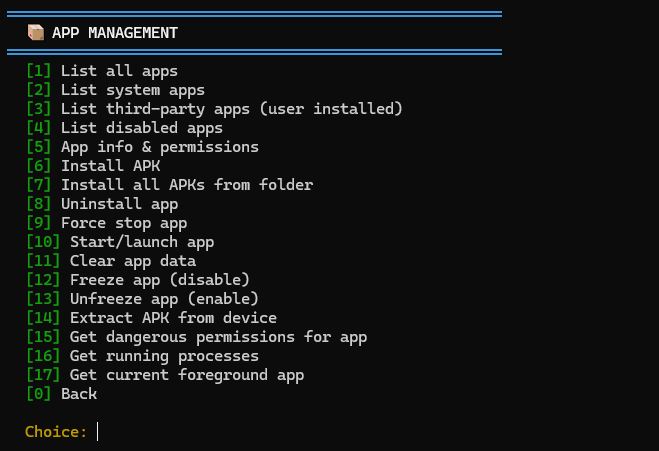
| Connection Manager | App Manager |
|---|---|
 |
 |
| Data Extraction | Network Tools |
|---|---|
 |
 |
| Screen Tools | Security Audit |
|---|---|
 |
 |
Requirements: Python 3.8+ · ADB in PATH · USB Debugging enabled on device
# 1. Clone
git clone https://github.com/shruhood/MEGASUS.git
cd megasus

# 2. Install dependencies
pip install -r requirements.txt

# 3. Connect a device
adb devices                          # USB
adb tcpip 5555                       # OR go wireless:
adb connect 192.168.x.x:5555

# 4. Launch
python megasus.py
Android setup: Settings → Developer Options → Enable USB Debugging
MEGASUS PRO ships with 10 specialized modules covering the full Android device lifecycle.
Multi-device fleet orchestration over USB and wireless ADB.
┌─ CONNECTION MANAGER
│
│  [1]  Refresh device list
│  [2]  Set active device
│  [3]  Connect wireless (WiFi ADB)
│  [4]  Switch TCP/IP → USB
│  [5]  Restart ADB server
│  [6]  List all with details
│
└─ Choice: █
| Feature | Detail |
|---|---|
| Protocols | USB · WiFi ADB · TCP/IP |
| Fleet support | Multi-device session management |
| Health check | Connection status monitoring |
Complete device telemetry dashboard.
▣  DEVICE INFO & CONTROL
   Model:    SM-G991B
   Battery:  76%  │  Temp: 31°C
   CPU load: 15.77
   SELinux:  Enforcing

   [1]  Full device info dump
   [2]  Battery details
   [3]  CPU / RAM stats
   [4]  Storage overview
   [5]  Screen info
   [6]  SELinux status
   [7]  Build properties
   [8]  Full hardware dump
Telemetry covered: Battery · CPU · RAM · Storage · Screen · SELinux · Build props · Hardware
Full APK lifecycle management.
[1]   List all apps
[3]   List third-party apps
[6]   Install APK
[7]   Install all APKs from folder
[11]  Uninstall app
[12]  Freeze app (disable)
[13]  Unfreeze app (enable)
[14]  Clear app data
[15]  Get dangerous permissions
[16]  List running processes
Key capabilities: Bulk install · Freeze/Unfreeze · Permission audit · Sideload from folder · Background process control
Bidirectional file operations across device storage.
[1]  Browse device storage         Current path: /sdcard/
[2]  Push file to device
[3]  Pull file from device
[4]  Delete file on device
[5]  Create directory
[6]  List directory contents
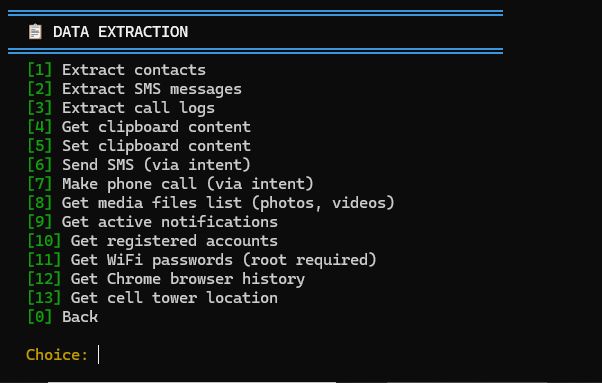
Structured export of device data in machine-readable formats.
[1]   Extract contacts
[2]   Extract SMS messages
[3]   Extract call logs
[4]   Get running services
[5]   Get active notifications
[8]   Get media files list
[10]  Get registered accounts
Output formats: JSON · CSV · Plain text
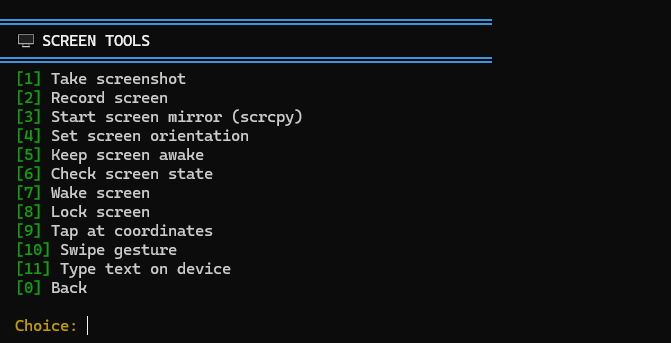
Remote display control and input simulation.
[1]   Take screenshot
[2]   Record screen
[3]   Start screen mirror (scrcpy)
[4]   Stop screen mirror
[9]   Tap at coordinates (x, y)
[10]  Swipe gesture
[11]  Type text on device
[12]  Simulate key press
Integrations: scrcpy · ADB input · Shell commands
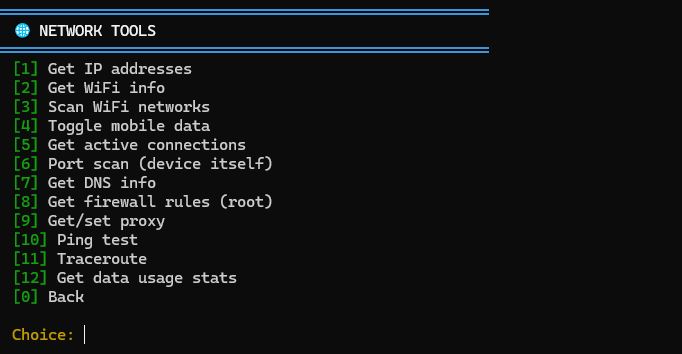
Network diagnostics and configuration.
[1]   Get IP addresses
[3]   Scan WiFi networks
[6]   Port scan (device itself)
[8]   DNS query
[9]   Set proxy
[10]  Ping test
[11]  Traceroute
[12]  Data usage stats
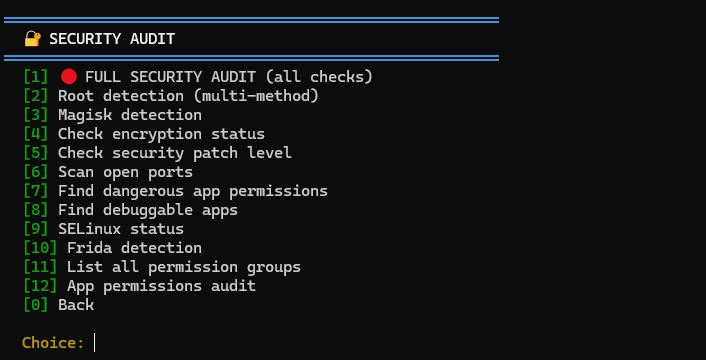
Comprehensive device security posture assessment.
[1]   ● FULL SECURITY AUDIT
[2]   Root detection
[3]   Magisk / Frida detection
[4]   Check encryption status
[5]   Security patch level
[6]   Bootloader status
[7]   SELinux policy check
[12]  App permissions audit
Detects: Root · Magisk · Frida · Unencrypted storage · Outdated patches · Permissive SELinux · Dangerous app permissions
Device observability suite.
[5]   Location services status
[6]   Start GPS tracking
[7]   Monitor notifications (real-time)
[9]   List device sensors
[10]  Full device dump to files
Note: For authorised device monitoring, fleet management, and compliance use cases only.
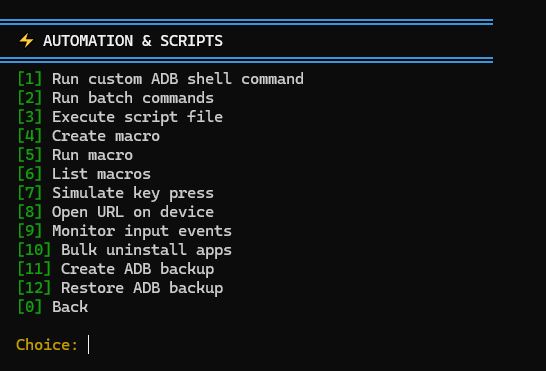
Macro engine for repeatable workflows.
[1]   Run custom ADB shell command
[2]   Run batch commands from list
[4]   Create macro
[5]   Run macro
[6]   List saved macros
[8]   Simulate key events
[9]   Run script file
[11]  Create ADB backup
[12]  Restore ADB backup
┌─────────────────────────────────────────────────┐
│                   CLI LAYER                      │
│          megasus.py · config.yaml · plugins/     │
└──────────────────────┬──────────────────────────┘
                       │
┌──────────────────────▼──────────────────────────┐
│                 MODULE LAYER                     │
│  connection · device_info · app_mgmt · file_mgr  │
│  data_extract · screen · network · security      │
│  surveillance · automation                       │
└──────────────────────┬──────────────────────────┘
                       │
┌──────────────────────▼──────────────────────────┐
│                  CORE LAYER                      │
│   ADB Engine · Shell Runner · Device Registry    │
│   Audit Logger                                   │
└──────────────────────┬──────────────────────────┘
                       │
┌──────────────────────▼──────────────────────────┐
│                   ANDROID                        │
│        ADB Daemon · Device Shell · USB/TCP       │
└─────────────────────────────────────────────────┘
megasus-pro/
├── core/                   # ADB engine, device registry, audit logger
├── modules/                # 10 operational modules
│   ├── connection_manager.py
│   ├── device_info.py
│   ├── app_management.py
│   ├── file_manager.py
│   ├── data_extraction.py
│   ├── screen_tools.py
│   ├── network_tools.py
│   ├── security_audit.py
│   ├── surveillance.py
│   └── automation.py
├── dashboard/              # Optional web dashboard (v1.1)
├── plugins/                # Community extensions
├── docs/                   # Full documentation
│   ├── quickstart.md
│   ├── modules/
│   └── api-reference.md
├── logs/                   # Audit trail (auto-generated)
├── screenshot/             # Demo assets
├── megasus.py              # Entry point
├── config.yaml             # Configuration
├── requirements.txt
└── README.md
| Feature | MEGASUS PRO | Plain ADB CLI | Scrcpy | Vysor (paid) |
|---|---|---|---|---|
| Unified module system | ✅ | ❌ | ❌ | ❌ |
| Multi-device fleet | ✅ | ✅ | ❌ | ❌ |
| App freeze / lifecycle | ✅ | ❌ | ❌ | ❌ |
| Security audit | ✅ | ❌ | ❌ | ❌ |
| Macro automation | ✅ | ❌ | ❌ | ❌ |
| Screen mirror | ✅ | ❌ | ✅ | ✅ |
| GPS / sensor monitoring | ✅ | ❌ | ❌ | ❌ |
| Open source | ✅ | ✅ | ✅ | ❌ |
| Plugin system | ✅ | ❌ | ❌ | ❌ |
| Audit logging | ✅ | ❌ | ❌ | ❌ |
- 10 core modules complete
- Audit logging system
- Plugin architecture (
plugins/directory)
- Web dashboard (optional browser UI wrapping all CLI modules)
- Config profiles per device (device-specific
config.yamloverrides)
- Docker deployment — containerised ADB server for CI/CD pipelines
- REST API mode — expose all modules as a local HTTP API
- Fleet scheduling — cron-style automation across multiple devices
Contributions are welcome! Open issues or submit pull requests.
# 1. Fork the repo
# 2. Create your feature branch
git checkout -b feature/amazing-feature

# 3. Commit your changes
git commit -m 'Add amazing feature'

# 4. Push to the branch
git push origin feature/amazing-feature

# 5. Open a Pull RequestMEGASUS PRO is built and maintained by Suraj Singh across multiple ventures.
| GitHub | @shruhood |
| shruhood@gmail.com · ibakeweb@gmail.com | |
| Join the channel |
| Organization | Contact | Website |
|---|---|---|
| Bakweb | hello@bakeweb.in | bakeweb.in |
| SunDial Technologies | shruhood@gmail.com | — |
| Cyber SunDial | shruhood@gmail.com | — |
MIT License — Copyright (c) 2024 Suraj Singh

Permission is hereby granted, free of charge, to any person obtaining a copy
of this software and associated documentation files (the "Software"), to deal
in the Software without restriction, including without limitation the rights
to use, copy, modify, merge, publish, distribute, sublicense, and/or sell
copies of the Software, and to permit persons to whom the Software is
furnished to do so, subject to the following conditions:

The above copyright notice and this permission notice shall be included in all
copies or substantial portions of the Software.
Built with ❤️ by Suraj Singh — Bakweb · SunDial Technologies · Cyber SunDial