



AI coding tools like Claude Code and Cursor store session data locally—conversation history, file snapshots, todos, tasks, and more.
When you delete, move, or rename a project, the session data becomes orphaned:
~/.claude/
├── projects/
│   ├── -Users-you-deleted-project/  # 👈 Project deleted last week
│   ├── -Users-you-temp-worktree/    # 👈 Worktree removed
│   └── -Users-you-renamed-project/  # 👈 Project renamed
├── todos/                           # Orphaned todo files
├── file-history/                    # Orphaned rewind snapshots
└── tasks/                           # Orphaned task folders
This becomes especially problematic with git worktree workflows, where branches are frequently created and removed—each leaving behind session data that accumulates quickly.
While Claude Code cleans up old sessions after 30 days, Cursor has no automatic cleanup. And even with Claude Code, you're left with orphaned data for up to a month. Manually cleaning up after each worktree removal is tedious.
This tool detects orphaned sessions automatically and cleans them up.
Just run watch start once—it monitors in the background and cleans up as projects are deleted.
npm install -g @sooink/ai-session-tidy

# Automatic cleanup (recommended)
ai-session-tidy watch start

# Manual cleanup
ai-session-tidy              # Scan for orphaned sessions
ai-session-tidy clean        # Move to trash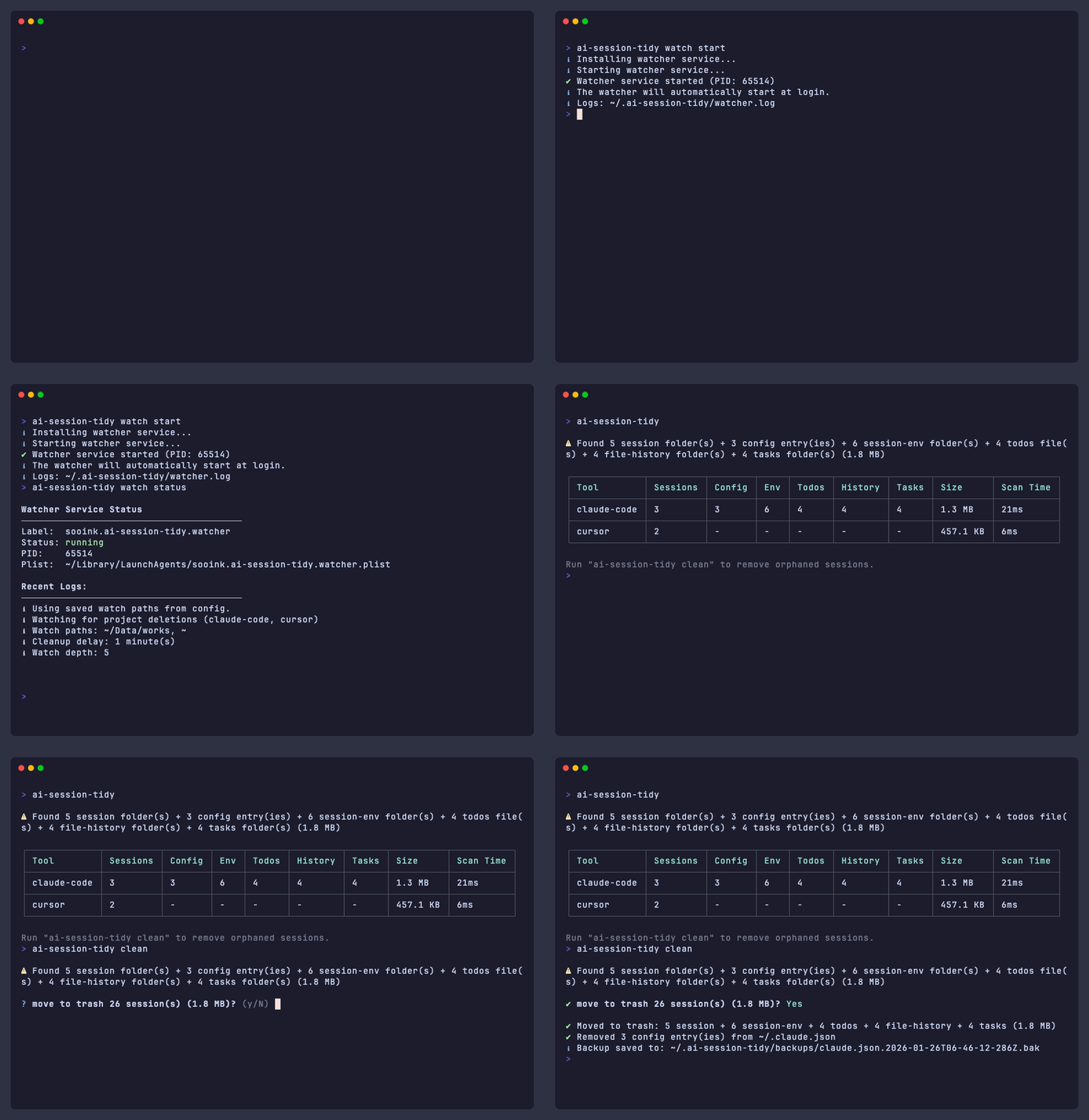
Git worktrees let you work on multiple branches simultaneously. But when you remove a worktree, session data persists.
git worktree add ../feature-branch feature
cd ../feature-branch && claude  # Session data created

git worktree remove ../feature-branch
# ~/.claude/projects/-...-feature-branch/ still exists
With watch mode, cleanup is automatic:
ai-session-tidy watch start     # Run once, auto-starts at login

git worktree remove ../feature # Watch detects → cleans after 5 minModern AI workflows run multiple agents in parallel, each in isolated worktrees.
This multiplies session data accumulation. Watch mode keeps your system clean automatically.
| Tool | Status |
|---|---|
| Claude Code | ✅ Supported |
| Cursor | ✅ Supported |
Find orphaned sessions without deleting. Running ai-session-tidy without a command is equivalent to ai-session-tidy scan.
ai-session-tidy              # Basic scan
ai-session-tidy -v           # Verbose output
ai-session-tidy --json       # JSON output
Example output with -v
⚠ Found 2 session folder(s) + 1 config entry(ies) + 3 session-env folder(s) (156.2 MB)

┌─────────────┬──────────┬────────┬─────┬───────┬─────────┬───────┬──────────┬───────────┐
│ Tool        │ Sessions │ Config │ Env │ Todos │ History │ Tasks │ Size     │ Scan Time │
├─────────────┼──────────┼────────┼─────┼───────┼─────────┼───────┼──────────┼───────────┤
│ claude-code │ 2        │ 1      │ 3   │ -     │ -       │ -     │ 156.2 MB │ 45ms      │
└─────────────┴──────────┴────────┴─────┴───────┴─────────┴───────┴──────────┴───────────┘

Session Folders:

  [claude-code] deleted-project (128.5 MB)
    → /Users/you/deleted-project
    Modified: 1/15/2025

  [claude-code] old-worktree (27.7 MB)
    → /Users/you/old-worktree
    Modified: 1/10/2025

Config Entries (~/.claude.json):

  [config] deleted-project
    → /Users/you/deleted-project
    Cost: $1.25 | Tokens: 150K in / 12K out
Remove orphaned sessions.
ai-session-tidy clean        # Move to trash (with confirmation)
ai-session-tidy clean -i     # Interactive selection (TTY only)
ai-session-tidy clean -f     # Skip confirmation (required for scripts/CI)
ai-session-tidy clean -n     # Dry-run (show what would be deleted)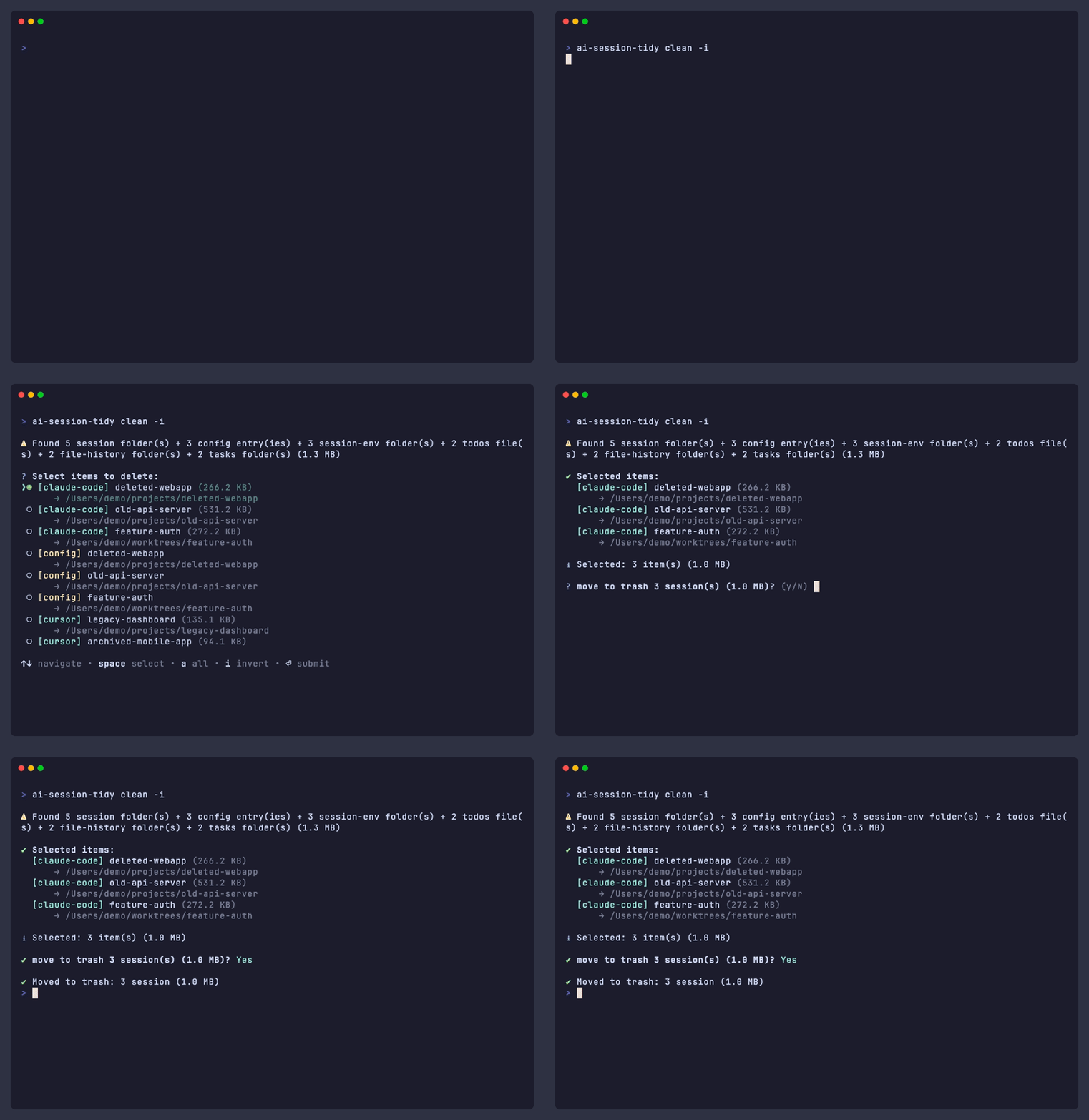
Monitor and auto-clean.
ai-session-tidy watch            # Foreground mode
ai-session-tidy watch start      # Background daemon (auto-starts at login)
ai-session-tidy watch stop       # Stop daemon
ai-session-tidy watch status     # Check status
ai-session-tidy watch status -l # Show recent logsManage settings.
ai-session-tidy config show                   # Show all settings
ai-session-tidy config path add ~/projects    # Add watch path
ai-session-tidy config path list              # List watch paths
ai-session-tidy config ignore add ~/backup    # Add ignore path
ai-session-tidy config ignore list            # List ignore paths
ai-session-tidy config delay 1                # Set cleanup delay (minutes)
ai-session-tidy config depth 5                # Set watch depth
ai-session-tidy config reset                  # Reset to defaults
Tip
Hidden folders (.git, .cache, etc.) and macOS system folders (Library, Music, etc.) are automatically excluded from watching.
| Location | Description | Condition |
|---|---|---|
~/.claude/projects/{path}/ |
Session folders | Project deleted |
~/.claude.json |
Config entries | Project deleted |
~/.claude/session-env/{uuid}/ |
Session environment | Empty folder |
~/.claude/todos/{uuid}-*.json |
Todo files | Session gone |
~/.claude/file-history/{uuid}/ |
Rewind snapshots | Session gone |
~/.claude/tasks/{uuid}/ |
Task folders | Session gone |
| Location | Description | Condition |
|---|---|---|
~/Library/.../workspaceStorage/{hash}/ |
Workspace data | Project deleted |
Note
All operations are safe by default—nothing is permanently deleted without explicit action.
- Scan is read-only —
scannever deletes anything - Trash first —
cleanmoves to trash (recoverable) - Confirmation required — prompts before deletion unless
-f - 5-minute delay — watch mode waits before cleanup (configurable)
git clone https://github.com/sooink/ai-session-tidy.git
cd ai-session-tidy
pnpm install
pnpm build
pnpm test