
Public localization collaboration repository for Starcat.
Starcat is a native macOS app that turns GitHub Stars into a searchable, organized and AI-assisted knowledge base. It supports README rendering, tags, private notes, release tracking, repository health signals, AI summaries, semantic search, browser plugin workflows and self-hostable support APIs.



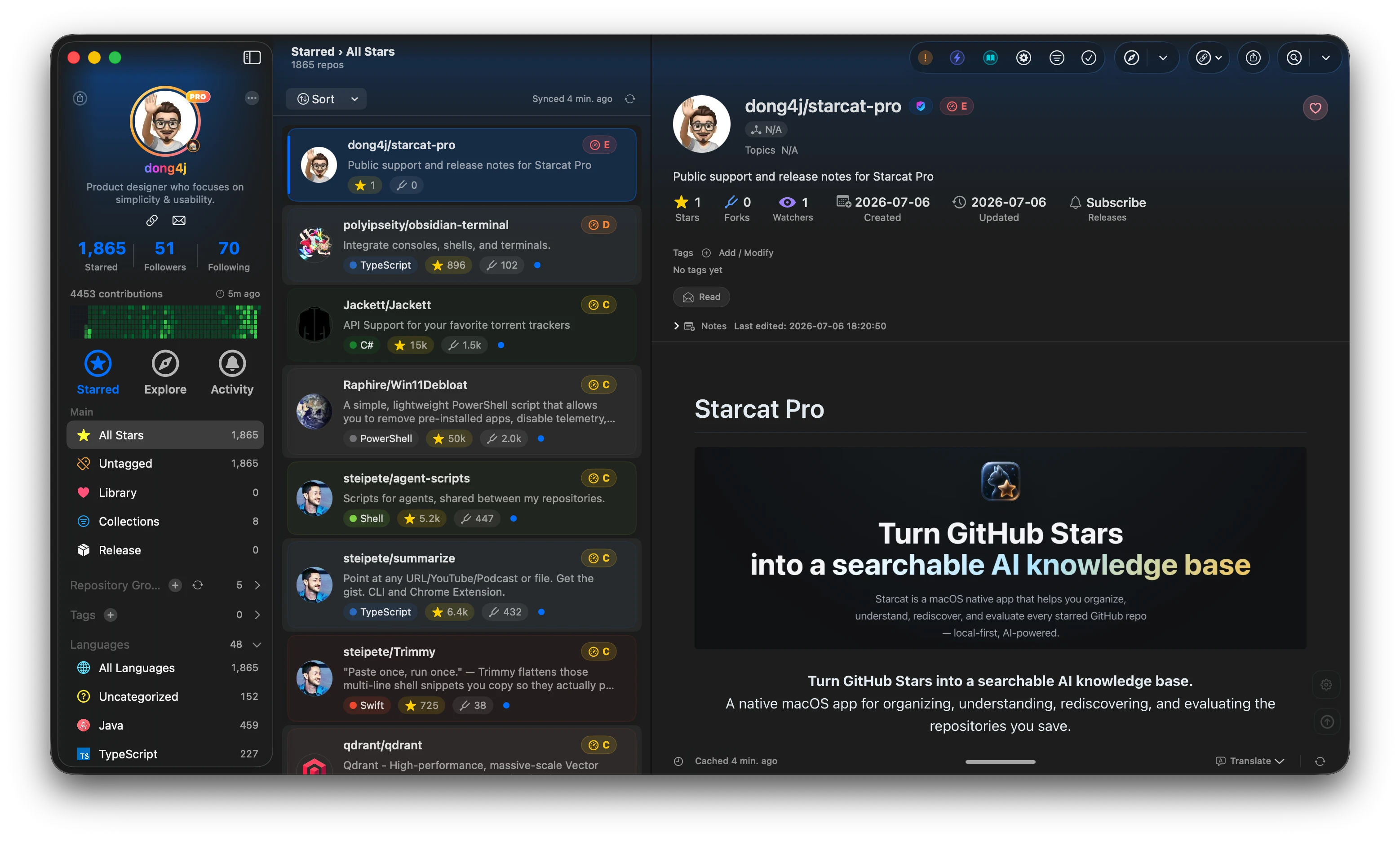
Preferred install method:
brew tap starcat-app/starcat
brew trust starcat-app/starcat
brew install --cask starcat
Useful links:
- Home and downloads: https://starcat.ink
- Public support and release notes: https://github.com/starcat-app/starcat-pro
- Starcat App Homebrew tap: https://github.com/starcat-app/homebrew-starcat
- CLI / MCP: starcat-cli / Homebrew tap
- AI Agent Skill: https://github.com/starcat-app/starcat-skill
- Browser plugins: Chrome / Safari
- Localization: https://github.com/starcat-app/starcat-localization
Self-hostable support APIs:
- starcat-sharing-api
- starcat-trending-api
- starcat-weekly-api
- starcat-wiki-api
- starcat-recommend-api
- starcat-discovery-api
This repository contains the public localization resources for Starcat.
Starcat is a native macOS app that turns GitHub Stars into a searchable AI knowledge base. This repository lets translators and users improve Starcat's interface text without requiring access to the private application source code.
Translation Packages/
├── en.xcloc
└── zh-Hans.xcloc

Glossary/
├── en.md
└── zh-Hans.md
Translation Packages/contains one Xcode localization package per language.Glossary/records product terms and preferred translations.
en— source language.zh-Hans— Simplified Chinese.
Localizations that are incomplete or not yet reviewed may stay in this repository before they are included in stable Starcat releases.
If you want to help with Starcat localization either once or regularly, just join the conversation in the Starcat localization issues. If your language is not listed yet, feel free to create a new issue for that language.
The localization process is simple:
- Install the free Xcode from the Mac App Store.
- Download the
.xclocpackage for your language fromTranslation Packages/. - Open the
.xclocpackage with Xcode. - Check
Glossary/when you are not sure how a product term should be translated. - Attach your edited
.xclocpackage in an issue comment, or open a pull request if you are comfortable with Git.
You do not need to understand the Starcat codebase. You will receive help along the way, so do not worry about the technical details.
Advanced contributors can fork this repository and submit pull requests, but this is optional. Issue comments with edited files are welcome.
- Keep placeholders exactly as they are, such as
%@,%1$@,%d, and%%. - Preserve product names such as
Starcat,GitHub,OpenSSF,CodeFlow, andCodebaseMemory. - Keep UI text concise. Starcat is a dense macOS app, and long text can break layouts.
- Do not translate technical terms blindly. Prefer the glossary when available.
- Avoid changing keys. Only edit localization values.
- Keep each language in its own
.xclocpackage. Do not add a fullLocalizable.xcstringsfile to this repository.
For some localizations, a Starcat glossary is available:
For standard macOS and Apple platform terms, also check the non-official glossary site by Kishikawa Katsumi:
Starcat maintainers import contributed packages back into the app with the support script in the main Starcat workspace:
supports/scripts/starcat-localization.py import \
  --package "supports/starcat-localization/Translation Packages/zh-Hans.xcloc"

supports/scripts/starcat-localization.py import-all
The script updates Starcat/Resources/Localizable.xcstrings from the submitted .xcloc package. The public localization repository should stay package-based.
- Starcat website: https://starcat.ink
- Public support repository: https://github.com/starcat-app/starcat-pro
- Issue tracker: https://github.com/starcat-app/starcat-localization/issues