Official skill for AI agents such as Codex and Claude Code to read and organize Starcat data.
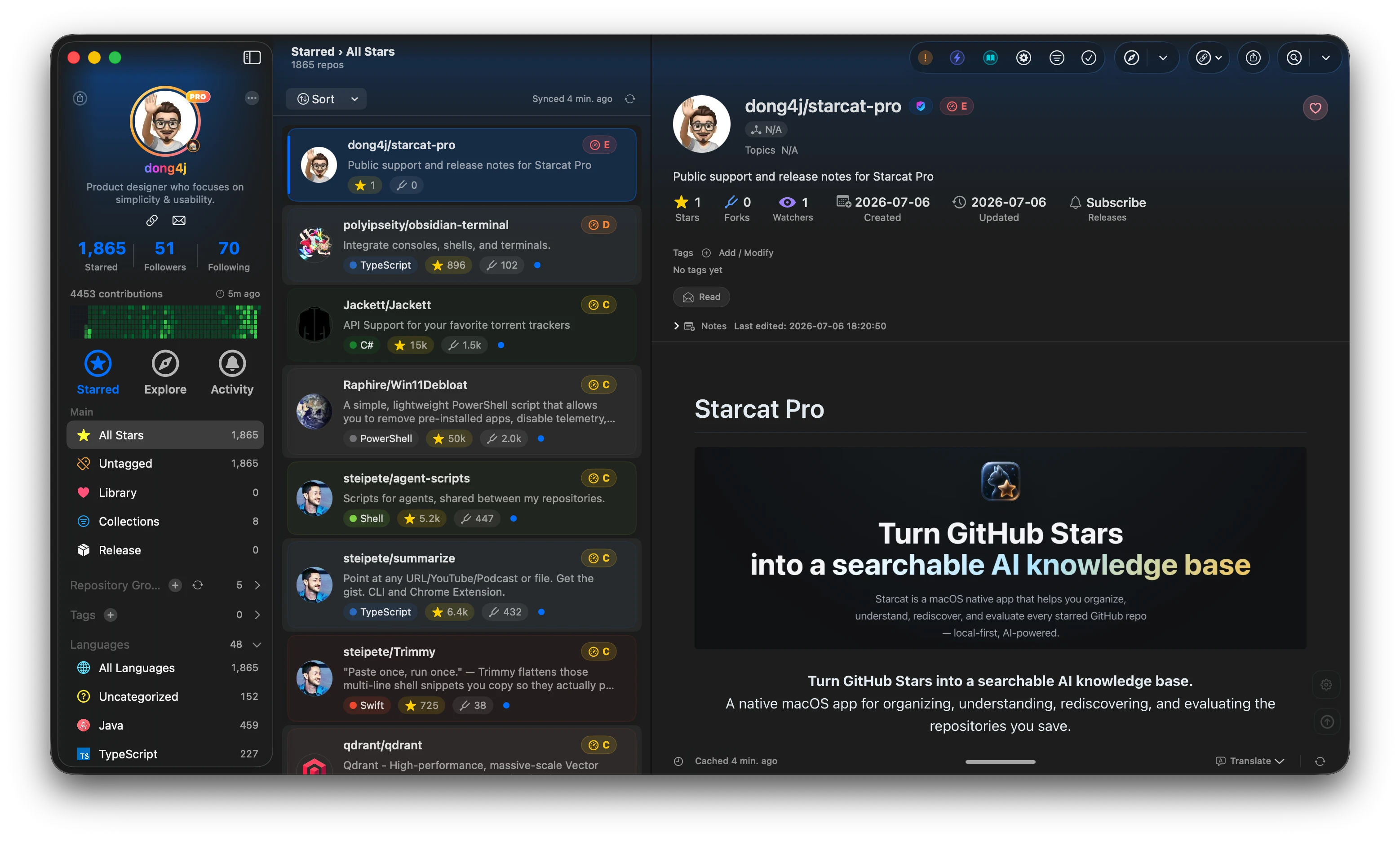
Starcat is a native macOS app that turns GitHub Stars into a searchable, organized and AI-assisted knowledge base. It supports README rendering, tags, private notes, release tracking, repository health signals, AI summaries, semantic search, browser plugin workflows and self-hostable support APIs.



Preferred install method:
brew tap starcat-app/starcat
brew trust starcat-app/starcat
brew install --cask starcat
Useful links:
- Home and downloads: https://starcat.ink
- Public support and release notes: https://github.com/starcat-app/starcat-pro
- Starcat App Homebrew tap: https://github.com/starcat-app/homebrew-starcat
- CLI / MCP: starcat-cli / Homebrew tap
- AI Agent Skill: https://github.com/starcat-app/starcat-skill
- Browser plugins: Chrome / Safari
- Localization: https://github.com/starcat-app/starcat-localization
Self-hostable support APIs:
- starcat-sharing-api
- starcat-trending-api
- starcat-weekly-api
- starcat-wiki-api
- starcat-recommend-api
- starcat-discovery-api
Official AI agent skill for reading and organizing repository knowledge stored in Starcat through the cross-platform Starcat CLI MCP bridge.
- Inspect Star, AI token, knowledge-base, and RAG index statistics.
- Search repositories with keyword or semantic search.
- Read repository context, tags, private notes, status, READMEs, and cached AI summaries.
- Generate repository summaries through the user's configured Starcat AI provider.
- Add or update private notes, reading status, and tags after an explicit dry run and user authorization.
The skill does not access Starcat's SQLite database, CloudKit data, credential files, or Local API Keys directly. All business operations use the starcat mcp bridge and Starcat's capability model.
Clone the repository into the user-level skill directory for your agent:
# Codex
git clone https://github.com/starcat-app/starcat-skill "$HOME/.codex/skills/starcat-skill"

# Claude Code
git clone https://github.com/starcat-app/starcat-skill "$HOME/.claude/skills/starcat-skill"
Then install the Starcat CLI, restart or reload the agent, and verify the local bridge:
starcat doctorIf the CLI is not paired, open Starcat → Settings → MCP Service, copy the complete single-use pairing command, and execute it exactly as shown.
- Connect the agent's user-level MCP configuration to the absolute
starcatexecutable with the single argumentmcp. - Call
starcat.get_capabilitiesbefore each workflow. - Use read-only tools for search, statistics, context, READMEs, and summaries.
- For a write, call the relevant tool with
dry_run = truefirst. - Apply the exact proposed change with
dry_run = falseonly when the user has explicitly authorized it. - Read the repository context again to verify the result.
| Path | Purpose |
|---|---|
SKILL.md |
Agent instructions, safety rules, and common workflows. |
agents/openai.yaml |
OpenAI agent display metadata and default prompt. |
references/commands.md |
Starcat MCP and CLI contract. |
references/workflows.md |
Reusable read, write, generation, and recovery workflows. |
scripts/validate_contract.py |
Contract consistency validation. |
python3 -m pip install -r requirements-dev.txt
python3 scripts/validate_contract.py --cli "$(command -v starcat)"