


A Home Assistant custom integration for controlling Navien Smart heating mats.
English | 한국어
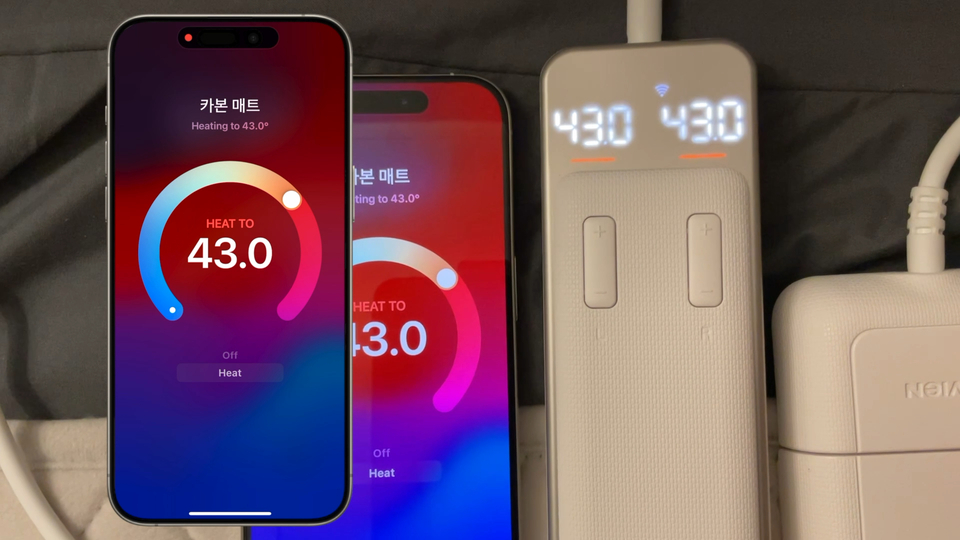
- Provides
climateentities for heating mats - Supports dual-zone left/right split mode for supported devices (
separate_control) - Real-time status updates via AWS IoT MQTT
sound_enabled: use operation beep on supported devicesscan_interval: coordinator polling interval (seconds)- MQTT state synchronization
- Uses AWS IoT MQTT (WebSocket) real-time updates by default
- Automatically falls back to REST polling if MQTT connection fails
- In fallback mode,
scan_intervaldirectly affects status update latency - Even when MQTT is healthy,
scan_intervalis used as a watchdog for session refresh/recovery
- Install the Navien app on your smartphone, sign up, and complete device pairing at least once.
- Install HACS in Home Assistant.
- Open HACS in Home Assistant.
- Go to
Integrations-> top-right menu ->Custom repositories. - Add this repository URL and select
Integrationas the category. - Search for
Navien Smartand install it. - Restart Home Assistant.
- Go to
Settings->Devices & Services->Add Integration-> selectNavien Smart.
Shortcut:

- This integration uses an unofficial API (based on reverse engineering).
- This plugin has only been tested with
EME520andEMW720models. - Supported models are limited, and behavior may vary by device/firmware.
- The previous Homebridge implementation was removed from this repository; it is now Python/HA-only.
Settings -> Devices & Services -> Integrations -> Add Integration -> search for Navien Smart
Or:

account(recommended for first setup)- Inputs:
username,password
- Inputs:
token- Inputs:
username,refresh_token,account_seq - Use this if you do not want to store your password in Home Assistant
- Inputs:
Integration source path:
custom_components/navien_smart
Validation workflows:
.github/workflows/validate.yml.github/workflows/hassfest.yml