motionEye is an online interface for the software motion, a video surveillance program with motion detection.
Check out the wiki for more details. Changelog is available on the releases page.
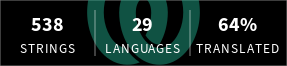
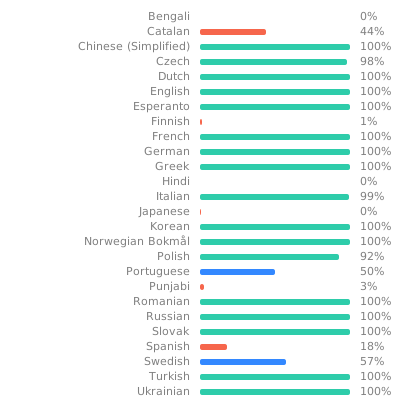
From version 0.43, motionEye is multilingual:
  |
|---|
You can contribute to translations on Weblate.
These install instructions are constantly tested via CI/CD pipeline on Debian Bullseye and Ubuntu Focal.
-
Install Python 3.7 or later and build dependencies
Here the commands for APT-based Linux distributions are given.
On 32-bit ARMv6 and ARMv7 systems:
sudo apt update
sudo apt --no-install-recommends install ca-certificates curl python3 python3-distutils
On all other architectures additional development headers are required:
sudo apt update
sudo apt --no-install-recommends install ca-certificates curl python3 python3-dev libcurl4-openssl-dev gcc libssl-dev
-
Install the Python package manager
pipcurl -sSfO 'https://bootstrap.pypa.io/get-pip.py' sudo python3 get-pip.py rm get-pip.pyOn 32-bit ARMv6 and ARMv7 systems, additionally configure
pipto use pre-compiled wheels from piwheels:printf '%b' '[global]\nextra-index-url=https://www.piwheels.org/simple/\n' | sudo tee /etc/pip.conf > /dev/null
-
Install and setup motionEye
sudo python3 -m pip install 'https://github.com/motioneye-project/motioneye/archive/dev.tar.gz'
sudo motioneye_init
NB:
motioneye_initcurrently assumes either an APT- or RPM-based distribution withsystemdas init system. For a manual setup, config and service files can be found here: https://github.com/motioneye-project/motioneye/tree/dev/motioneye/extra
sudo systemctl stop motioneye
sudo python3 -m pip install --upgrade --force-reinstall --no-deps 'https://github.com/motioneye-project/motioneye/archive/dev.tar.gz'
sudo systemctl start motioneye