





A simple tool to audit all of the frontend HTML templates using
lighthouse-ciCLI command.
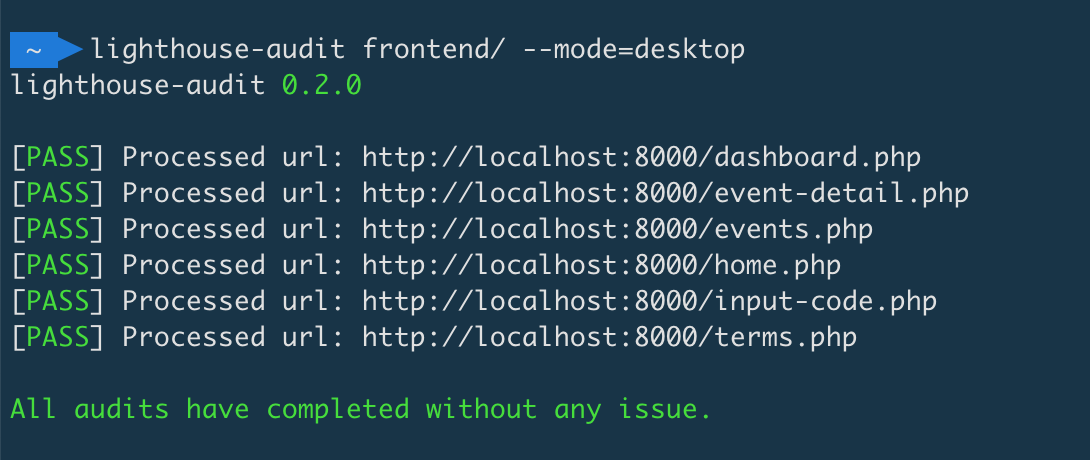
This package will help you to measure and audit the quality of your frontend HTML templates. It will start a web-server automatically on the given document root path, scan all HTML files and analyse them one by one. You can also run this tool in your CI pipeline.
This package only supports PHP version 7.1 or higher.
This package is dependent to the lighthouse-ci package and Chrome /Chromium web browser, so you need to install them first.
You can install lighthouse-ci easily, using this command:
$ npm install -g lighthouse-ciInstall the package globally using Composer :
$ composer global require suitmedia/frontend-lighthouse-audit$ lighthouse-audit -h
Usage:
lighthouse-audit [options] [--] <path>
Arguments:
path Specify the path of a directory to analyse.
Options:
-S, --server[=SERVER] Define the address and port that PHP web-server should serve. <address>:<port> [default: "localhost:8000"]
--mode[=MODE] Define the mode to run Lighthouse audit. Option: mobile,desktop [default: "mobile"]
--performance[=PERFORMANCE] Define the minimal performance score for audit to pass [default: "80"]
--best-practices[=BEST-PRACTICES] Define the minimal best-practices score for audit to pass [default: "80"]
--accessibility[=ACCESSIBILITY] Define the minimal accessibility score for audit to pass [default: "80"]
--seo[=SEO] Define the minimal seo score for audit to pass [default: "80"]
--pwa[=PWA] Define the minimal pwa score for audit to pass [default: "0"]
--except[=EXCEPT] Provide a list of filenames that you wish to exclude, separated by commas.
--chrome-flags[=CHROME-FLAGS] Custom flags to pass to Chrome (space-delimited). For a full list of flags,
see http://peter.sh/experiments/chromium-command-line-switches/.
-h, --help Display this help message
-V, --version Display this application versionThe MIT License (MIT). Please see License File for more information.