A simple Discord bot that retrieves the skins on sale in one’s Valorant store. Forked from https://github.com/sudhxnva/valo-store-bot
- Added Night Market check feature for the bot
- Migrated to
Discord.js v13 - Change
valorant.jsto use my forked package (@survfate/valorant.js) instead, you can view the source here: https://github.com/survfate/valorant.js - Add support for CONTENT_LOCALE & EMBED_FOOTER to the
.env
-
Clone the repository from
https://github.com/survfate/valo-store-bot.git -
Run the command
npm installto install all dependencies. -
Create a Discord bot on the Discord Developer Portal and generate an access token. (refer to this guide)
-
Create a
.envfile in the root folder with the following values:SECRET = "random_string_to_encrypt_passwords" BOT_TOKEN = "your_discord_bot_token" DB_URL = "mongoDB_connection_string" CONTENT_LOCALE = "the_content_locale_string" EMBED_FOOTER = "your_custom_embed_footer_string"(Available locales:
"ar-AE", "de-DE", "en-US", "es-ES", "es-MX", "fr-FR", "id-ID", "it-IT", "ja-JP", "ko-KR", "pl-PL", "pt-BR", "ru-RU", "th-TH", "tr-TR", "vi-VN", "zh-CN", "zh-TW")(The bot will need a MongoDB instance)
-
Run the bot using
npm startFor development, you can usenpm run dev(runs with nodemon). The bot will listen to the command!testinstead of!storein dev mode.For deploy with Docker, check the next section.
- Create a
docker-compose.ymlfile with the content like below in a location of choice--- version: "2.1" services: mongo: image: mongo:4.4.10-focal container_name: valo-mongo volumes: - ./dump:/dump ports: - 27017:27017 valostorebot: build: . container_name: valostorebot volumes: - ./.env:/home/node/valo-store-bot/.env ports: - 8844:3000 depends_on: - mongo restart: unless-stopped - Start both the MongoDB and the bot containers in detach mode with
docker compose up -d
- Run
docker run --name valo-mongo -d -p 27017:27017 mongo:4.4.10-focalto deploy a MongoDB docker instance - Download the
Dockerfileinto your location of choice that already contained the.envfile (check the below section),cdinto that path - Run
docker build -t valostorebot .to build a local Docker image of the bot - Add
DB_URL = "mongodb://mongo:27017/valostorebot"to the.envfile, this make the bot container able to see and connect to the MongoDB docker instance - Start the bot container in detach mode with
docker run --restart unless-stopped --name valostorebot -d -p 8844:3000 -v $(pwd)/.env:/home/node/valo-store-bot/.env --link valo-mongo:mongo valostorebot
- For Backup:
docker exec -i valo-mongo /usr/bin/mongodump --db valostorebot --out /dump
docker cp valo-mongo:/dump ./dump
(the ./dump directory then can be restored with the below commands)
- For Restore:
docker exec -i valo-mongo /usr/bin/mongorestore ./dump
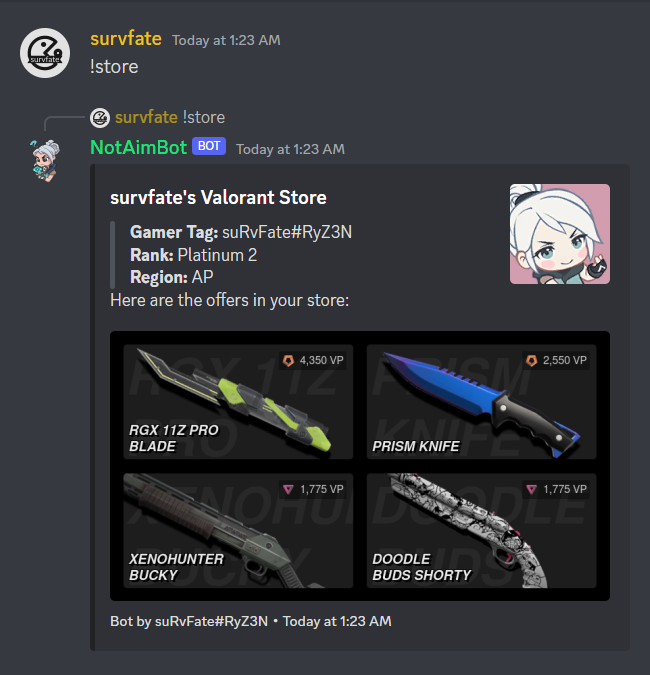
!store command on a server to retrieve the store.
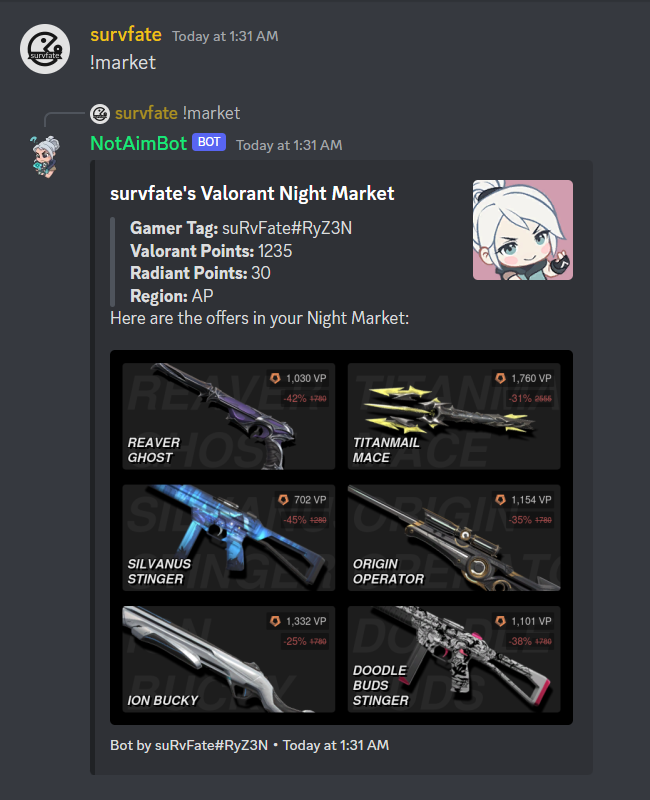
!market command on a server to retrieve the current Night Market.
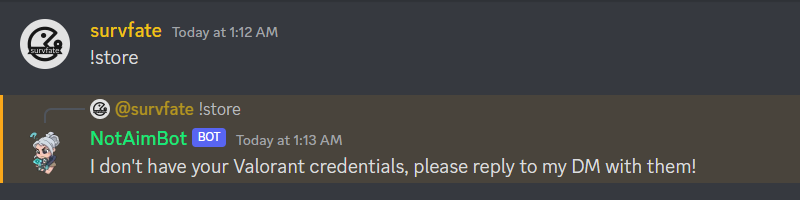
If a user is calling the command for the first time, they will be prompted to enter their details on a Discord DM chat with the bot.
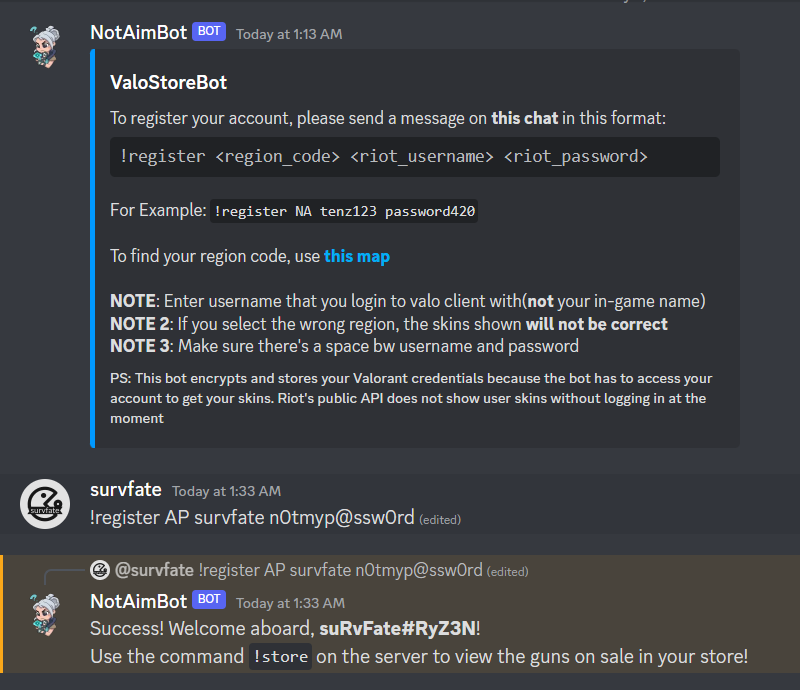
Once registered, the user will not have to enter their details again. The !store command should work smoothly.
Note: This implementation of the bot was designed for a small Discord server with my friends in it. Hence, it encrypts the password and stores it in a DB so that a user doesn’t have to type in their credentials every single time. The app is only encrypting the password, NOT hashing it (read the difference here). So this won’t suit big servers where people are not comfortable with their passwords being stored in a random user’s database (A solution to this is that you can modify it to only store the username and ask them to enter their password every time).
- Valorant.js (A brilliant easy-to-use library for Valorant) by Sprayxe
- Inspiration for this bot from this project (thanks OwOHamper!)