A Chrome extension that fact-checks highlighted text on the internet using Google's Gemini AI.
- One-click fact-checking: Right-click on any text and select "Verify This" to instantly fact-check it
- Multi-turn conversations: Ask follow-up questions and continue discussions about fact-checks
- Chat history: Resume previous fact-checks and conversations anytime
- Theme support: Light, dark, or system theme modes
- Persistent storage: All conversations saved locally using Chrome storage API
- Node.js 18+
- pnpm package manager
- Google Gemini API key (free tier available at Google AI Studio)
-
Clone the repository:
git clone <repository-url>
cd verify_this
-
Install dependencies:
pnpm install
-
Build the extension:
pnpm build
-
Load the extension in Chrome:
- Open
chrome://extensions/ - Enable "Developer mode" (top-right corner)
- Click "Load unpacked"
- Select the
verify_thisdirectory
- Open
-
Configure your API key:
- Click the extension icon or open the side panel
- Go to Settings
- Paste your Google Gemini API key
- Save
- Highlight any text on a webpage
- Right-click and select "Verify This"
- The side panel opens with a fact-check result
- Ask follow-up questions using the chat input
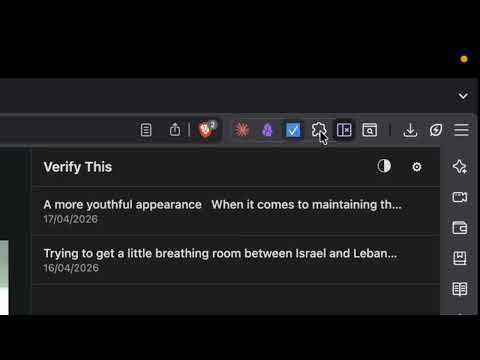
- All fact-checks appear in the "Chat" list
- Click any previous chat to resume the conversation
- Delete unwanted chats with the × button
- Click the theme icon in the header to toggle between light and dark modes
- Go to Settings to choose "System" theme (follows OS preference)
- Go to Settings and enable "Enable Web Search Grounding"
- Requires a paid Gemini API tier
- When enabled, responses will cite sources from web search results
For development with automatic rebuilding:
pnpm watchThen load/reload the extension in Chrome as you make changes.
verify_this/
├── manifest.json          # Extension configuration
├── sidepanel.html         # Side panel UI
├── sidepanel.css          # Styling and theme definitions
├── sidepanel.js           # Bundled UI logic (generated)
├── background.js          # Bundled service worker (generated)
├── content.js             # Content script (generated)
├── src/
│   ├── background.js      # Service worker source
│   ├── sidepanel.js       # UI logic source
│   └── content.js         # Content script source
├── icons/                 # Extension icons
└── package.json           # Dependencies and scripts (marked, esbuild)
Background Service Worker (src/background.js)
- Handles context menu clicks
- Manages Gemini API calls
- Stores fact-check responses with sources
Side Panel (sidepanel.html, src/sidepanel.js → bundled as sidepanel.js)
- Displays chat history and settings
- Direct Gemini interaction with Markdown support
- Real-time UI updates via
chrome.storage.onChanged - Integrated theme management (Light/Dark/System)
Content Script (src/content.js)
- Message relay between background and content context
- Enables side panel opening with proper user gesture handling
- User highlights text → context menu click
- Background creates new chat in storage
- Background opens side panel (via content script intermediary)
- User presses "Send" → sidepanel sends message to background
- Background calls Gemini API with chat history
- Response saved to storage with sources
- Side panel detects storage update and reloads messages
Uses Google's @google/genai SDK with:
- Model:
gemini-3.1-flash-lite-preview - System instruction: Configured for fact-checking task
Note: Web search grounding (for citing sources) can be enabled with a paid Gemini API tier for enhanced fact-checking capabilities.
Get a free API key at Google AI Studio:
- Visit the site
- Click "Create API Key"
- Copy the key
- Paste into extension Settings
To enable web search grounding:
- You need a paid Gemini API tier
- In Settings, enable "Enable Web Search Grounding"
- The model will now use Google Search to cite sources in responses
Chrome storage is limited to 10MB per extension. Large chat histories may exceed this—delete old conversations if needed.
Side panel won't open
- Ensure the extension has activeTab permission
- Try refreshing the page before selecting text
API key not working
- Verify the key is correct in Settings
- Check the key has Generative Language API enabled
- Ensure your quota hasn't been exceeded
Responses appearing blank
- Check browser console for errors (DevTools → Extensions)
- Verify the API key is still valid
- Try refreshing the page and retrying
Theme not applying
- Clear browser cache or hard-refresh the side panel
- System theme requires OS theme to be set
MIT