
This script automates the transformation of a fresh FreeBSD installation into a professional, Dracula-themed i3wm (Gaps) desktop environment. It handles everything from driver installation to aesthetic configurations like blur, transparency, and system-wide color palettes.
To go from a "blank slate" FreeBSD terminal to a fully riced productivity machine in one command.
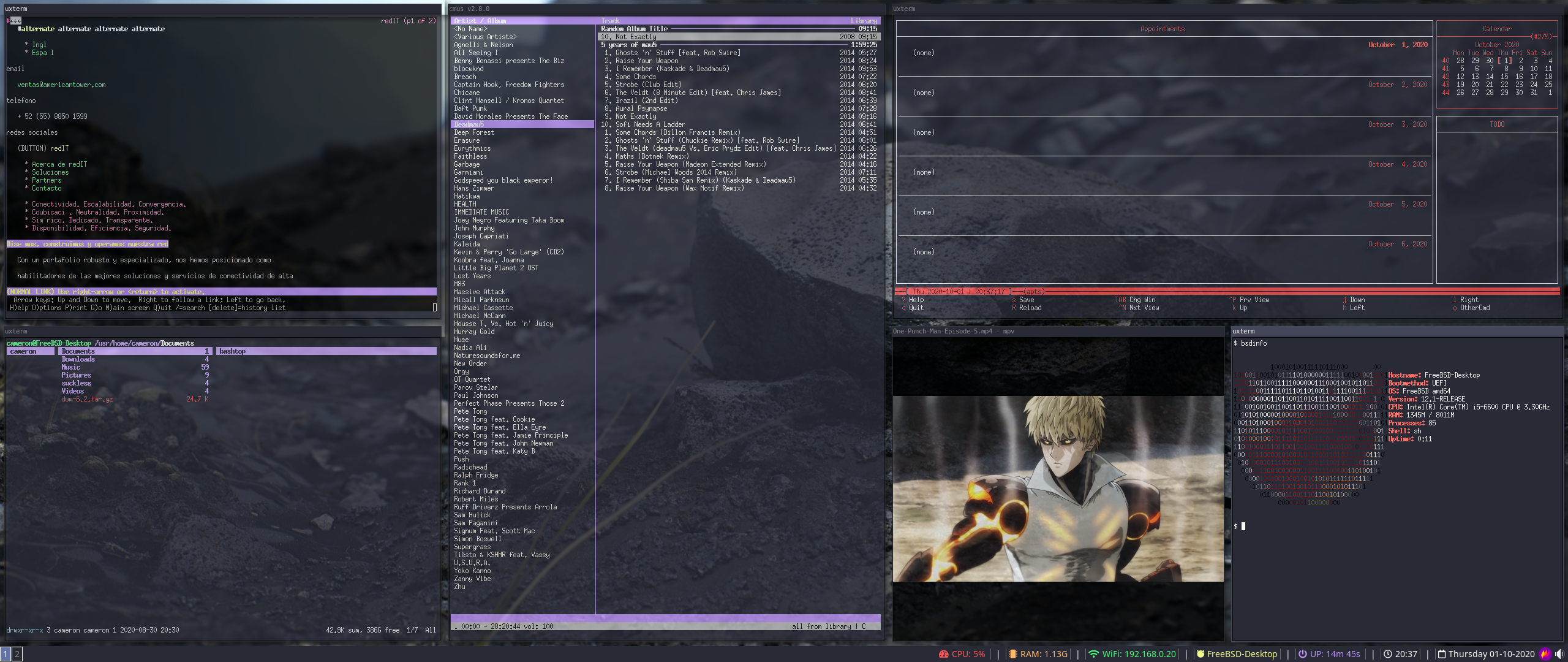
- Graphics: Automated
drm-kmodsetup for Intel/AMD graphics. - WM & Aesthetics:
i3-gapswithpicom(dual-kawase blur) and the Ant-Dracula theme. - Consistency: Synced Dracula colors across
i3,LightDM,GTK 3.0, and.Xresources. - Hardware Support: Configures
webcamd,FUSEfor mounting, andOSS/ALSAaudio. - UK Localization: Defaults to
gbkeyboard layout (easily adjustable).
| Category | Packages |
|---|---|
| Window Manager | i3-gaps, i3status, i3lock, dmenu, rofi |
| Login Manager | lightdm, lightdm-gtk-greeter, ant-dracula-theme |
| Terminal / CLI | uxterm, terminator, vim, nano, ranger, curl |
| Productivity | firefox, chromium, pcmanfm, calcurse, sc-im, zathura |
| Multimedia | cmus, mpv, pavucontrol, alsa-utils, volumeicon, eog |
| Utilities | nitrogen, flameshot, arandr, gammy, webcamd, zip |
Ensure you have a fresh FreeBSD install and a user account added to the wheel group.
Log in as your user, switch to root, and grab the repository:
su -
pkg update && pkg install -y git
git clone https://github.com/gamesmessiah/FreeBSD-i3wm-Deployment-Script.git
cd FreeBSD-i3wm-Deployment-Script