
Open this Codespace to see what building without breach anxiety feels like. TideCloak is an Identity & Access Management system that locks your platform's data, identities and access rights with keys no-one will ever hold - Not admins, vendors, users, or even us.
TideCloak layers its decentralized Cybersecurity Fabric on top of Keycloak (Red Hat's battle-tested open-source IAM), so you keep the standard OpenID/OAuth toolkit while gaining verifiable immunity to credential theft, mis-configuration, insider abuse, and attacks we don't even see coming yet.
The playground sandbox spins up in one click on GitHub Codespaces and guides you through the model with interactive demos.
Launch a preconfigured development environment directly in your browser:

While you wait (5 mins or so), here's what happens automatically:
- Installs required dependencies (
libssl-dev) - Auto-updates config files with your Codespace URLs
- Installs
npmpackages - Starts the TideCloak backend in Docker
- Launches the frontend dev server (Playground App)
Feel free to grab a coffee, star this project, or read about the latest breach headlines, that won't bother you when you're TideCloaked.
The initialization screen opens automatically. Once initialization is complete your experience will begin.
| Initialization: Set's up your experience | Invite: You're ready to go |
|---|---|
 |
 |
If the page doesn't open check the Ports tab in Codespaces for the Forwarded address:
https://${CODESPACE_NAME}-3000.app.github.dev→ ✅ Playground Apphttps://${CODESPACE_NAME}-8000.app.github.dev→ 🔐 TideCloak IAM
In the Ports tab click on the Forwarded addess in the format of https://${CODESPACE_NAME}-8000.app.github.dev. The default administrator credentials are admin / password.
Note
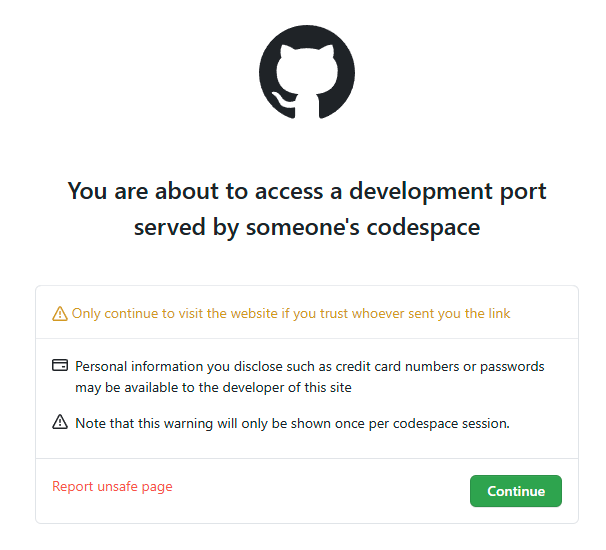
For the first visit, you'll see a Github warning like this. Just press Continue to move on.
We welcome contributions! To get started:
- Fork the repo
- Open in a Codespace
- Make your changes
- Submit a pull request
Please follow conventional commit standards and include relevant documentation if needed.
This project is licensed under the MIT License.