- When working on a new feature, make a new branch from dev called 'feature/your-feature'
- Pull requests into dev require 1 reviewer
- Pull requests into main require 2 reviewers
- Create Javadoc comments for each method
- Adhere to checkstyle
Need to install the bold ones
- Github
- Github Projects (like trello)
- Android Studio
- Gradle (build tool for java applications)
- GitKraken if you want (Git manager, free for uni students)
- Neo4j (Graph database)
- Github Actions (automatically runs tests and builds project to check for errors)
- Node.js (LTS or newest)
- VSCode
- Install Android Studio
- Git clone the repo
2.1. Checkout the dev branch with git - Open the frontend folder in Android Studio
- Install Checkstyle plugin in Android Studio
4.1. File > Settings > Plugins > Marketplace > search Checkstyle-IDEA - Point checkstyle to our custom checkstyle config
5.1. File > Settings > Tools > Checkstyle
5.2. '+' in configuration file area
5.3. Local file - choose the checkstyle.xml file in frontend/app/checkstyle/ - 👍 Now you can use the checkstyle tab at the bottom of the IDE to run checks
- You have to install the Android 8.1 JDK before you can build the project
7.1. In Android Studio, go to File > Settings > Search for sdk
7.2. Click on the pane somewhere, check the box next to Android 8.1, and click done
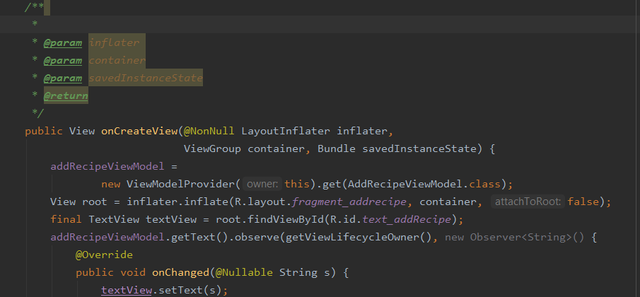
- Javadoc is a structed way of commenting code so that we can automatically generate documentation from the comments. It also improves the readability of our code
-
To make a Javadoc comment, type /** on a new line and press enter.
-
It will generate a template for you, based on what is on the next line
Press enter:
Then write a description, explain what the parameters are, and what the function returns
-