- This projects focuses to implement the technology which Alexa other voice assistants uses i.e to operate the electrical appliances of your home by just your voice commands!
- Here we have used the **Relay Module along with Raspberry Pi** to power switch the Bulb. From the website (you can also use App for the same), voice command are sent to on/off the bulb.
- Using **Artificial Intelligence**, those commands are interpreted and necessary signals are sent to the [**Firebase**](https://firebase.google.com) : Cloud Firestore. Which will be then processed by the Raspberry Pi to toggle the bulb 💡.
#RaspberryPi #IoT #Firebase #Alexa #AI
- Python implementation for relay module 🎚️
- AI to process the voice commands 🔊
- Speech to Text Implementation 💬
- Live update in website 💻
- Cloud Firebase for real-time data update 📊
- Bulb can operate with Manual or Voice Activated Mode 💡
-
Python
-
Speech-to-Text API
-
Raspberry Pi
-
JavaScript
-
Firebase
-
HTML5
-
CSS3
-
Bootstrap


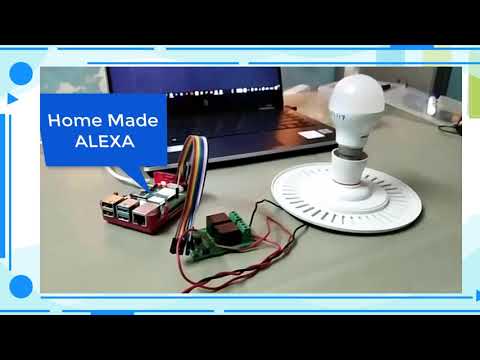
Click on the image below to see the working demo of the project.
-
Clone the repository on your system
git clone https://github.com/tirth-2001/Home-Made-Alexa-using-Raspberry-Pi.git -
Or direct download ZIP file in your system
-
For running the website, please change the firebase config [Inside
index.htmlLine 45] as per your Firebase Project. Click here to create new Firebase Project -
Go to the website folder in which
index.htmlfile is present. And run it on your local server . -
For implementing the Raspberry Pi code, set up your hardware as shown in video and run the
alexa_bulb.pyfile on your Raspberry Pi. -
Make sure that you set the path for your Firebase Credentials JSON file at
alexa_bulb.py[Line 8]. This file is necessary for using Firebase services in our project.
- Interested?
- Cloned?
- Starred the Repo?
Thanks for showing interest in this project. In case if you face any bugs while implementing this project, feel free to contact me. I'll we happy to help you out.