Nix-first Git history visualizations powered by Gource + FFmpeg.
This project is now a proper Python application with:
src/envisagedpackage layout- Rich + Typer CLI
- template system for core/compare/split/relation families
uvproject management (pyproject.toml+uv.lock)uv2nixpackaging inflake.nix- linting/type-checking via Ruff + Pyright
- repo-wide formatting via treefmt
# CLI (default app)
nix run . -- --help

# Explicit app targets
nix run .#cli -- --help
nix run .#web

# Render current repo
nix run . -- -o output.mp4 -t "Repo History" .

# Render multi-repo compare
nix run . -- --multi-dir ~/Projects/utensils --template compare-panel --sync-timing auto -o compare.mp4

# Render system logs (journalctl -> timeline)
nix run . -- --system-log journal --system-log-since "24 hours ago" --template tokyo-night --legend all -o system-journal.mp4

# Service-focused system timeline (recommended preset)
nix run . -- --system-log journal --system-log-since "24 hours ago" --system-log-limit 5000 --template tokyo-night --legend services --title "System Services" -o system-services.mp4

# Same preset via helper script
./scripts/example-system-services ./out/examples/system-services-example.mp4# Native package builds
nix build .#cli
nix build .#web
# Docker image builds
nix build .#docker-cli
nix build .#docker-webOn every push to main, GitHub Actions builds and publishes both Nix Docker images to GHCR:
ghcr.io/<owner>/envisaged-cli:latestghcr.io/<owner>/envisaged-web:latest- immutable SHA tags are also published:
:sha-<12-char-commit>
uv sync
uv run envisaged --help# stable runtime
./scripts/web-prod
# open http://127.0.0.1:8787
# hot reload runtime
./scripts/web-devDirect commands (if preferred):
nix run .#web
nix develop -c bash -lc 'unset UV_NO_SYNC; uv run uvicorn envisaged.web:app --host 0.0.0.0 --port 8787 --reload'
Network access:
- local:
http://127.0.0.1:8787 - LAN/Tailscale:
http://<host-ip>:8787
The web interface uses the same urandom-style visual language (zinc dark base, JetBrains Mono, gradient accents, subtle noise overlay) and is mobile-first.
Web UI extras:
- defaults to single-repo mode for fast one-off renders
- includes System Log mode (
journal,kernel,auth) for machine activity timelines - System Log mode auto-applies a useful preset (
tokyo-night+legend=services+ titleSystem Services) - GitHub-like repo search (
owner/repopicker) - selected GitHub repos are cloned/updated locally under
/tmp/envisaged-web-repos - POST/redirect/GET flow avoids browser “submit form again” prompts
Service units are provided in systemd/user/:
envisaged-web.service(stable)envisaged-web-dev.service(hot reload)
Install and manage:
mkdir -p ~/.config/systemd/user
cp systemd/user/envisaged-web*.service ~/.config/systemd/user/
systemctl --user daemon-reload

# stable mode
systemctl --user enable --now envisaged-web.service

# OR dev/hot-reload mode
systemctl --user disable --now envisaged-web.service || true
systemctl --user enable --now envisaged-web-dev.service

# logs/status
systemctl --user status envisaged-web.service
journalctl --user -u envisaged-web.service -fenvisaged [OPTIONS] [REPO]REPO: local git repo path or remote git URL--multi-dir <path>: render all git repos under a directory--system-log <journal|kernel|auth>: render system logs as a timeline--system-log-since "<time expr>": journalctl since selector (default24 hours ago)--system-log-limit <n>: max journal entries to ingest (default5000)
- Core:
none,urandom(default),border,neon,sunset,matrix,blueprint,noir - Omarchy core palettes:
catppuccin,catppuccin-latte,ethereal,everforestflexoki-light,gruvbox,hackerman,kanagawamatte-black,miasma,nord,osaka-jaderistretto,rose-pine,tokyo-night,vantablack,white
- Compare:
compare-panel,compare-neon,compare-blueprint,compare-matrix,compare-noir - Split:
split-quad,split-vertical,split-triple,split-focus,split-matrix - Relationship:
relation-panel,relation-neon,relation-blueprint,relation-noir,relation-sunset
--sync-timing false: original log timing--sync-timing true: normalized unified timeline--sync-timing smart: normalized timeline + blank-log pulse anchors--sync-timing auto: smart mode for compare/split/relation templates in multi-repo mode
--legend auto: repo legend for compare/split/relation templates, service legend for system-log mode, none otherwise--legend none: disable overlays--legend repos: show repo legend (best for multi-repo renders)--legend files: show top file types (--legend-limitcontrols count)--legend actions: show add/modify/delete totals (repo mode)--legend services: show top services/users by event count--legend all: show repos + file types + actions + services
Legacy showcase renders from the original Envisaged project:
| Repo | Video |
|---|---|
| Elixir School | 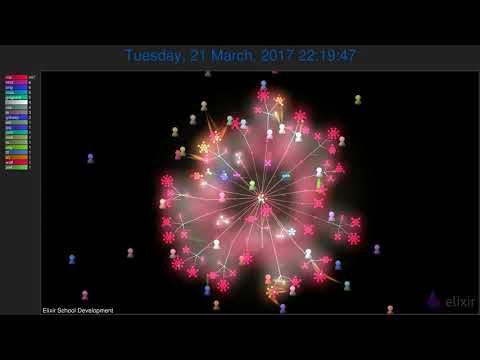 |
| Kubernetes | 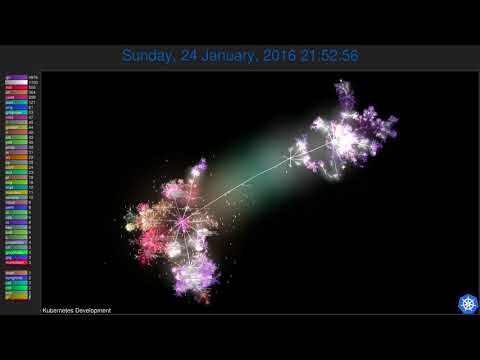 |
| Elixir Lang | 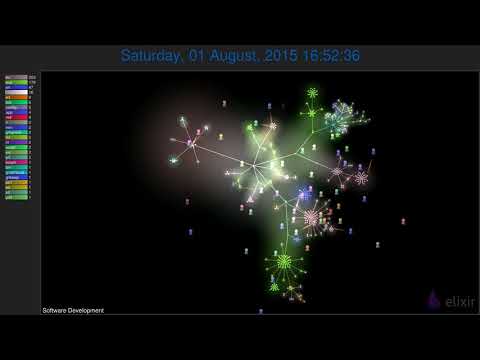 |
src/envisaged/
  cli.py        # Rich/Typer CLI and render orchestration
  templates.py  # template family definitions
scripts/envisaged  # compatibility shim -> Python CLI
pyproject.toml
uv.lock
flake.nix       # uv2nix packaging + dev shell
treefmt.nix
uv run ruff check .
uv run ruff format .
uv run pyright
nix fmt- Supported FPS values are constrained by Gource:
25,30,60. - Multi-repo overlays (legend/relationship) are rendered line-by-line via drawtext for broad font compatibility.
split-quadin--multi-dirmode uses the first 4 repos as distinct panes.- Web repo search clones/updates GitHub repos in
/tmp/envisaged-web-reposfor local rendering. - Render outputs from web mode are written to
~/.openclaw/workspace/out/web/. - Docker images are built via Nix (
docker-cli/docker-web) and stamped with the flake commit timestamp as image creation time.
MIT