Ordered tags with autocomplete for Django forms and the admin. Use existing Django models for labels, optionally create new objects, and preserve the selection order through form saves and reloads.


Live demo | Documentation | PyPI | Source | Issues | Changelog
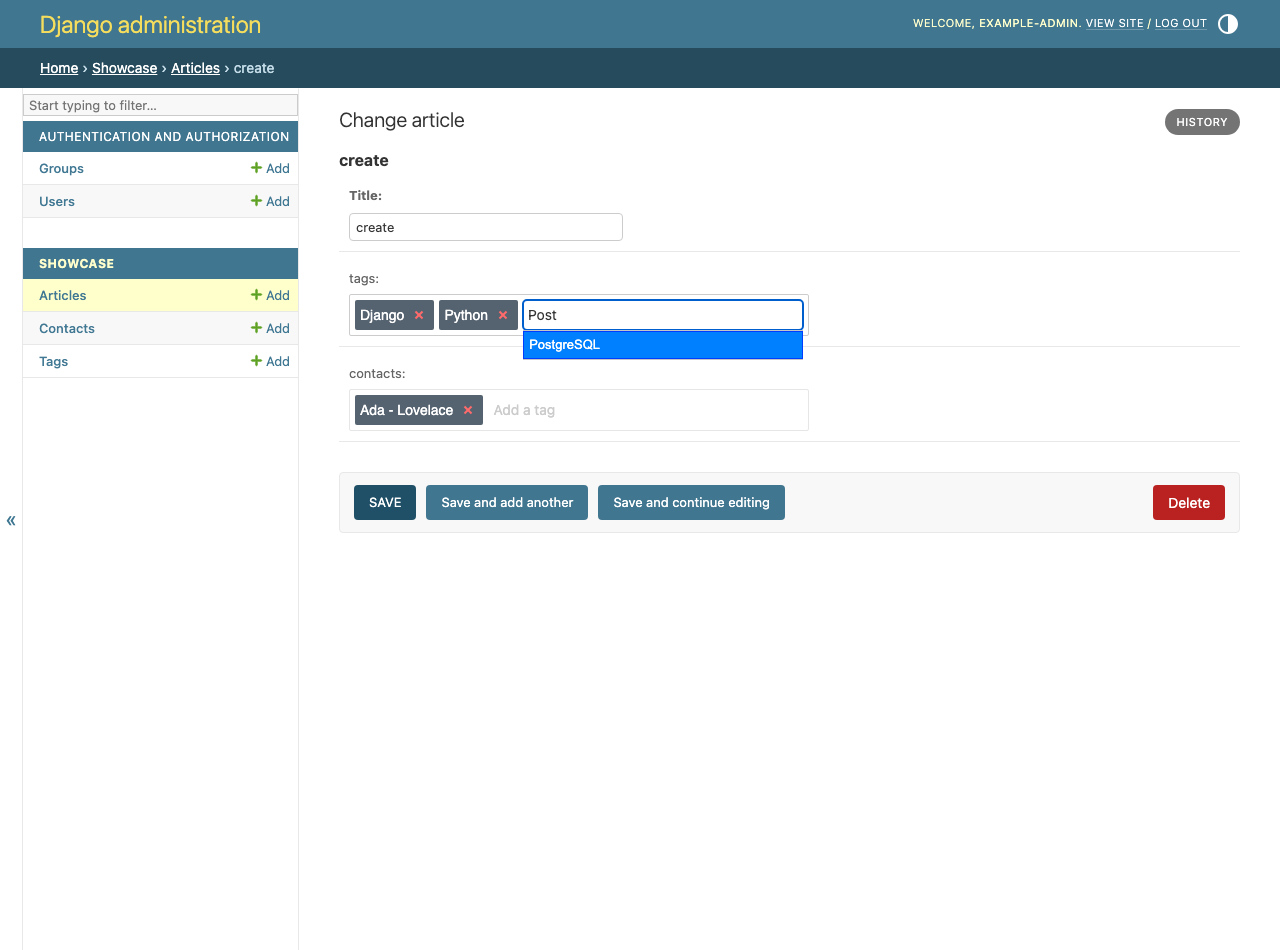
The browser example runs real Django forms and SQLite on your device. It supports tag creation, existing choices and composite contact labels. Saved tags persist across reloads. No public Django server receives them.
uv add django-tags-inputPython 3.10+ and Django 5.2+ are required. Django 6.x requires Python 3.12+. The package includes the widget's JavaScript and CSS, so using it does not require Node.js or a frontend build.
In an existing Django app named blog, give posts a relation to tag objects:
from __future__ import annotations

from django.db import models


class Tag(models.Model):
    name: models.CharField[str, str] = models.CharField(max_length=100)

    def __str__(self) -> str:
        return self.name


class Post(models.Model):
    title: models.CharField[str, str] = models.CharField(max_length=200)
    tags: models.ManyToManyField[Tag, Tag] = models.ManyToManyField(
        Tag, blank=True,
    )
Each tag is an ordinary model row. The post stores the relationship through Django's automatically created join table.
Add the widget app and its mapping to your settings:
INSTALLED_APPS += ['tags_input']

TAGS_INPUT_MAPPINGS: dict[str, dict[str, object]] = {
    'blog.Tag': {'field': 'name', 'create_missing': True},
}
The key identifies the model. field supplies the visible label, and
create_missing permits a new tag when no existing label matches.
Keep it disabled when users must choose existing objects.
Include the autocomplete route in the project's urls.py:
from django.urls import include, path

urlpatterns += [
    path('tags-input/', include('tags_input.urls', namespace='tags_input')),
]
The namespace must be tags_input. One route serves the mapped models.
Register the post with the package's admin class:
from typing import ClassVar

from django.contrib import admin
from tags_input.admin import TagsInputAdmin

from .models import Post


@admin.register(Post)
class PostAdmin(TagsInputAdmin):
    tag_fields: ClassVar[list[str]] = ['tags']
Create the tables and open a post in the admin:
uv run python manage.py makemigrations blog
uv run python manage.py migrate
uv run python manage.py runserver
The tags field now offers autocomplete. Saving a new label creates a tag
object after calling its clean() method. Existing labels become relations
in the order entered.
Note
The autocomplete endpoint does not check permissions. For private labels, restrict access in your own view or middleware and pass the permitted queryset to the form field. Suggestion filters alone do not restrict saves.
Use both the field and the form mixin when the order must survive saves:
from __future__ import annotations

from typing import ClassVar

from django import forms
from tags_input.admin import TagsInputFormMixin
from tags_input.fields import TagsInputField

from .models import Post, Tag


class PostForm(TagsInputFormMixin, forms.ModelForm):
    tags: TagsInputField = TagsInputField(Tag.objects.all(), required=False)

    class Meta:
        model: type[Post] = Post
        fields: ClassVar[list[str]] = ['title', 'tags']
TagsInputField validates labels against its queryset. The mixin saves the
related objects in that order. Render the form media alongside the form:
{{ form.media }}
<form method="post">
    {% csrf_token %}
    {{ form.as_p }}
    <button type="submit">Save</button>
</form>
The media loads the bundled jQuery, jQuery UI and tagsinput plugin. If your
page already loads compatible jQuery and jQuery UI, set
TAGS_INPUT_INCLUDE_JQUERY = False.
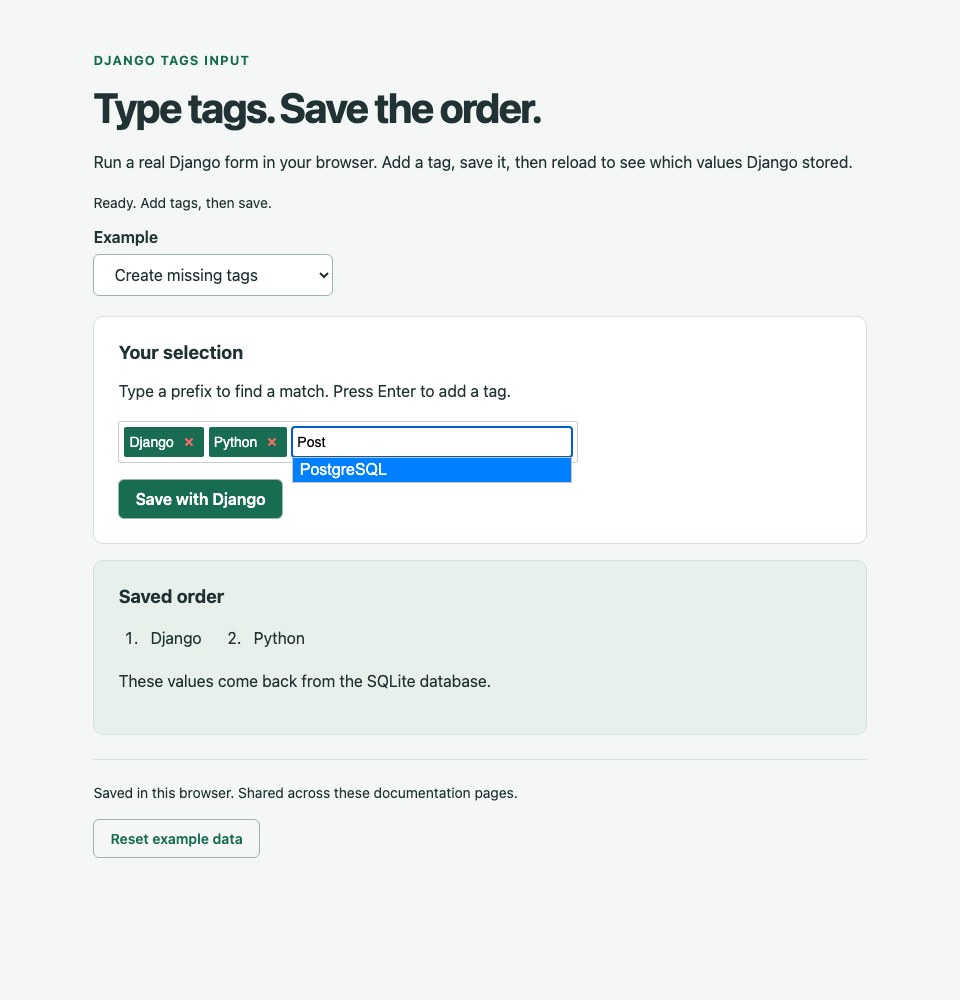
Read the saved order with tags_input.utils.get_tags(post, 'tags').
post.tags.all() uses the model or database ordering instead.
- Configuration: mappings, callbacks and matching rules.
- Admin and inlines: choosing fields and handling relationship signals.
- Order: how the join table records selections and where that approach applies.
- Local examples: run the same forms and inspect the admin.
- Contributing: uv, strict typing, linting, documentation and coverage checks.
The test matrix covers Python 3.10-3.14 with compatible Django 5.2, 6.0 and 6.1 releases. The project requires 100% statement and branch coverage and checks types with mypy, basedpyright and pyrefly.
django-tags-input is maintained by Rick van Hattem in his own time.
If it saved you an afternoon, a tip covers an hour of issue triage: Ko-fi or GitHub Sponsors.
If your company funds its dependencies, this package is on thanks.dev.
