Infotech data science course - Project-3
WeatherApp
HOW TO INSTALL
To install the project, follow these steps:
1.Install the required version of Python.
2.Install the dependencies, such as PyQt5 and Scrapy, using pip or conda.
3.Install MongoDB and set it up.
4.Clone the project from GitHub.

HOW TO USE
To use the project, follow these steps:
1.Launch the program.
2.Select a city from the table of registered cities, or search for a city by typing its name in the search bar and clicking the search button.
3.The program will fetch the real-time weather information using an API and display it on the interface along with a background image that matches the current weather condition.
PROJECT STRUCTURES
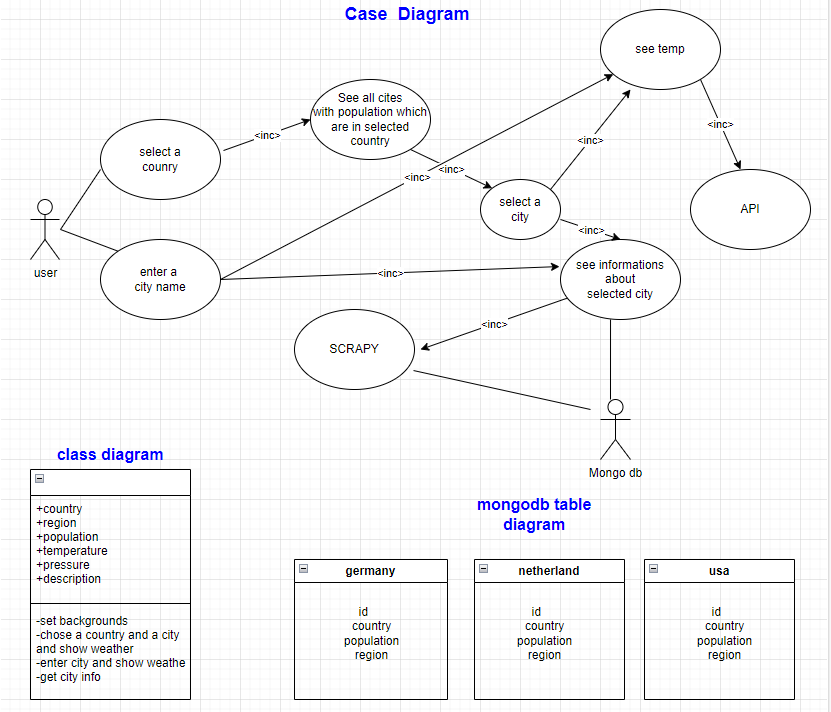
The WeatherApp project was developed using Python, PyQt5, Scrapy, and MongoDB. The user interface was designed using PyQt5, and real-time weather information was fetched using an API. Information about states, regions, and populations of Holland, America, and Germany was retrieved from Wikipedia and stored in tables in MongoDB. Scrapy was used to scrape information about the selected city and store it in the database.
DEPENDENCIES
The following dependencies are required to run the project:
Python (required version) PyQt5 Scrapy MongoDB
Daily Task Planning and Meetings
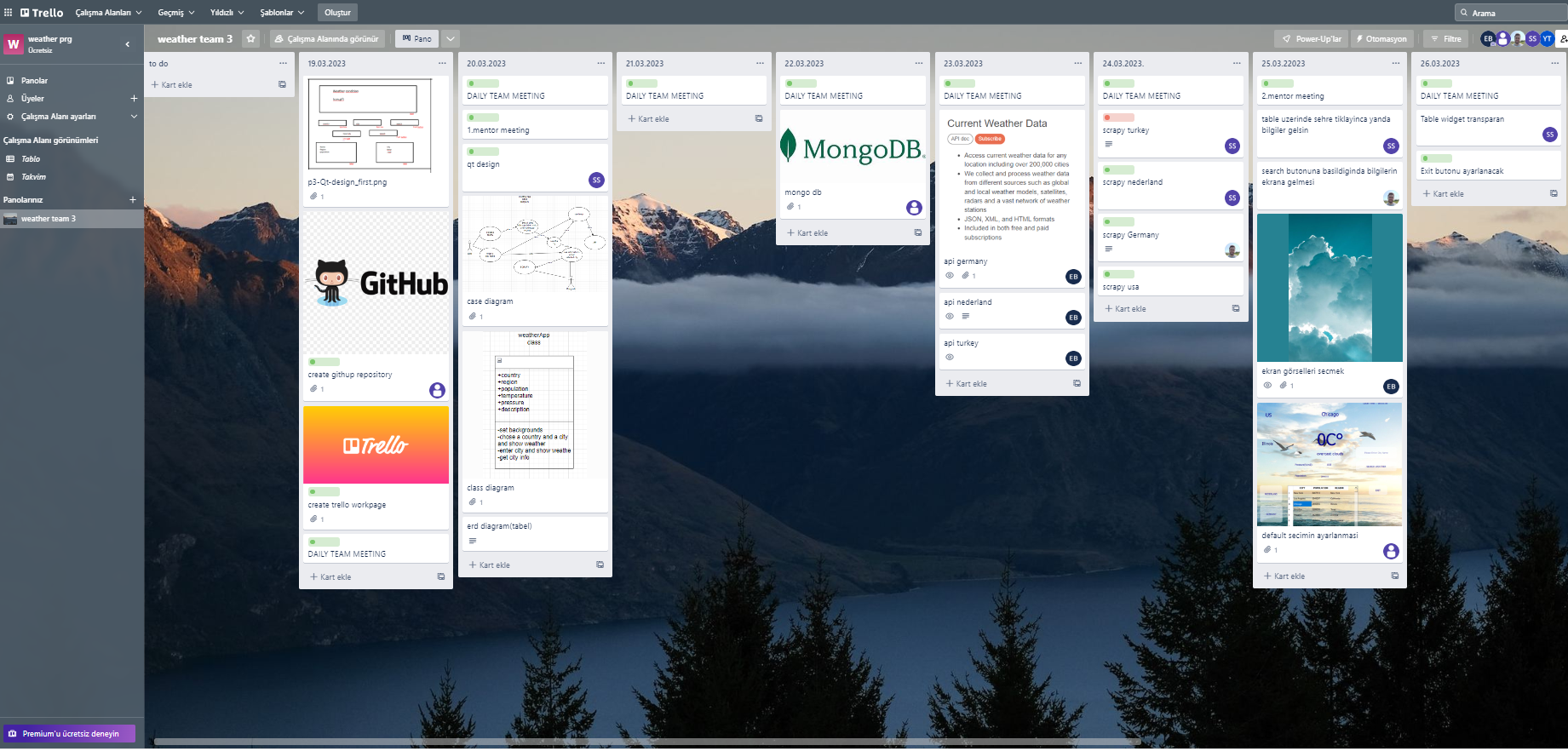
We used Trello to plan and distribute tasks among our team members. We created daily task boards on Trello and assigned tasks to team members, and used the platform to track progress and ensure that we met our project deadlines. We also held daily Zoom meetings to discuss progress, ask questions, and plan next steps.