A standalone, local-first frontend for YouTube. This project allows managing subscriptions, feeds, and viewing content without external tracking or a Google account. Looks like old Youtube and the main design reference - Play.ukr.net video portal. Looks like generic 2000s videohosting.
Was created as a part of TuuDay portal, but it was separated.
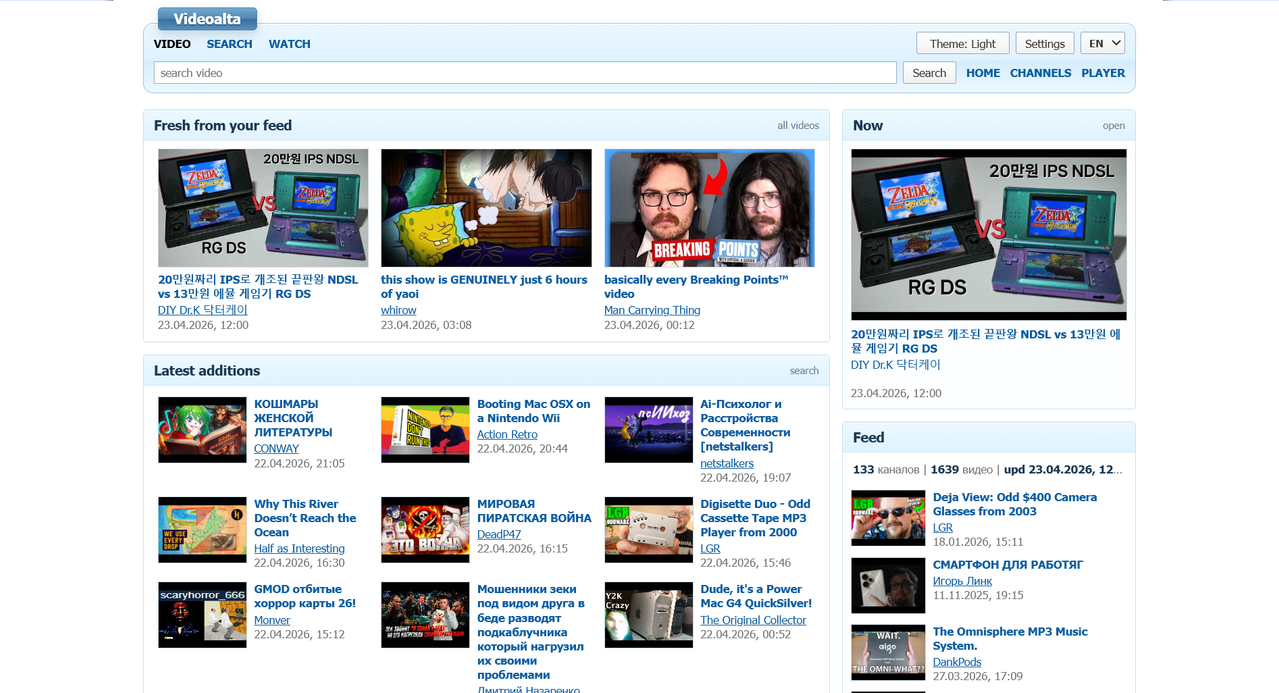
Avaible on Russian, Ukrainian and English.
The application uses three distinct methods to retrieve data from YouTube, depending on the available configuration and the type of content requested.
This is the primary and most efficient method for updating subscription feeds.
- Usage: Automatically used to fetch the most recent videos from subscribed channels.
- Benefits: High performance, zero API quota usage, and no authentication required.
- Limitations: Only provides the most recent 15-30 videos per channel and basic metadata.
A more robust method that requires a YOUTUBE_API_KEY environment variable.
- Usage:
- Global Search: Searching the entire YouTube database beyond local subscriptions.
- Comments: Fetching and paging through video comments.
- Extended Metadata: Retrieving precise video durations and paged channel archives.
- Note: The application is designed to be functional without an API key, falling back to other methods where possible.
Used as a secondary retrieval layer when an API key is absent or RSS data is insufficient.
- Usage:
- Channel Metadata: Extracting avatars, banners, and descriptions from public channel pages.
- Video Details: Retrieving basic metadata for individual videos when the API is unavailable.
- Mechanism: Parses internal JSON payloads (
ytInitialData) embedded in YouTube's public HTML.
- Local Storage: All subscriptions are saved locally in a JSON file.
- Multiple Import Options: Supports YouTube CSV (Google Takeout), raw links, channel IDs, and
@handles. - Data Portability: Full JSON export of your local state.
- RSS-based Feed: Aggregates recent videos from subscribed channels using YouTube's RSS feeds.
- Custom Watch Page: A dedicated player interface with support for descriptions, chapters, and comments.
- Player Hotkeys: Standard YouTube-style keyboard shortcuts (Space/K for pause, J/L for 10s seek, Arrows for volume/seek, etc.).
- Theater Mode: Toggleable wide player layout.
- Local Search: Filter through your stored feed offline.
- Global Search: Search directly on YouTube via the YouTube Data API (requires an API key).
- Channel Pages: Dedicated views for individual channels with banners, metadata, and video lists.
- Internationalization (i18n): Interface available in English, Russian, and Ukrainian.
- Themes: Light and Dark mode support based on system preferences or manual toggle.
- Responsive Layout: Designed for desktop use with a structured multi-column layout.
- Backend: Node.js (built-in
http,fs,pathmodules). No external npm dependencies. - Frontend: Vanilla JavaScript (ES6+), CSS3 with Variables, HTML5.
- API Integration: YouTube IFrame Player API and YouTube Data API v3.
- Data Management: Local JSON file storage (
data/video-data.json).
- Node.js 18 or higher.
- Clone or download the repository.
- Run the server using Node:
node video-server.js
- Access the portal at
http://localhost:8787/.
To enable global YouTube search, set the YOUTUBE_API_KEY environment variable before starting the server:
# Windows (PowerShell)
$env:YOUTUBE_API_KEY="your_api_key"
node video-server.js

# Linux/macOS
YOUTUBE_API_KEY="your_api_key" node video-server.jsvideo-server.js: The backend server handling API requests, RSS fetching, and file serving.video.js: Main frontend logic including state management, i18n, and DOM rendering.video.css: Styling for all pages and themes.index.html: Home page and main feed.watch.html: Video player and details page.search.html: Local and global search interface.subscriptions.html: Subscription management and import/export.channel.html: Channel profile and video archive.data/: Directory wherevideo-data.jsonis automatically created and maintained.
This project is licensed under the MIT License. See the LICENSE file for details.