You signed in with another tab or window. Reload to refresh your session.You signed out in another tab or window. Reload to refresh your session.You switched accounts on another tab or window. Reload to refresh your session.Dismiss alert
# first install the requirements
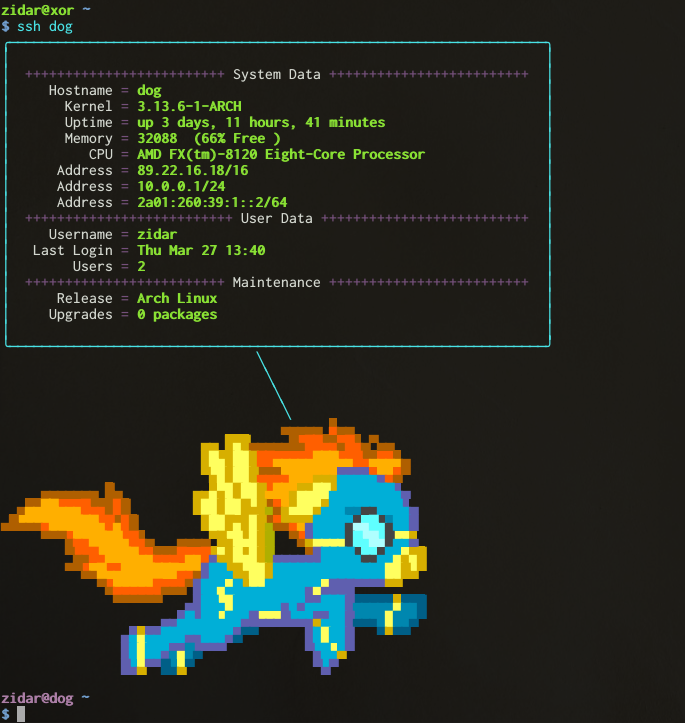
git clone https://github.com/zidarsk8/ponymotd.git
cd ponymotd
# edit the MAINTAINER line
vim printsysinfo.py
# copy the files around
sudo cp printsysinfo.py /usr/bin/
sudo cp dymotd /usr/bin/
# let's dissable the current motd# this sets PrintMotd and PrintLastLog to no. You can do that manually if you want
sudo sed -i "s/#*\s*PrintMotd .*/PrintMotd no/g" /etc/ssh/sshd_config
sudo sed -i "s/#*\s*PrintLastLog .*/PrintLastLog no/g" /etc/ssh/sshd_config
sudo systemctl restart sshd # on ArchLinux# sudo service ssh restart # on ubuntu# go through the list of files here and comment out all the lines with pam_motd.so
grep motd -r /etc/pam.d/
# or run:# find /etc/pam.d/ -type f | xargs sudo sed -i 's/\(^.*motd.*$\)/#\1/' # now we will enable our motd
sudo ln -s /usr/bin/dymotd /etc/profile.d/dymotd.sh