Automated Landing Page Description Generator
In today's fast-paced digital world, companies and organizations are strongly relying on efficient web presences to attract and retain customers. Landing pages play a crucial role in this process by providing a first impression and driving user attention. Creating meanningful and appealing descriptions for landing pages is essential and important for web developers and designers to effectively delievery their ideas to clients or teammates.
The "Automated Landing Page Description Generator" project focus to simplify this process by utilizing natural language processing techniques and state-of-the-art AI models. The project consists of a collection of Python functions that work together to generate comprehensive and understandable descriptions for landing pages based on metadata. These descriptions include various feature, such as text content, navigation bars, images, buttons, input fields, and iframes, along with their positions and colors.
By using the capabilities of the GPT-3.5-turbo or GPT-4 model from OpenAI, the project is capable to generate summaries of the landing pages that mimic a conversation between a user and an virtue assistant. Our interactive method provides an intuitive way to understand the structure and content of the landing page, making it easier for technical or trade companies to build the website.
With the Landing Page Generator, web developers and designers can streamline their workflow, ensuring that they can effectively communicate their thoughts for landing pages and facilitate a seamless development process.
Project Description
Our project convert website metadata into text prompts to serve as input for a generative AI model. The metadata includes information like descriptions and relative locations of images, videos, and text inputs on a website. The text prompts are to be verbal descriptions of the website.
Python 3.7+
NLTK
OpenAI API (GPT-3.5-turbo)
we have the following functions to helps us filter through the metadata and find the best example, then we also filtered these by example which are English based website.
get_best_examples(): This function iterates through the first 1000 datasets to identify and report the best examples - those for which all the descriptions generated by various TextGenerators are non-empty.
test_generators(generator, num_examples=1000, example_id = 0): This is a versatile testing function that checks the functionality of a given TextGenerator. Depending on the parameters, it can test the generator on either one specific example (if example_id is non-zero) or multiple examples (up to num_examples).
test_summarization(example_id, words = None): This function specifically tests the ContentSummaryTextGenerator, which provides a summary of the webpage content, on a given example. It can optionally limit the maximum tokens in the summary with the words parameter.
Given metadata of following website:
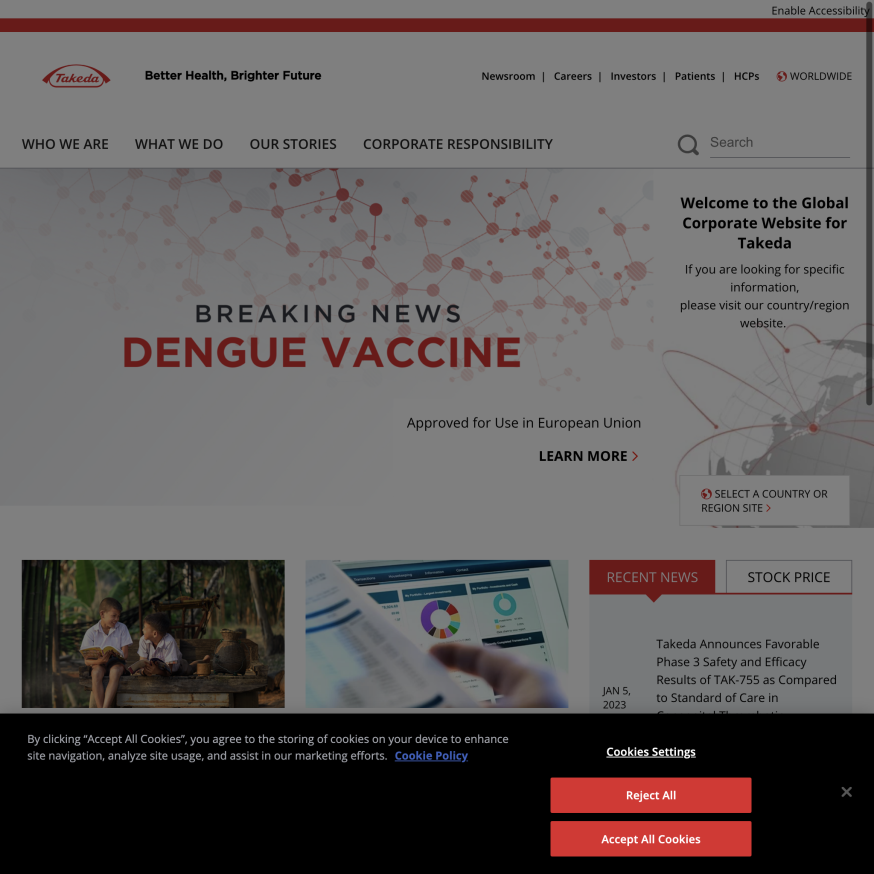
Here is mockup output:
Sure, based on the information you provided, I would like the software consulting firm to build a landing page for a global pharmaceutical company that is research and development-driven and committed to improving the health of patients. The landing page should have an image of "HOME" in the top left corner, an input field for search in the right edge and above center, and an input field for entering email address in the bottom right corner. The landing page should also have four buttons: a white "SUBSCRIBE" button in the bottom and right center, a black "Cookies Settings" button below and to the right of center, a red "Reject All" button in the bottom and right center, and a red "Accept All Cookies" button in the bottom and right center. The landing page should not have any iframes.
SpaceX:
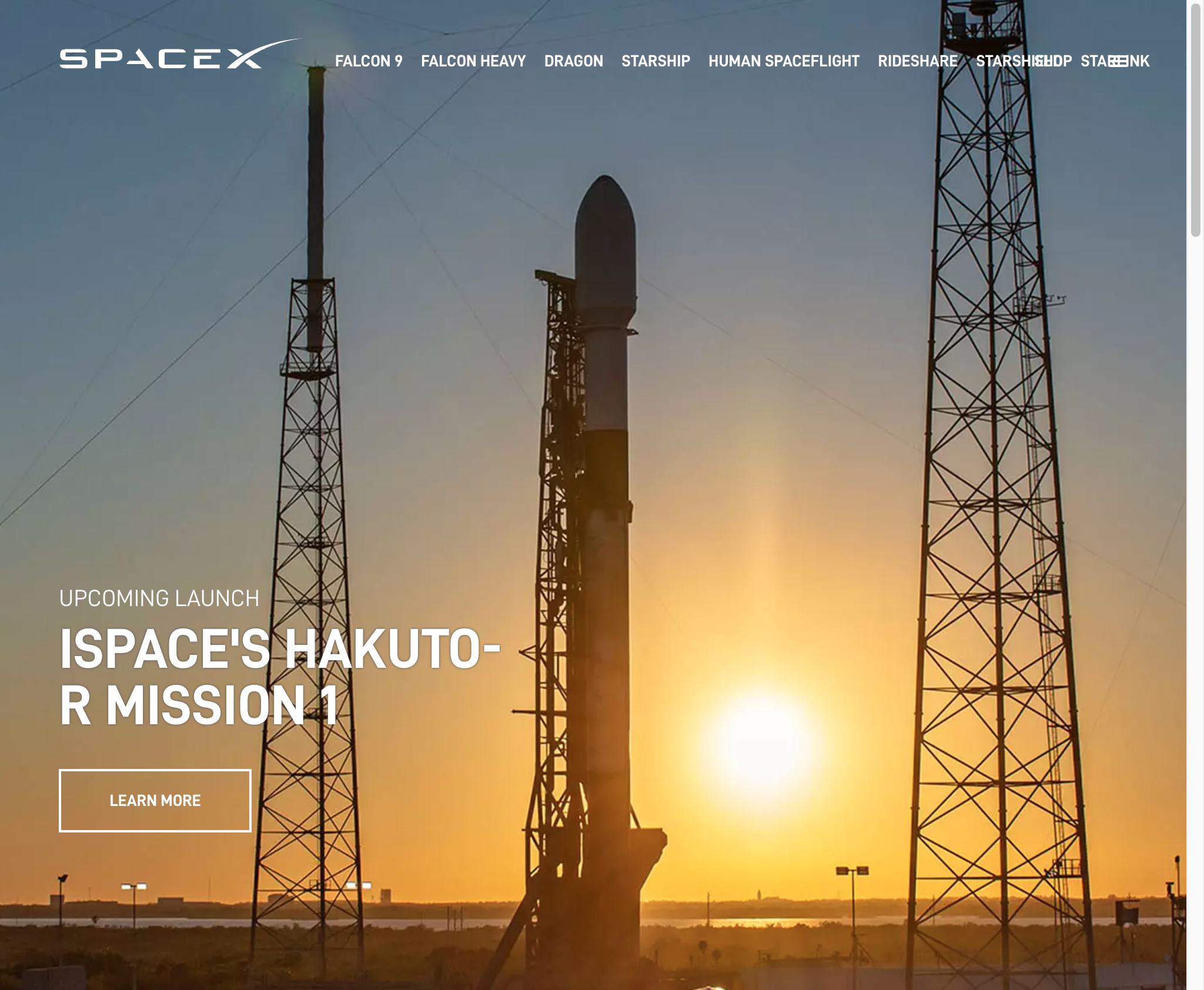
Output:
Sure, here's a generic description of the landing page:
The landing page should have a navigation bar with the following options: Home, About Us, Products, Services, and Contact Us. The landing page should have an image of a rocket or spacecraft in the background to convey the company's focus on space technology. There should be a button to learn more about the company's mission and a button to view their products. The landing page should also have an input field for users to sign up for the company's newsletter. Finally, there should be an iframe displaying a video of a rocket launch or a spacecraft in orbit to further emphasize the company's expertise in space technology.
Website for a theatre:
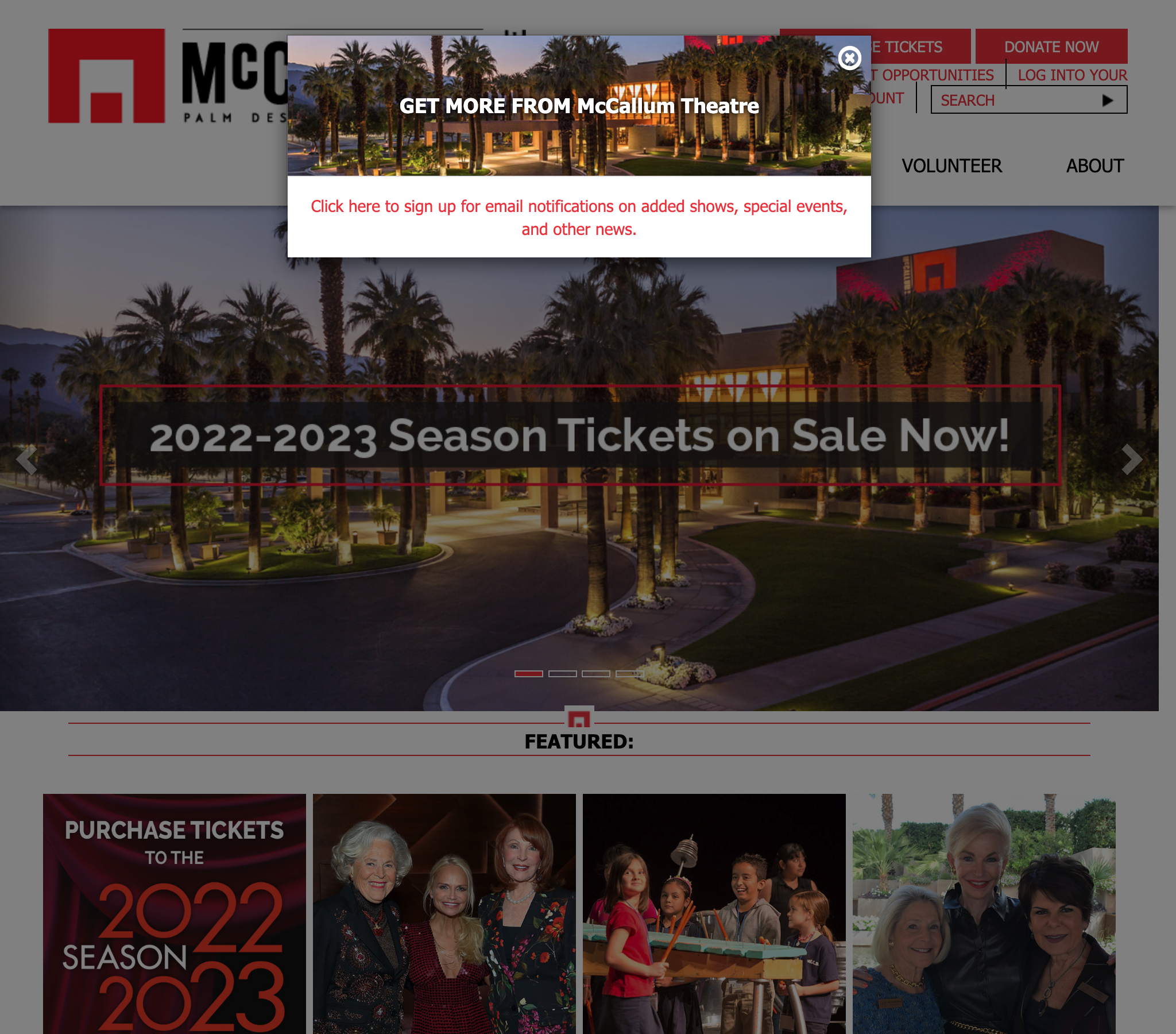
Output:
Sure, here's a generic description of the landing page:
The landing page should have a navigation bar with the following options: Home, About Us, Services, Portfolio, and Contact Us. The landing page should also have an input field of SEARCH in the top right corner.
The landing page should have an image section that showcases the performing arts. The images should be placed in a visually appealing manner and should be clickable.
The landing page should have an iframe section that displays the upcoming events. The iframes should be placed in a way that is easy to navigate and should be clickable
The landing page should have an input field that allows users to subscribe to the newsletter. The input field should be placed in a prominent location and should be easy to use. Overall, the landing page should be designed in a way that is visually appealing and easy to navigate. The content should be organized in a way that is easy to understand and should be optimized for search engines.
- Clone the repository:
https://github.com/zqz979/Silatus.git- Download the required NLTK data:
nltk.download('punkt')
nltk.download('averaged_perceptron_tagger')
nltk.download('stopwords')- Install the required packages:
import nltk
import openai,os
import python-dotenv- Set up the OpenAI API key:
Sign up for an OpenAI API key. Create a .env file in the project directory and add the following line, replacing YOUR_API_KEY with your OpenAI API key:
OPENAI_API_KEY=YOUR_API_KEY