Home
Gridoryn is a local-first desktop task and personal project management application built with Python, PySide6, and SQLite. It is designed for a single power user who wants hierarchy, project clarity, review discipline, and strong local data ownership without a cloud backend.
Current stable version: v2.0.0
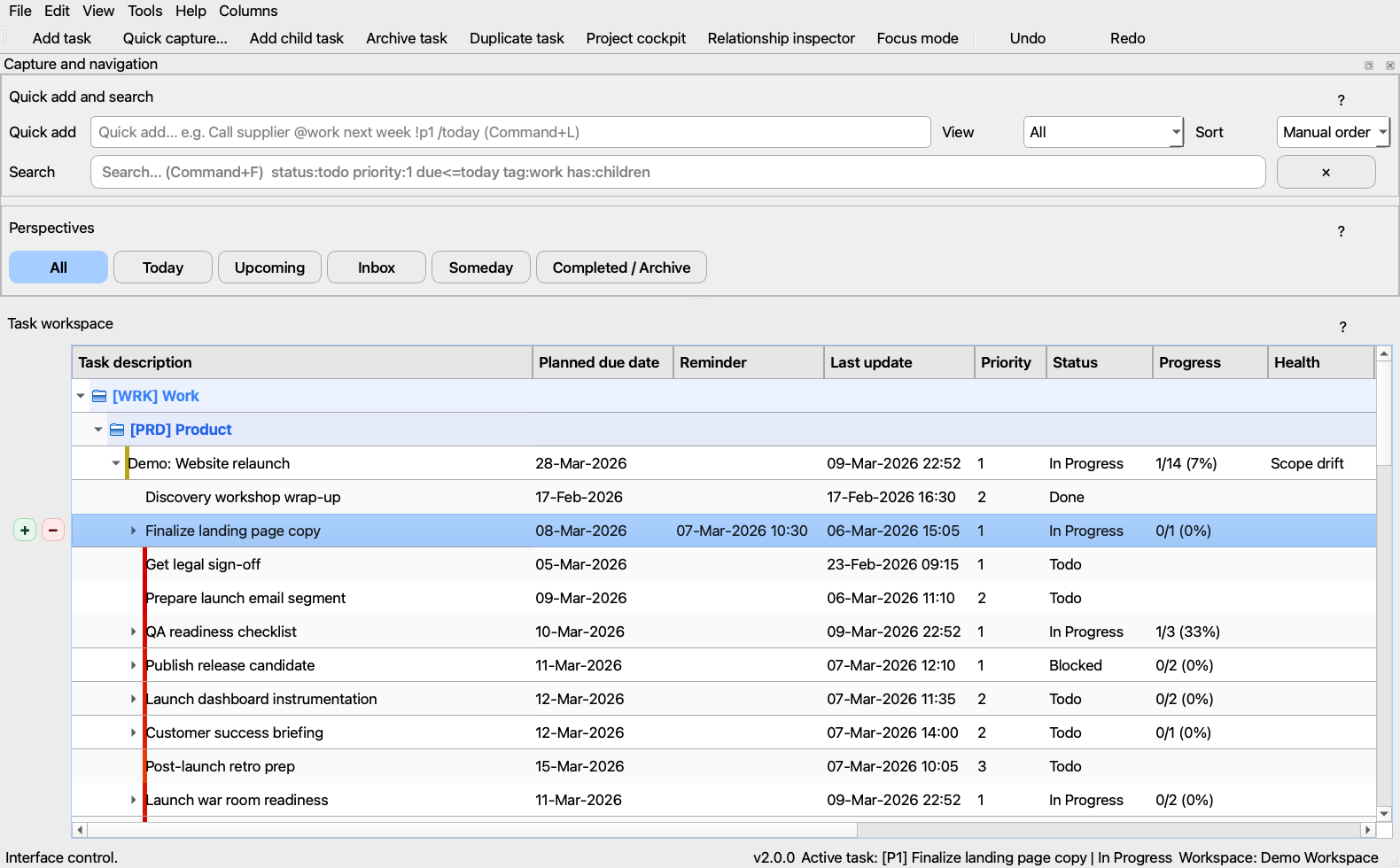
- A local desktop application for task planning, project tracking, and structured review
- A single-user workspace with explicit local databases, restore points, and no hosted sync dependency
- A planning tool that scales from inbox capture to milestones, deliverables, and timeline-based project work
- A team collaboration platform
- A hosted SaaS or cloud-sync product
- A minimal checklist app with no planning depth
- Getting Started
- Daily Workflow
- Core Task Management
- Project Cockpit
- Review, Focus, and Visibility
- Workspaces, Backups, and Recovery
- Reports, Exports, and Printing
- Customization, Shortcuts, and Command Palette
- Troubleshooting and FAQ
- Development, Builds, and Releases
- Hierarchical task tree with drag-and-drop ordering, archive/restore, and undo/redo
- Notes, tags, reminders, attachments, recurrence, effort tracking, and waiting context
- Search operators, filter docks, perspectives, saved views, and keyboard-first navigation
- Custom columns with typed editors
- Project cockpit with project definition fields, phases, milestones, and deliverables
- Structured risk, issue, assumption, and decision registers
- Interactive timeline / Gantt planning with drag, resize, zoom, and dependency-aware context
- Workload summaries, health indicators, next-action signals, blocker/stalled detection
- Guided review workflow for overdue, waiting, stalled, archive, and PM-specific review categories
- Focus mode for short actionable work lists
- Relationship inspector for dependencies, same-project context, and related tasks
- Calendar / agenda and analytics surfaces for status visibility
- Workspace profiles for multiple local databases
- Versioned snapshots with history browsing and safe-copy restore behavior
- Backup export/import and theme export/import
- Diagnostics, repair preview flows, crash logging, and in-app log viewing
- Local-first by default
- Explicit data ownership
- Single-user optimization over collaboration complexity
- Serious planning depth without a web dependency
- Recoverability through backups, logs, and safe restore paths
- Getting Started
- Daily Workflow
- Core Task Management
- Project Cockpit
- Workspaces, Backups, and Recovery
- Source code: https://github.com/cosmowyn/Gridoryn
- README: https://github.com/cosmowyn/Gridoryn/blob/main/README.md
- Changelog: https://github.com/cosmowyn/Gridoryn/blob/main/CHANGELOG.md
- Contributing guide: https://github.com/cosmowyn/Gridoryn/blob/main/CONTRIBUTING.md